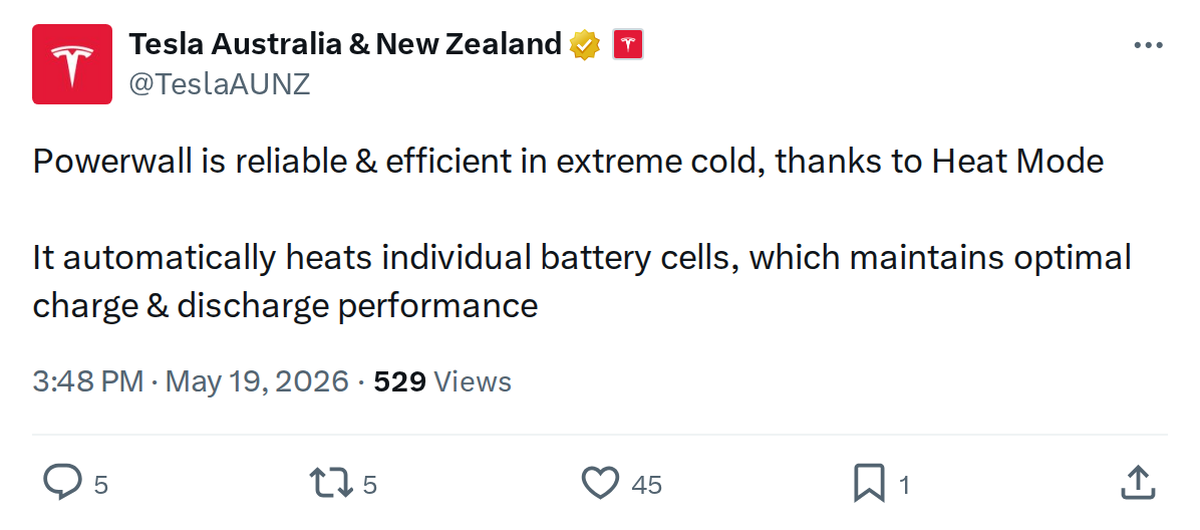
Winter performance is one of the most common concerns for home battery owners — and Tesla's answer for Powerwall 3 is a feature called Heat Mode. Tesla Australia & New Zealand highlighted it this week, and the technical details behind it are worth understanding if you live anywhere temperatures drop below freezing.

What exactly is Heat Mode?
Heat Mode is a thermal management feature built into Powerwall 3 that uses dedicated resistive heating elements at the individual cell level to keep battery temperatures within an optimal range. Rather than heating the entire unit as a whole, it targets the cells directly — a more efficient approach that minimizes energy consumption while maximizing effectiveness. According to Tesla's Powerwall 3 Heat Mode White Paper, the feature became standard with firmware version 23.40, rolled out in November 2023.
At what temperature does it kick in?
Heat Mode activates when ambient temperatures approach freezing. It works to maintain internal cell temperature above 0°C (32°F), and the Powerwall 3 can sustain its maximum power output all the way down to -20°C (-4°F). The full operating range spans -20°C to 50°C (-4°F to 122°F), according to Tesla's documentation.
Does it drain the battery to run?
Minimally. In extreme cold conditions, Heat Mode consumes approximately 200 Watt-hours — a small overhead relative to the Powerwall 3's overall capacity. The system is also intelligent about when it activates: it analyzes your solar and battery usage history over the preceding seven days to determine when heating is actually needed and how much power to apply, rather than running continuously.
What happens if the battery gets very low while heating?
For off-grid installations, Heat Mode includes a safeguard: if the battery's state of charge drops below 10%, heating will pause automatically to prioritize keeping critical energy available for your home. This prevents a scenario where the system drains itself trying to stay warm.
How does this compare to the older Powerwall 2?
Powerwall 2 does not have the same active thermal management system. In freezing temperatures, Powerwall 2 can experience meaningful performance limitations — reduced charge and discharge rates being the most common. Powerwall 3's cell-level heating is a deliberate engineering improvement over that generation, designed specifically to eliminate cold-weather degradation rather than just tolerate it.
Do owners need to enable or configure anything?
No manual setup is required. Heat Mode operates automatically based on ambient conditions and your historical usage patterns. There is no toggle in the Tesla app — the system manages it entirely in the background. If you want to understand how it behaves in your specific installation, Tesla's published Powerwall 3 Heat Mode White Paper provides the full technical breakdown.
For Powerwall 3 owners heading into a cold season, the practical takeaway is straightforward: the system is designed to handle it without any intervention on your part. The engineering is doing the work so your backup power isn't compromised when you need it most.
Related Gear
Gear up your Tesla with tested, custom-fit BASENOR accessories — shop Tesla accessories →
Sources & reporting notes
The links below identify the material source records used for this report.
- @TeslaAUNZ on X (2026-05-19T07:48:34.000Z) — Direct source
Source links are preserved as published or accessed. See our editorial standards and corrections policy.
The BASENOR Editorial Desk covers Tesla, SpaceX, and related technology, curating reporting from primary sources — official accounts, regulatory filings, and software release data. Every article passes source-record and fact-checking review before publication. About the newsroom.
This report was curated by the BASENOR Editorial Desk from the sources listed above. Read our editorial standards or email editorial@basenor.com to report an error.