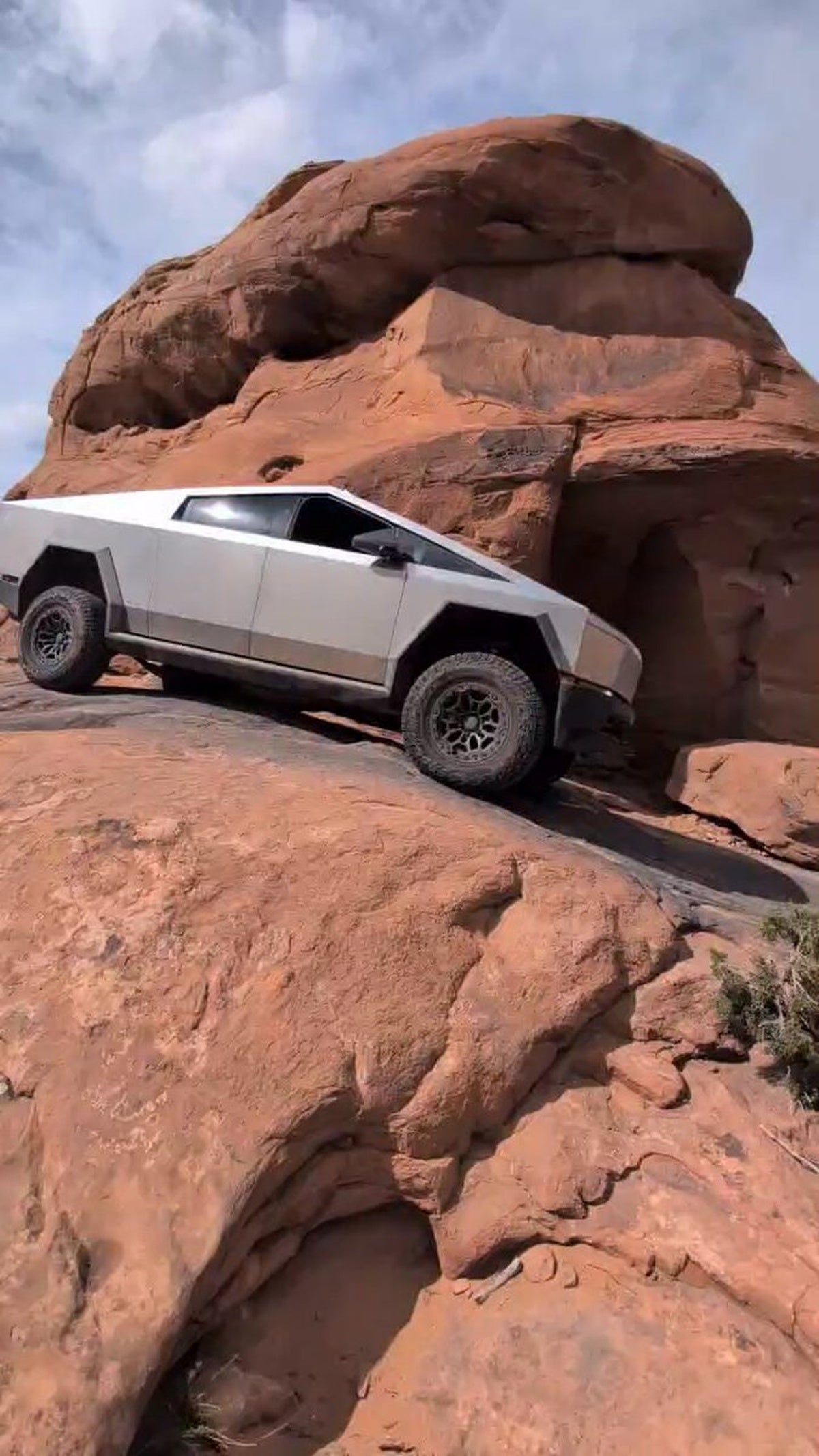
The News: Tesla has officially introduced Trail Assist for the Cybertruck — an off-road cruise control system that holds a set speed with minimum wheel slip on rough or steep terrain.
Why It Matters: Cybertruck owners who take their truck off-road now have a dedicated tool to manage speed on the toughest terrain, freeing up mental bandwidth to focus entirely on steering.
Source: @cybertruck on X
Cybertruck Trail Assist: What It Does and How to Enable It
The Cybertruck just got meaningfully better at doing what it was built for. Tesla's official Cybertruck account announced Trail Assist — a feature that functions as an off-road cruise control, holding a set cruising speed with minimum wheel slip across rough, steep, or unpredictable terrain. Your job becomes steering. The truck handles the throttle.

📊 What Is Trail Assist?
Trail Assist is Tesla's answer to a problem every serious off-roader knows: when you're picking your line through rocks, ruts, or a steep descent, the last thing you want to be doing is managing throttle input. One wrong twitch and you lose traction or momentum at exactly the wrong moment.
Trail Assist solves this by locking in a target speed — anywhere between 1 mph (2 km/h) and 25 mph (40 km/h) — and actively managing power delivery to maintain that speed with the least possible wheel slip. It's available when the Cybertruck is in Overland off-road mode, which is the right context: this is a focused tool for serious terrain, not something that activates on the highway.
| Detail | Spec |
|---|---|
| Speed Range | 1 mph (2 km/h) to 25 mph (40 km/h) |
| Required Mode | Overland off-road mode |
| Quick Toggle | Single-click right scroll wheel |
| Speed Adjustment | Swipe right scroll wheel (small swipe = small increment) |
| Vehicle | Cybertruck |
🚦 Owner's Action Plan
Verdict: Recommended — If you ever take your Cybertruck off pavement, Trail Assist is worth enabling and learning before your next trail run.
Step 1 — Confirm you have the feature
Trail Assist was introduced with software update 2024.14.5. Head to Controls > Software and verify your Cybertruck is on that version or later. If you're not seeing the option in Step 2, a software update may be pending.
Step 2 — Enable Trail Assist in settings
Navigate to: Controls > Dynamics > Off-Road Mode > Trail Assist
Toggle it on from this menu. You only need to do this once — the setting persists.
Step 3 — Engage Overland mode before heading off-road
Trail Assist is only active when the Cybertruck is in Overland off-road mode. Make sure you've selected that before you leave the trailhead.
Step 4 — Use the right scroll wheel on the trail
Once you're in Overland mode and Trail Assist is enabled, a single click of the right scroll wheel activates it. Another single click deactivates it. No need to dig through menus mid-trail.
Step 5 — Dial in your speed
With Trail Assist active, swipe the right scroll wheel to adjust your target speed. Small swipes give fine-grained control; large swipes jump speed more aggressively. Find what works for the terrain in front of you.
💡 Pro Tip
On steep descents, set Trail Assist to 2–4 mph and let the truck manage regenerative braking and power delivery. You focus entirely on your line. This is where the feature earns its keep.
📰 Deep Dive
Trail Assist isn't a gimmick — it addresses a genuine cognitive load problem in off-road driving. When terrain gets technical, experienced wheelers know that throttle modulation is one of the hardest skills to develop. Too much power and you spin tires, lose traction, and potentially dig yourself in. Too little and you stall on an obstacle. Trail Assist takes that variable off the table entirely, letting the driver concentrate on the one thing that matters most in tight situations: where the truck is going.
The 1–25 mph speed window is well-chosen. The low end covers rock crawling and steep descents where you want barely-creeping momentum. The upper end handles faster trail riding — fire roads, graded dirt paths — where you want consistent speed without constant throttle management. The right scroll wheel integration is smart UX too: it's the same control surface drivers already use for audio and other functions, so muscle memory kicks in quickly.
Trail Assist arrived alongside a broader off-road software push that also delivered Baja Mode and locking differentials — a clear signal that Tesla is taking the Cybertruck's adventure credentials seriously. The truck was always capable hardware; software updates like this are what turn capability into usability. For owners who bought the Cybertruck specifically for its off-road potential, this update makes good on a significant part of that promise.
📋 Tracking Tesla software? See every firmware, FSD and app version in one place in our Tesla Software Update Tracker.
Related Gear
Gear up your Cybertruck with tested, custom-fit BASENOR accessories — shop Cybertruck accessories →
Sources & reporting notes
The links below identify the material source records used for this report.
- @cybertruck on X (2026-04-27T21:59:37.000Z) — Direct source
Source links are preserved as published or accessed. See our editorial standards and corrections policy.
The BASENOR Editorial Desk covers Tesla, SpaceX, and related technology, curating reporting from primary sources — official accounts, regulatory filings, and software release data. Every article passes source-record and fact-checking review before publication. About the newsroom.
This report was curated by the BASENOR Editorial Desk from the sources listed above. Read our editorial standards or email editorial@basenor.com to report an error.