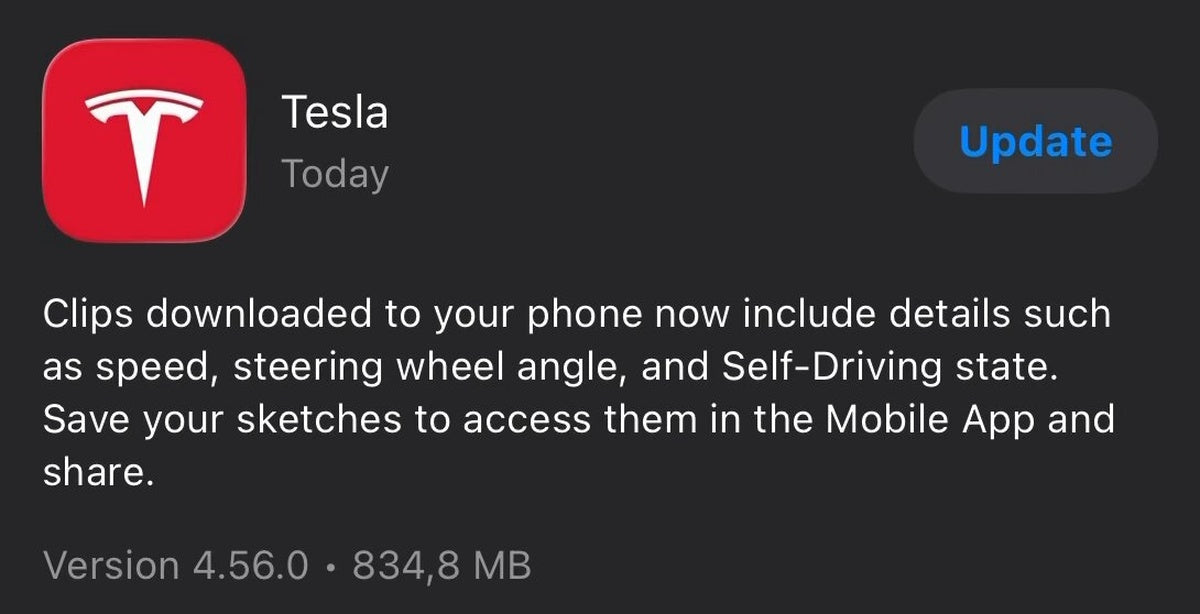
The News: Tesla App version 4.56.0 is now available on iOS, bringing richer data to clips you download from your car's Dashcam and Sentry Mode footage.
Why It Matters: Downloaded clips now carry speed, steering wheel angle, and Self-Driving state overlays — turning raw footage into a proper incident analysis tool for every Tesla owner.
Source: @TeslaNewswire on X

What Changed in Tesla App 4.56.0
Tesla App 4.56.0 is rolling out now on iOS, and while the version number is new, the headline feature has been building across the last two releases. The changelog mirrors what shipped in 4.55.6 and 4.55.7 — meaning if you're already on one of those, the core clip enhancement is already in your pocket. For everyone else, this is the update to grab today.
The key change: when you download a Dashcam or Sentry Mode clip directly to your iPhone through the Tesla app, that video file now carries embedded telemetry data — specifically your vehicle's speed, steering wheel angle, and Self-Driving state at the time of recording. Previously, downloaded clips were just raw video with no context about what the car was doing. Now they're a proper data record.
📊 What Changed
| Element | Before (4.55.5 and earlier) | After (4.55.6 / 4.56.0) |
|---|---|---|
| Downloaded clip content | Raw video only | Video + speed, steering angle, Self-Driving state |
| Incident analysis | Visual footage only — no vehicle data | Full context: what the car was doing at the moment |
| Self-Driving visibility | Not shown in downloaded clips | FSD/Autopilot engagement state included |
| Connectivity requirement | Standard | Premium Connectivity required for enhanced data |
| App version required | Any | 4.55.6 or later (4.56.0 is latest) |
Why This Actually Matters for Owners
This is more useful than it sounds. If you've ever tried to share a Sentry Mode clip with your insurance company, a lawyer, or even just a curious friend after a close call, you know the frustration: the video shows what happened visually, but there's no way to prove how fast you were going or whether FSD was engaged. That gap is now closed.
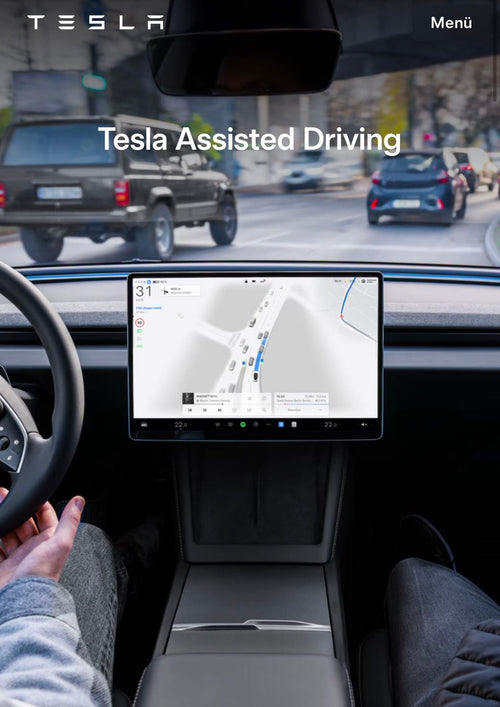
For FSD users in particular, the Self-Driving state field is significant. If your car does something unexpected while Autopilot or FSD is active, the downloaded clip will now document that the system was in control — not you. That's potentially important context in any incident or insurance discussion.
It's also worth noting that this feature is tied to vehicle software as well. According to background research, the Dashcam Viewer updates enabling this functionality are associated with vehicle software release 2026.14.1. If your car hasn't received that update yet, the app-side enhancement will be ready and waiting when it does.
🚦 Owner's Action Plan
Verdict: RECOMMENDED — Takes 2 minutes, adds meaningful value to your footage
- Open the App Store on your iPhone and search for "Tesla" or go directly to the Tesla app page.
- Tap Update to install version 4.56.0. If it shows as already updated, you may already be on 4.55.6 or 4.55.7 — the feature is already active.
- Confirm your connectivity tier. Enhanced clip data requires Premium Connectivity. Check in your Tesla app under Account → Upgrades if you're unsure of your plan.
- Test a clip download. Open the app, navigate to your Dashcam viewer, select a recent clip, and download it. Play it back — you should now see speed and steering data overlaid or embedded in the footage.
- Check your vehicle software version. The full feature set is tied to vehicle software 2026.14.1 or later. Go to Controls → Software on your touchscreen to confirm. If you're behind, enable Wi-Fi updates to receive it sooner.
- Android users: This update is confirmed for iOS today. An equivalent Android release is expected — check the Google Play Store for the latest Tesla app version.
📰 Deep Dive
The pattern here is worth noting: Tesla has now shipped the same core changelog across three consecutive app versions — 4.55.6, 4.55.7, and now 4.56.0. That's a deliberate strategy. Rather than bundling everything into a single large release, Tesla is pushing the clip data enhancement broadly, ensuring maximum fleet penetration before moving on. The 4.56.0 version likely adds under-the-hood bug fixes on top of the clip feature, even if the public changelog doesn't spell them out.
The addition of steering wheel angle data is particularly interesting for the FSD community. Steering angle is one of the core inputs that reveals whether a maneuver was driver-initiated or system-initiated. Combined with the Self-Driving state flag, owners now have a meaningful two-data-point record in every downloaded clip. For anyone who drives regularly with FSD engaged — especially on city streets where edge cases are more common — this is a genuine upgrade to how you can document and review your car's behavior.
The Premium Connectivity requirement is the one friction point worth flagging. Owners on the standard connectivity tier won't get the enhanced data in their downloads. If you're on the fence about Premium Connectivity, this feature adds another item to the value calculation — especially if you use Sentry Mode actively or drive frequently with FSD. For more on all software updates as they roll out, keep an eye on our coverage.
📋 Tracking Tesla software? See every firmware, FSD and app version in one place in our Tesla Software Update Tracker.
Related Gear
Gear up your Tesla with tested, custom-fit BASENOR accessories — shop Tesla accessories →
Sources & reporting notes
The links below identify the material source records used for this report.
- @TeslaNewswire on X (2026-04-24T04:27:01.000Z) — Direct source
Source links are preserved as published or accessed. See our editorial standards and corrections policy.
The BASENOR Editorial Desk covers Tesla, SpaceX, and related technology, curating reporting from primary sources — official accounts, regulatory filings, and software release data. Every article passes source-record and fact-checking review before publication. About the newsroom.
This report was curated by the BASENOR Editorial Desk from the sources listed above. Read our editorial standards or email editorial@basenor.com to report an error.