The News: Tesla has begun rolling out software update 2026.2.200, introducing a new wireless phone charging pad toggle and bundled security fixes.
Why It Matters: Owners now get granular control over in-car wireless charging — a small but meaningful quality-of-life improvement — plus important security patches.
Source: @teslascope on X
📊 What Changed
| Change | Type | Models |
|---|---|---|
| Enable/Disable Wireless Phone Charging Pads — New toggle lets you turn wireless charging pads on or off directly from the vehicle settings. | Official | All supported models |
| Minor Fixes & Security Improvements — Bug fixes, general refinements, and important security patches. | Official | All supported models |
Tracking service Teslascope flagged 2026.2.200 within the last hour, confirming it has reached at least one 2026 vehicle. As with most Tesla OTA releases, expect a staggered rollout over the coming days and weeks.

Enable/Disable Wireless Phone Charging Pads — What It Actually Does
This is a feature owners have quietly requested for a while. Tesla's center console wireless charging pads are convenient, but they're not without quirks — phones can overheat on hot days, charge when you don't want them to, or drain the 12V battery when the car is parked for extended periods with Sentry Mode active. Until now, the only option was to physically avoid placing your phone on the pad.
With 2026.2.200, Tesla adds a straightforward software toggle. You'll be able to disable the wireless charging pads entirely from your vehicle settings and re-enable them whenever you want. Simple, but it solves a real annoyance for a specific group of owners — particularly those in hot climates who've dealt with overheating warnings or owners who prefer wired charging for speed.
Minor Fixes & Security Improvements
Tesla's release notes describe "small bug fixes and general refinements, as well as important security fixes and improvements." As is typical with these bundled maintenance updates, Tesla doesn't itemize individual bug fixes. The "important security fixes" language is worth noting — Tesla uses this phrasing when the update addresses vulnerabilities, making it a good idea to install sooner rather than later.
🚦 Owner's Action Plan
Verdict: Recommended
Security fixes make this worth installing promptly. The charging pad toggle is a nice bonus.
- Check for the update: Go to Controls → Software on your touchscreen. If 2026.2.200 isn't available yet, don't worry — Tesla staggers rollouts across the fleet. It could take days or weeks to reach your vehicle.
- Connect to Wi-Fi: Tesla strongly recommends downloading updates over Wi-Fi. Park within range of your home network or a known hotspot to ensure a smooth download.
- Schedule installation: Once downloaded, you can schedule the installation for a time the car won't be in use. Installation typically takes 25-45 minutes, during which the car cannot be driven.
- After installing — test the new toggle: Navigate to your vehicle's settings and look for the wireless phone charging pad option. Toggle it off and on to confirm it works as expected.
- Enable Advanced updates (optional): If you consistently want updates as soon as possible, go to Controls → Software → Software Update Preference and select Advanced. This puts you earlier in the rollout queue.
📰 Deep Dive
Update 2026.2.200 is a maintenance-class release — not a headline-grabbing feature drop, but precisely the kind of update that keeps the ownership experience smooth. The wireless charging pad toggle is a textbook example of Tesla listening to owner feedback and shipping a small, targeted fix via OTA. For most owners, wireless charging works great and they'll never touch the toggle. But for anyone who has dealt with phone overheating on a summer dashboard or simply prefers a wired connection for faster charging speeds, this is a welcome addition.
The security fixes deserve attention, too. Tesla has been steadily hardening its vehicle software over the past several update cycles, and the "important security fixes" language suggests patches that go beyond routine maintenance. While Tesla never details the specific vulnerabilities addressed — standard practice in the auto industry to prevent exploitation of unpatched vehicles — it's a good reason to update promptly rather than letting it sit in your queue.
As for the rollout itself, Teslascope's detection shows this landing on at least one 2026-model-year vehicle so far. Historically, Tesla begins with a small percentage of the fleet (often employees and early-access users) before broadening availability. Check all software updates for our ongoing coverage as more owners report their experiences with this build.
📋 Tracking Tesla software? See every firmware, FSD and app version in one place in our Tesla Software Update Tracker.
Related Gear
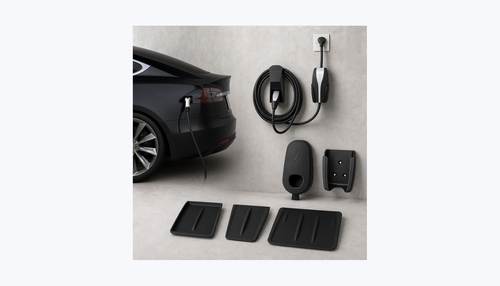
Gear up your Tesla with tested, custom-fit BASENOR accessories — shop Tesla accessories →
Sources & reporting notes
The links below identify the material source records used for this report.
- @teslascope on X (2026-03-20T23:01:12.000Z) — Direct source
Source links are preserved as published or accessed. See our editorial standards and corrections policy.
The BASENOR Editorial Desk covers Tesla, SpaceX, and related technology, curating reporting from primary sources — official accounts, regulatory filings, and software release data. Every article passes source-record and fact-checking review before publication. About the newsroom.
This report was curated by the BASENOR Editorial Desk from the sources listed above. Read our editorial standards or email editorial@basenor.com to report an error.