📌 UPDATE — March 24, 2026
Tesla's 2026.8.3 rollout has now reached its 6th batch of vehicles, covering approximately 48% of the fleet. This latest wave confirms the update carries general security improvements as its primary changelog entry for the 2026.8.3 build specifically, while the headline Comfort Braking feature (smoother stops for 2025+ Model Y) remains tied to the broader 2026.8 release. If you haven't received the OTA yet, the expanding rollout suggests it should reach most vehicles within the next few days — keep an eye on your Tesla app.
@TeslaNewswire · Mar 24, 2026
🔥🚀 The Tesla 2026.8.3 software update is now rolling out to the 6th batch of vehicles (reaching ~48% of the fleet)!
✅ Security Improvements
✅ Comfort Braking [2025+ Model Y] — smoother feel as you come to a complete stop

📌 UPDATE — March 23, 2026
Tesla's 2026.8.3 rollout has now reached its 5th batch of vehicles, with approximately 32% of the fleet receiving the update. The 2026.8.3-specific changelog confirms Security Improvements as the primary addition at this stage. If you haven't received the update yet, broader fleet coverage is clearly accelerating — check your Tesla app now.
@TeslaNewswire · Mar 23, 2026
🔥🚀 The Tesla 2026.8.3 software update is now rolling out to the 5th batch of vehicles (reaching ~32% of the fleet)!
Changelog: ✅ Security Improvements | 2026.8: ✅ Comfort Braking [2025+ Model Y]
📌 UPDATE — March 20, 2026
Tesla 2026.8.3 has accelerated its rollout significantly, now reaching its 5th wave and hitting approximately 24% of the fleet. The 2026.8.3 build itself lists only security improvements in its changelog, while the broader 2026.8 branch continues to deliver the Comfort Braking feature exclusively to 2025+ Model Y vehicles. If you haven't received the update yet, the pace suggests wider availability is imminent — keep checking your car's Software tab.

📌 UPDATE — March 20, 2026
Tesla's 2026.8.3 rollout has now reached its 3rd batch of vehicles, hitting approximately 12% of the fleet. This wave confirms Security Improvements as the version-specific changelog entry for 2026.8.3. The broader 2026.8 changelog also officially lists Comfort Braking — exclusive to 2025+ Model Y — which delivers a smoother feel as the vehicle comes to a complete stop. If you haven't received the update yet, wider availability should follow shortly as Tesla continues its phased rollout.

📌 UPDATE — March 20, 2026
A new wave of 2026.8.3 is now rolling out, this time primarily targeting HW3 vehicles with a smaller portion of AI4 vehicles also included. Unlike previous waves focused on feature additions, Teslascope confirms this distribution is centered on security improvements. If you're on HW3 hardware and haven't received 2026.8.3 yet, check your Software settings now — your chances just went up significantly.

📌 UPDATE — March 19, 2026
Tesla's 2026.8.3 rollout has now progressed to its third wave as of this evening. If you haven't received the update yet, your chances of seeing it hit your vehicle tonight are increasing — check your Tesla app or head to Software → Check for Updates on your touchscreen. Third waves typically reach a significantly broader portion of the fleet, so most owners should expect delivery soon.

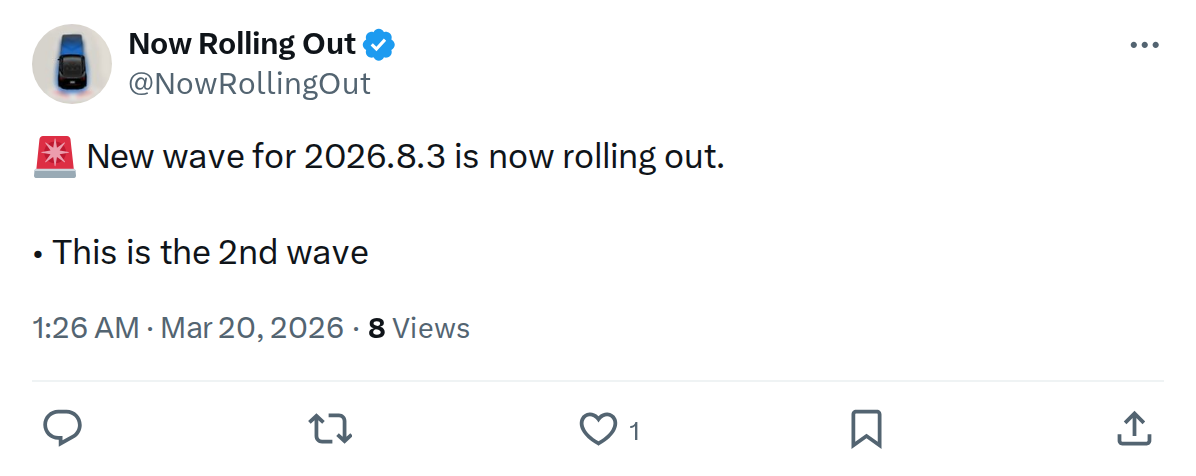
The News: Tesla has launched the second wave of its 2026.8.3 software update, expanding delivery to a broader portion of the fleet.
Why It Matters: This update brings meaningful quality-of-life improvements across multiple models — from a smoother braking feel for Juniper owners to a new charge cable release trick every owner should know.
Source: @NowRollingOut on X

Tesla's 2026.8.3 software update is now in its second wave rollout, meaning significantly more owners will be prompted to install in the coming hours and days. First sightings of 2026.8.3 appeared on March 18, 2026, and according to Teslascope data, roughly 0.4% of tracked vehicles had already received it as of yesterday — with 1.1% of the TeslaFi fleet queued and pending. If you haven't seen the notification yet, it's likely on its way.
Here's everything confirmed in this update, straight from the official release notes — plus a few user-reported changes worth knowing about.
📊 What Changed in 2026.8.3
| Change | Type | Models |
|---|---|---|
| Comfort Braking — Smoother feel at the end of routine stops | Official | Model Y Juniper (2025+) |
| Blind Spot Warning While Parked — Door won't open on first press if object detected | Official | Cybertruck |
| Spotify Improvements — Down arrow to jump to bottom of long playlists/podcast lists | Official | All models |
| Grok Voice Option — New "Leo" voice for a British accent | Official | All models |
| Hide Suggested Destinations — Controls > Navigation > Destination Suggestions | Official | All models |
| Autopilot Naming Update — "Navigate on Autopilot" → "Navigate on Autosteer" | "FSD Computer" → "AI Computer" | Official | All models |
| Charge Cable Release via Door Handle — Pull and hold rear left door handle 3 sec to unlatch | Official | All models |
| Driver Profile Refinements — Faster profile loading, better seat/mirror recall | 🔍 Undocumented | All models |
| Slovak Language Support — New UI language added | 🔍 Undocumented | All models |
| Minor Fixes & UI Polish — General bug fixes and interface improvements | Official | All models |
Rollout Status — 2026.8.3
~0.4% of fleet confirmed on 2026.8.3 • 1.1% pending • Second wave now active • Source: Teslascope / TeslaFi
🔍 Feature Spotlight: The Ones That Actually Matter
Charge Cable Release — Every Owner Should Know This
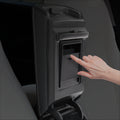
This is the sleeper feature of the update. If your charge cable's unlatch button ever fails or a charging adapter gets stuck, you now have a backup: pull and hold the rear left door handle for 3 seconds while the car is unlocked or a recognized key is nearby. The cable releases. You can still use the touchscreen or Tesla app as alternatives, but having a physical fallback is genuinely useful — especially at public chargers.
Comfort Braking — Model Y Juniper Only
Juniper owners (2025 model year and newer) get a hardware-enabled perk here. The refreshed Model Y's dual master cylinder brake system allows Tesla to tune the final deceleration curve for a noticeably smoother stop. Earlier Model Y variants and other models don't have the hardware to support it, so this one is genuinely exclusive — not just a software toggle.
Blind Spot Warning While Parked — Cybertruck
Cybertruck owners get a safety upgrade that Model 3 owners have had for a while: if the blind spot sensors detect an approaching object when you press the door open button, the indicator flashes, a chime sounds, and the door physically won't open on the first press. A second press overrides the warning. It's a small change with real-world value in tight parking garages and busy streets.
Autopilot Rename — Don't Be Confused
"Navigate on Autopilot" is now "Navigate on Autosteer", and "FSD Computer" is now "AI Computer." The functionality hasn't changed — this is purely a branding alignment. Worth knowing so you're not hunting for a setting that seems to have disappeared.
🚦 Owner's Action Plan
Verdict: RECOMMENDED for all owners
No known issues reported. Solid quality-of-life update with a useful safety backup for charging.
- Check for the update now: Go to Controls > Software on your touchscreen. If 2026.8.3 isn't showing yet, tap "Check for Updates" — second wave means your car may already be queued.
- Schedule overnight if possible: Set your update preference to install during off-peak hours so it doesn't interrupt your day. Go to Controls > Software > Software Update Preference.
- Juniper owners — test Comfort Braking: After installing, pay attention to how the car settles to a stop in normal driving. The difference is subtle but noticeable. No action needed to enable it — it's on by default.
- Cybertruck owners — familiarize yourself with the door behavior: The first time you try to open a door with something in your blind spot, the car will block it. Know that a second press overrides the warning intentionally.
- Memorize the charge cable trick: Rear left door handle, pull and hold 3 seconds, vehicle unlocked. File this away before you need it at a public charger.
- Clean up your Navigation view: If suggested destinations clutter your nav screen, head to Controls > Navigation > Destination Suggestions and toggle them off.
- Try the Grok "Leo" voice: If you use Grok regularly, the new British accent option is in your Grok voice settings. Minor, but a nice personalization touch.
📰 Deep Dive
The 2026.8.3 patch sits within the broader 2026.8 branch, which had already reached approximately 10–12% of Tesla owners worldwide by mid-March. The jump to a second wave typically signals that Tesla's internal monitoring hasn't flagged significant issues with the first cohort — a good sign for anyone waiting on the sidelines.
The charge cable door handle trick is arguably the most universally useful addition in this build. Stuck adapters and malfunctioning unlatch buttons are a known frustration at third-party charging stations, and having a mechanical workaround that doesn't require the app or touchscreen is a practical fix. It's the kind of feature that most owners won't use for months — and then will be very glad exists.
The Autopilot renaming is worth watching for a different reason. Tesla rebranding "FSD Computer" to "AI Computer" and "Navigate on Autopilot" to "Navigate on Autosteer" suggests an ongoing effort to realign terminology with the company's broader AI narrative. It won't affect how anything drives, but it does signal how Tesla wants owners — and regulators — to think about the technology stack going forward. Keep that context in mind as you follow our FSD coverage in the weeks ahead.
User reports of faster driver profile loading and Slovak language support haven't been confirmed in official release notes, but multiple community members have flagged both. If you're a Slovak-speaking owner or someone who switches between driver profiles frequently, it's worth checking after your install. Early adopter feedback on these undocumented changes will likely solidify over the next 48 hours as the second wave reaches more vehicles.
📋 Tracking Tesla software? See every firmware, FSD and app version in one place in our Tesla Software Update Tracker.
Related Gear
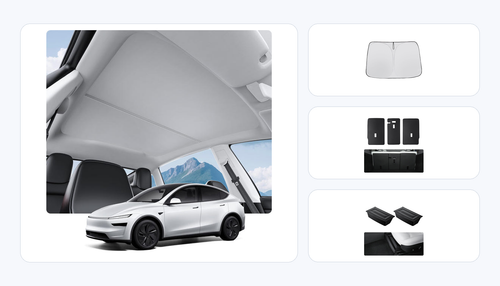
Gear up your Model Y with tested, custom-fit BASENOR accessories — shop Model Y accessories →
Sources & reporting notes
The links below identify the material source records used for this report.
- @NowRollingOut on X (2026-03-19T17:26:08.000Z) — Direct source
- @NowRollingOut on X (2026-03-19T22:42:09.000Z) — Direct source
- @teslascope on X (2026-03-20T02:24:59.000Z) — Direct source
- @TeslaNewswire on X (2026-03-20T05:28:15.000Z) — Direct source
- @TeslaNewswire on X (2026-03-20T22:36:26.000Z) — Direct source
- @NowRollingOut on X (2026-03-20T22:06:09.000Z) — Direct source
- @TeslaNewswire on X (2026-03-23T18:31:21.000Z) — Direct source
- @TeslaNewswire on X (2026-03-24T22:15:35.000Z) — Direct source
Source links are preserved as published or accessed. See our editorial standards and corrections policy.
The BASENOR Editorial Desk covers Tesla, SpaceX, and related technology, curating reporting from primary sources — official accounts, regulatory filings, and software release data. Every article passes source-record and fact-checking review before publication. About the newsroom.
This report was curated by the BASENOR Editorial Desk from the sources listed above. Read our editorial standards or email editorial@basenor.com to report an error.