
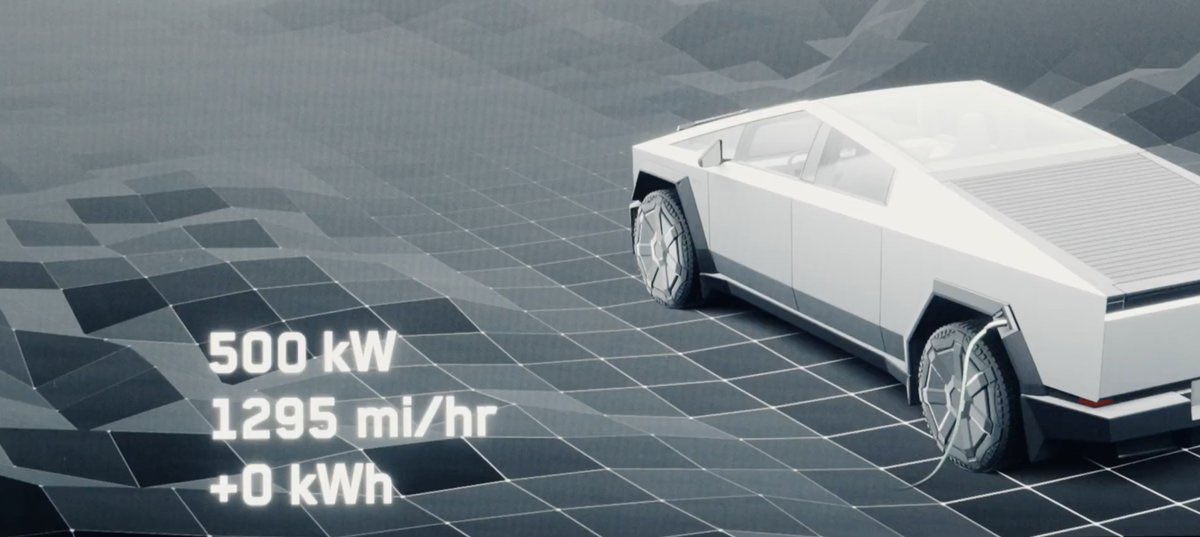
Tesla has quietly rolled out a meaningful Supercharging upgrade for the Cybertruck, and it's the kind of change owners will feel at the plug — not just read about in a spec sheet. According to @TeslaNewswire, the truck now holds its 500 kW peak power for a longer window and shaves several minutes off the 10-80% charging curve. The gains come from two places: upgraded in-house 4680 battery cells on newer builds, and refined firmware controls delivered over the air to the existing fleet.
If you own a Cybertruck, this is worth paying attention to today. The firmware side of the improvement lands via OTA, which means the fastest sessions of your ownership are likely one update — and a few habit tweaks — away.

What Actually Changed
Two things improved in parallel, and it matters which one applies to your truck:
- Hardware (new builds): Tesla's latest 4680 cells produced in-house have better thermal behavior and higher sustained current tolerance. That's what lets the 500 kW peak hold longer instead of tapering aggressively past 20% state of charge.
- Firmware (all Cybertrucks, via OTA): More advanced charging controls — smarter thermal preconditioning, refined taper logic, and better cell balancing during high-power sessions. This is what every existing owner gets automatically once the update reaches their VIN.
In practical terms: existing Cybertrucks won't match a brand-new build's absolute peak, but the firmware side alone is enough to noticeably shorten a 10-80% session at a V4 Supercharger.
Action Plan: Get the Fastest Charging Session Possible
1. Confirm your firmware is current
Open the Tesla app → tap your Cybertruck → Software. If an update is pending, connect to Wi-Fi at home and let it install overnight. The charging improvements are firmware-gated, so an older build won't benefit until it flashes.
2. Precondition the battery before every DC fast-charge session
This is the single biggest lever you control. In the touchscreen, either:
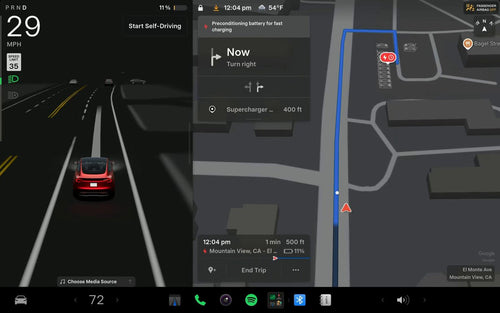
- Navigate to a Supercharger as your destination — preconditioning runs automatically, or
- Manually tap Controls → Service → Precondition Battery about 20-30 minutes before you plug in.
A cold pack will not hold 500 kW no matter how good the firmware is. Warm cells are the prerequisite.
3. Target V4 Supercharger stalls
The 500 kW peak is only achievable on V4 hardware. V3 stalls cap around 250 kW. Filter for V4 sites in the in-car nav or the Tesla app's charging map before you commit to a stop on a road trip.
4. Arrive with a lower state of charge
The taper curve means charging from 10% to 50% is dramatically faster per kWh than 50% to 80%. If you're planning a long trip, arriving at 10-15% rather than 30% will make the biggest difference in total minutes plugged in — and it's exactly the window where the new firmware holds peak power longest.
5. Unplug at 70-80% on road trips
The updated taper still slows meaningfully above 80%. For road-trip pace, the math almost always favors unplugging around 70-80% and doing a shorter top-up at the next stop rather than waiting out the tail of the curve.
Who Sees the Biggest Gains
Owners of newer Cybertrucks with the updated 4680 cells will see the largest improvement, since they benefit from both the hardware and firmware changes. Owners of earlier-production trucks still get a real upgrade from the OTA — expect a tighter, flatter charging curve and a shorter 10-80% window, even if the absolute peak doesn't match a fresh build.
Tesla has not published a formal changelog line item for this improvement, which is consistent with how the company typically rolls out charging-curve refinements: quietly, via firmware, with the results showing up in owner data before they show up in release notes.
What to Watch Next
A few things worth monitoring in the coming weeks:
- Whether Tesla publishes updated official 10-80% time figures for the Cybertruck spec page.
- Third-party charging-curve captures (A Better Route Planner, community datasets) confirming the peak-hold duration on updated firmware.
- Whether the same firmware logic gets ported to other 4680-equipped vehicles — most notably the refreshed Model Y and higher-trim Model 3 variants.
For now, the practical takeaway is simple: check your software version, precondition religiously, and route to V4 stalls. The truck is faster at the plug than it was last month — you just have to give it the conditions to prove it.
Related Gear
Gear up your Cybertruck with tested, custom-fit BASENOR accessories — shop Cybertruck accessories →
Sources & reporting notes
The links below identify the material source records used for this report.
- @TeslaNewswire on X (2026-09-13T19:07:03.000Z) — Direct source
Source links are preserved as published or accessed. See our editorial standards and corrections policy.
The BASENOR Editorial Desk covers Tesla, SpaceX, and related technology, curating reporting from primary sources — official accounts, regulatory filings, and software release data. Every article passes source-record and fact-checking review before publication. About the newsroom.
This report was curated by the BASENOR Editorial Desk from the sources listed above. Read our editorial standards or email editorial@basenor.com to report an error.