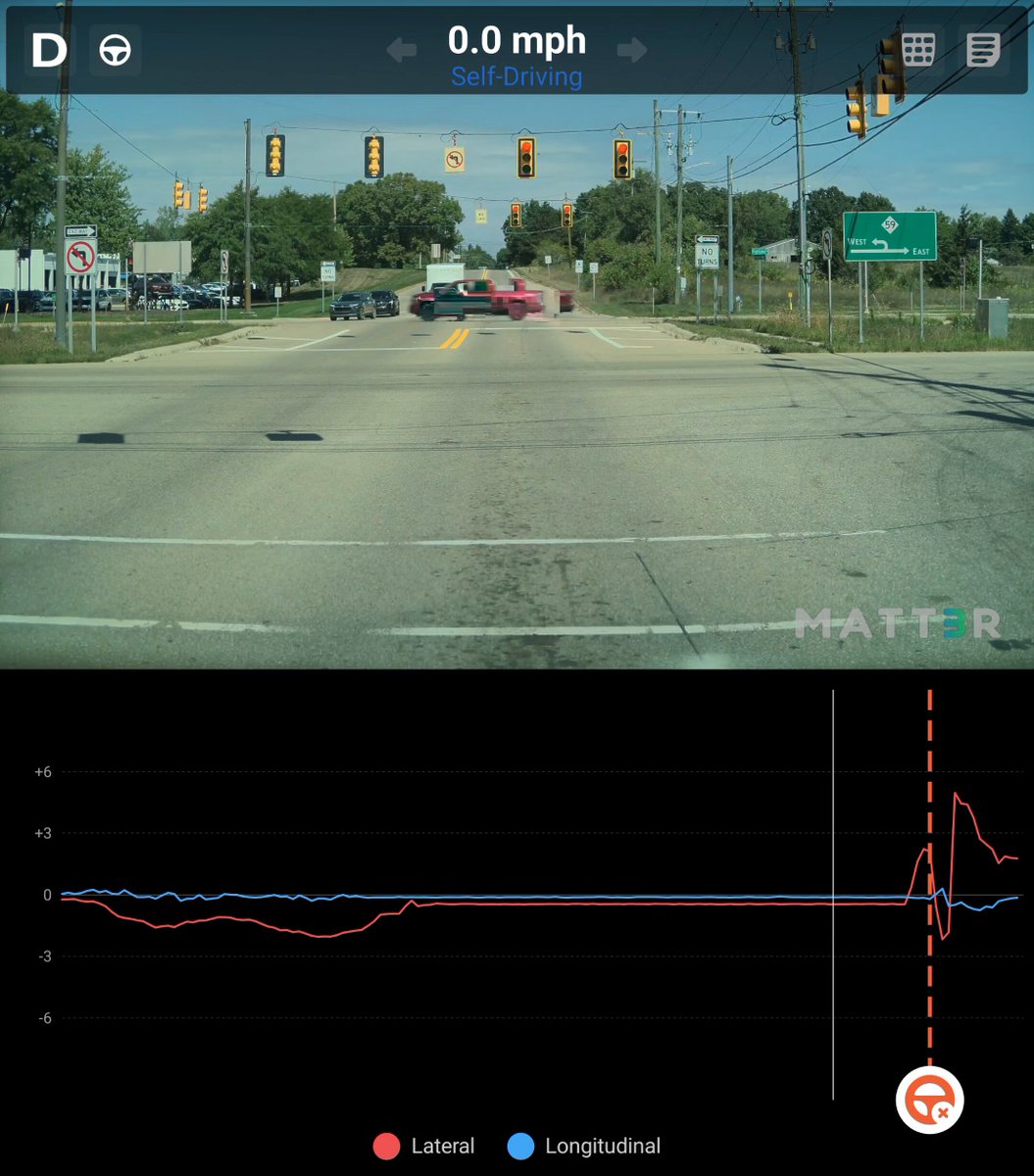
Popular Tesla content creator Dirty Tesla caught Full Self-Driving attempting to steer his car the wrong way down a one-way street after a traffic light turned green — a scenario that, without a quick driver intervention, could have ended in a head-on collision. The clip is a sharp reminder that FSD is still a supervised system, and that certain road geometries continue to trip it up.

This Isn't an Isolated Incident
The video from Dirty Tesla is the latest in a pattern that Tesla owners have been flagging for months. According to community reports, similar wrong-way navigation attempts have been documented across multiple FSD versions — including v14.2.2.5, v14.3.2, and v14.3.3. A separate incident reported on August 28, 2026 described a 2026 Model 3 running FSD v14.3.7 nearly entering a one-way lane head-on after exiting a parking garage, with the owner describing it as a "very serious risk of a collision."
The common thread: intersections or exits where a one-way street runs adjacent to a two-way road, or where the geometry at a turn looks ambiguous to the system's perception stack. FSD appears to occasionally misread the intended travel direction when the visual cues — lane markings, signage, curb geometry — don't align cleanly with what the neural network expects.
It's worth noting that in April 2026, Tesla added a dedicated "Navigation" category to the FSD intervention reporting menu, replacing the old "Other" bucket. That change, introduced with software update 2026.2.9.9, lets owners specifically flag navigation errors like incorrect routing or unintended paths. The fact that Tesla formalized this category suggests the company is actively collecting data on exactly these kinds of failures.
What You Should Do Right Now
FSD is a supervised system — Tesla requires the driver to remain attentive and ready to intervene at all times. But these incidents point to specific situations where you should be especially prepared to take over immediately.
- Identify your high-risk intersections. One-way streets, parking garage exits onto one-way roads, and complex multi-lane intersections where lanes split or merge are the scenarios most likely to confuse FSD's path planning. If you drive these regularly, mentally flag them before you get there.
- Keep your hands on or near the wheel at traffic lights. The Dirty Tesla incident happened the moment the light turned green — the system initiated a turn before the driver could react comfortably. Don't relax at red lights. The transition from stopped to moving is when FSD commits to its planned path.
- Watch the steering wheel, not just the road. On FSD, the steering wheel telegraphs the system's intent a fraction of a second before the car actually moves. If it starts rotating in a direction that doesn't feel right, intervene immediately — grab the wheel and steer or tap the brake to cancel.
- Report it using the Navigation category. If FSD makes a wrong-way attempt or any navigation error on your drive, pull over safely and submit a bug report immediately. In the Tesla app or via voice command, say "Report" and select the Navigation category. The more precise reports Tesla receives on specific road geometries, the faster the training data improves.
- Check your FSD version and update if available. Go to Controls → Software and confirm you're on the latest available build. Tesla pushes targeted fixes for navigation errors between major releases — staying current is the simplest thing you can do.
- Consider disabling FSD in known problem areas. If you have a regular route that includes a tricky one-way intersection, you can tap the FSD button on the steering wheel to disengage before you reach it, then re-engage afterward. It's not a permanent workaround, but it removes the risk on roads you already know are problematic.
The Bigger Picture
Wrong-way navigation errors represent one of the more serious failure modes in autonomous driving — not because they happen frequently, but because the consequence of a missed intervention is severe. Tesla's addition of the Navigation reporting category is a meaningful step toward better data collection, but the incidents keep surfacing across multiple software versions, which suggests the fix isn't trivial.
Until Tesla pushes a targeted update that demonstrably resolves one-way street handling, the practical answer is the same one Tesla has always given: stay engaged, stay ready, and treat every intersection as a potential intervention point. The system is capable enough to handle the vast majority of driving — but it still needs you watching.
Related Gear
Gear up your Tesla with tested, custom-fit BASENOR accessories — shop Tesla accessories →
Sources & reporting notes
The links below identify the material source records used for this report.
- @DirtyTesLa on X (2026-08-29T14:46:33.000Z) — Direct source
Source links are preserved as published or accessed. See our editorial standards and corrections policy.
The BASENOR Editorial Desk covers Tesla, SpaceX, and related technology, curating reporting from primary sources — official accounts, regulatory filings, and software release data. Every article passes source-record and fact-checking review before publication. About the newsroom.
This report was curated by the BASENOR Editorial Desk from the sources listed above. Read our editorial standards or email editorial@basenor.com to report an error.