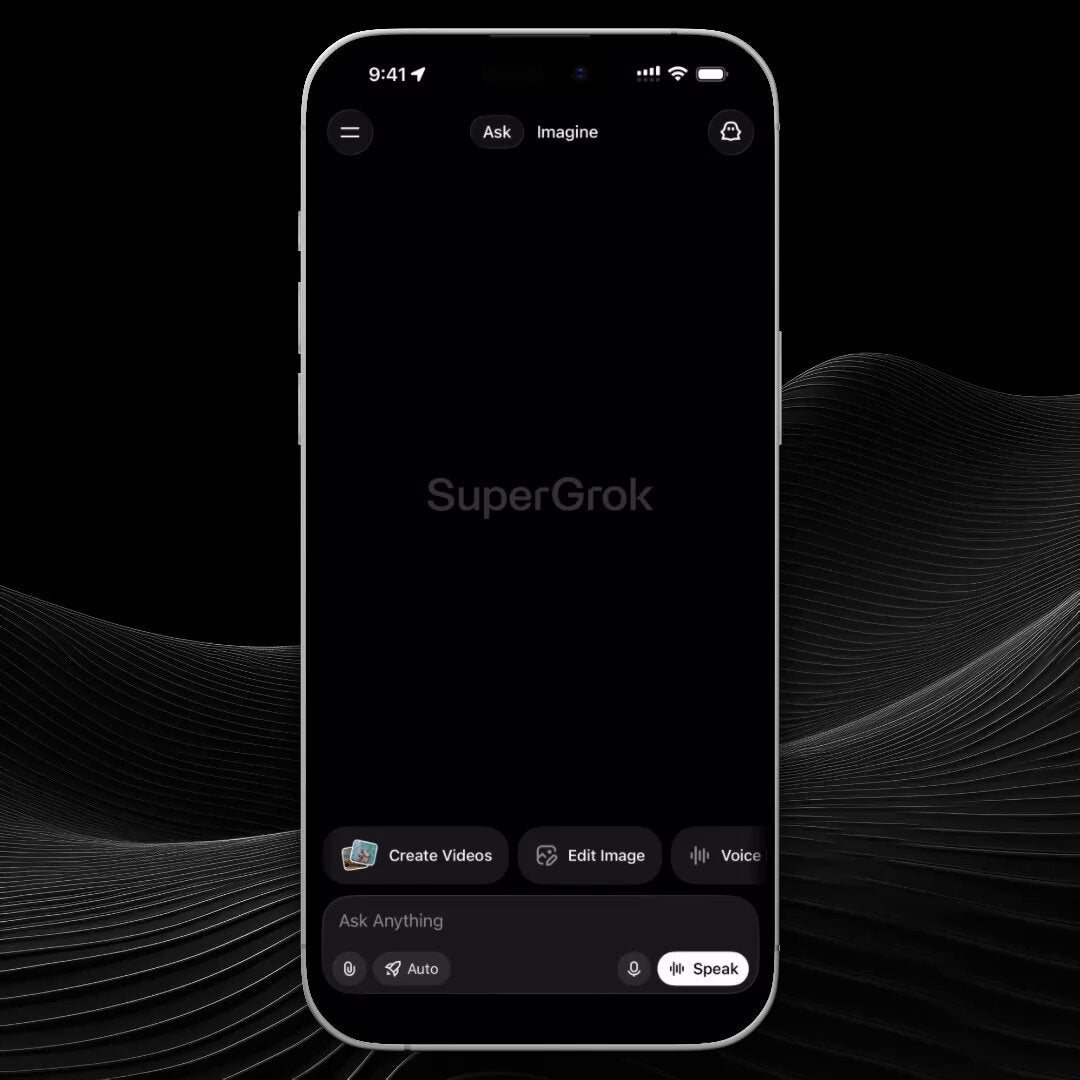
The News: Grok officially announced PDF document analysis — upload a file and ask it anything.
Why It Matters: Tesla owners and xAI users can now feed Grok complex documents — contracts, manuals, reports — and get direct answers without manual copy-pasting.
Source: @grok on X

Grok PDF Analysis: What's Actually Available Right Now
Grok's official account dropped the announcement today: upload a PDF, ask any question, get answers. The pitch is straightforward — and the underlying capability is real. But there's an important distinction between what's available to developers and what consumer users can actually do today.
Here's the honest breakdown.
📊 What Changed
| Aspect | Before | Now |
|---|---|---|
| Document Input | Manual copy-paste only | Direct PDF upload (API; consumer UI rolling out) |
| Document Search | Not available | Server-side document_search tool activated on upload |
| Supported Formats | Text only | PDF, CSV, JSON (via xAI Files API) |
| Model Version | N/A | Grok 4.1 (also Grok 4, Grok 4 Fast) |
| Consumer App Access | Not available | Announced — confirm availability in your app version |
How the Feature Actually Works
When you attach a PDF through the xAI Files API, Grok 4.1 activates a document_search tool server-side. It doesn't just read the file linearly — it can search, summarize, and answer targeted questions about specific sections of a multi-page document. Think of it as giving Grok a highlighter and a search bar inside your file.
For developers and enterprises, this is already live and operational. The API also supports CSV and JSON uploads, and Grok can run Python code execution directly on uploaded datasets — useful for anyone doing data analysis or building automated document review pipelines. API pricing for file attachment tool invocations is $10 per 1,000 uses, on top of standard token costs.
For everyday consumer users in the Grok app or on grok.com, the announcement today signals the feature is being pushed forward — but confirm the upload button is live in your specific app version before assuming it's there.
🚦 Owner's Action Plan
Verdict: RECOMMENDED — Worth testing immediately if you regularly work with documents.
- Open the Grok app or go to grok.com — Look for a file attachment or upload icon in the chat interface. If it's there, the consumer rollout has reached your account.
- Prepare a test PDF — A good first test: a multi-page document you'd normally skim manually. A car purchase agreement, insurance policy, or technical manual works well.
- Upload and ask a specific question — Don't just ask "summarize this." Ask something targeted: "What is the buyout price in section 4?" or "List all warranty exclusions." Specific questions reveal the real capability.
- If the upload option isn't visible yet — Update your Grok app to the latest version. Consumer rollouts are often staged, so it may appear within days if not immediately.
-
Developers and API users — Access PDF analysis now via the xAI Files API with Grok 4.1. The
document_searchtool activates automatically on file attachment. Review the xAI API docs for implementation details and pricing.
What Grok PDF Analysis Is Good For
The practical use cases here are broad. A few worth calling out for Tesla owners specifically:
- Vehicle purchase agreements and financing docs — Upload your Tesla order agreement and ask Grok to flag unusual clauses or explain financing terms in plain English.
- Insurance policies — Multi-page insurance documents are notoriously dense. Ask Grok exactly what's covered for Autopilot-related incidents.
- Service records and repair estimates — Upload a service center estimate and ask Grok whether the quoted work aligns with known issues for your model.
- Owner's manuals and technical documents — Tesla's owner manuals run hundreds of pages. Targeted questions get you answers faster than searching manually.
📰 Deep Dive
This announcement is a meaningful step for Grok's practical utility, but the framing deserves some scrutiny. The underlying PDF capability has been building since at least November 2024, when Elon Musk noted that "Grok now understands PDFs" — that groundwork was laid for the API-first rollout that followed. What today's announcement represents is the push toward making this accessible to regular users, not just developers building on the xAI API.
The distinction matters because the consumer experience and the developer experience are quite different right now. Via the API, Grok 4.1's document handling is genuinely capable — the server-side document_search tool allows it to navigate large documents intelligently rather than processing them as a flat wall of text. For enterprises building document review tools or research assistants on top of Grok, this is already a production-ready feature.
For consumer users, the honest answer is: try it today and see if the upload option is live for your account. Staged rollouts mean some users will have it immediately and others will wait days. The video attached to the announcement tweet shows the feature in action — watch it to get a clear picture of the interface before you go looking for it in your own app.
Looking ahead, Grok 5 — anticipated in Q2 2026 — is being built with native multimodal architecture from the ground up. Document analysis in the current generation is a retrofitted capability; in the next generation, it's expected to be a core design feature. If you're evaluating Grok as a long-term document analysis tool, that context is worth keeping in mind.

Sarah focuses on Tesla Energy, SpaceX missions, and the broader Musk AI portfolio. Former data analyst in clean energy. Based in San Francisco.
Sources verified at publish time. Spotted an inaccuracy? Email editorial@basenor.com.