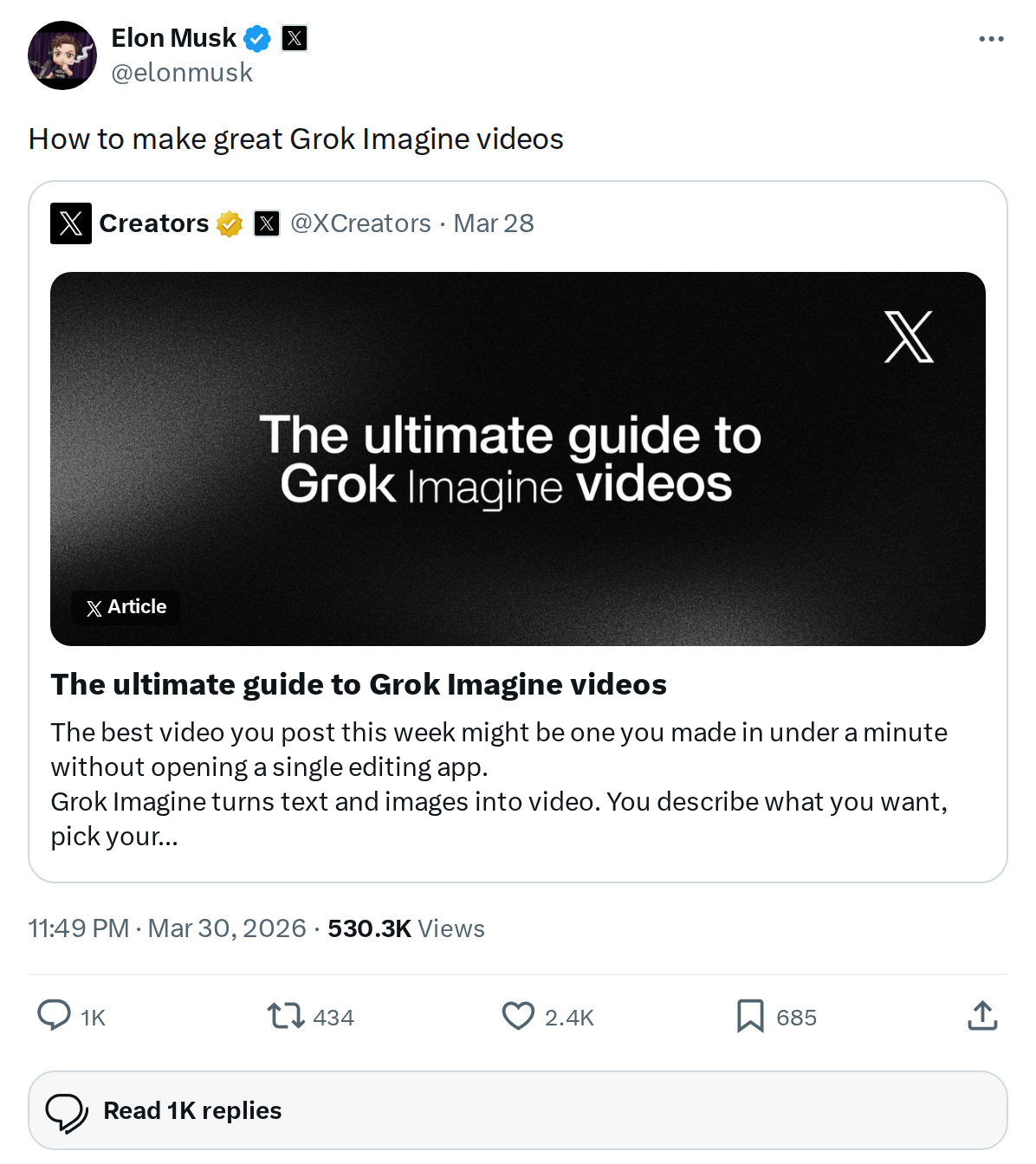
The News: Elon Musk shared an official guide on how to create great videos using xAI's Grok Imagine feature.
Why It Matters: Grok is baked into the Tesla in-car experience and the X platform — knowing how to get the most out of its video generation tools gives you a real creative edge.
Source: @elonmusk on X
How to Make Great Grok Imagine Videos: Everything in Elon's Guide
Elon Musk just dropped a guide on getting the best results from Grok Imagine's video creation feature — and if you haven't experimented with it yet, now is the time. Grok is xAI's flagship AI assistant, accessible via the X app, the web, and increasingly integrated into Tesla's software ecosystem. The video generation capability within Grok Imagine is one of its most powerful — and most underused — tools.

What Is Grok Imagine?
Grok Imagine is the visual generation arm of xAI's Grok assistant. It allows users to generate images and — more recently — short videos from text prompts. Think of it as a direct competitor to tools like Sora or Runway, but built natively into the X platform and accessible to anyone with a Grok subscription or X Premium account.
The video generation feature is relatively new, and like most AI video tools, the quality of your output depends heavily on how well you craft your prompt. That's exactly what Elon's guide addresses.
📊 What the Guide Covers
| Area | What It Addresses |
|---|---|
| Prompt Crafting | How to write prompts that produce high-quality, coherent video output |
| Style Controls | Guidance on specifying visual style, motion, and tone |
| Common Mistakes | What to avoid when generating video to prevent poor results |
| Best Use Cases | Scenarios where Grok Imagine video performs best |
Note: Specific guide details are drawn from the linked resource shared by Elon Musk. Access the full guide via the source tweet link above.
🚦 Owner's Action Plan
Verdict: Recommended
Grok Imagine video is a genuinely useful creative tool. Reading the guide before diving in will save you significant trial-and-error time.
- Access the guide — Open the source tweet from @elonmusk and follow the linked resource.
- Make sure you have Grok access — Grok video generation is available to X Premium and X Premium+ subscribers. Log in at x.com or open the X app.
- Start with a simple prompt — Before experimenting with complex scenes, test a basic concept first to understand how the model interprets your instructions.
- Apply the guide's prompt structure — Once you've read the guide, rebuild your prompt using the recommended format. Specificity around style, subject motion, and scene context typically yields the best results in AI video tools.
- Iterate quickly — AI video generation improves significantly with iteration. Generate, review, adjust your prompt, and regenerate. The guide likely addresses this loop directly.
- Save your best prompts — Keep a personal log of prompts that produce strong results. This becomes a reusable creative asset over time.
Why This Matters for the Tesla Ecosystem
Grok's integration with Tesla is deepening. The assistant is already accessible via Tesla's voice interface on newer vehicles, and xAI has signaled broader in-car AI capabilities on the roadmap. Understanding how to use Grok's most advanced features — including video generation — positions you ahead of the curve as these tools become more tightly woven into the Tesla experience.
For Tesla owners who use X regularly, Grok Imagine video is also a practical tool for creating content — whether that's showcasing your vehicle, documenting road trips, or experimenting with AI-generated creative projects. The guide Elon shared is the fastest way to skip the learning curve.
📰 Deep Dive
The timing of this guide is notable. xAI has been aggressively expanding Grok's capabilities in 2026, and video generation is one of the most competitive battlegrounds in AI right now. By publishing a how-to guide directly from Elon's account — which reaches hundreds of millions of followers — xAI is clearly pushing for broader adoption of the feature beyond early adopters.
The guide's existence also signals something about where Grok Imagine video currently stands: it's capable enough to be worth promoting, but nuanced enough that users need guidance to unlock its full potential. That's a common inflection point for AI tools — powerful but not yet intuitive. The guide bridges that gap.
For the broader AI and robotics space, this is another data point in xAI's push to position Grok as a full-stack creative platform — not just a chatbot. Video generation, image creation, and deep reasoning in a single assistant, accessible from your Tesla, your phone, or your browser, is a genuinely compelling proposition. Keep an eye on how quickly these capabilities evolve over the coming months as part of our ongoing AI & Robotics coverage.
Related Gear
Gear up your Tesla with tested, custom-fit BASENOR accessories — shop Tesla accessories →
Sources & reporting notes
The links below identify the material source records used for this report.
- @elonmusk on X (2026-03-30T15:49:57.000Z) — Direct source
Source links are preserved as published or accessed. See our editorial standards and corrections policy.
The BASENOR Editorial Desk covers Tesla, SpaceX, and related technology, curating reporting from primary sources — official accounts, regulatory filings, and software release data. Every article passes source-record and fact-checking review before publication. About the newsroom.
This report was curated by the BASENOR Editorial Desk from the sources listed above. Read our editorial standards or email editorial@basenor.com to report an error.