⏱️ 30-Second Brief
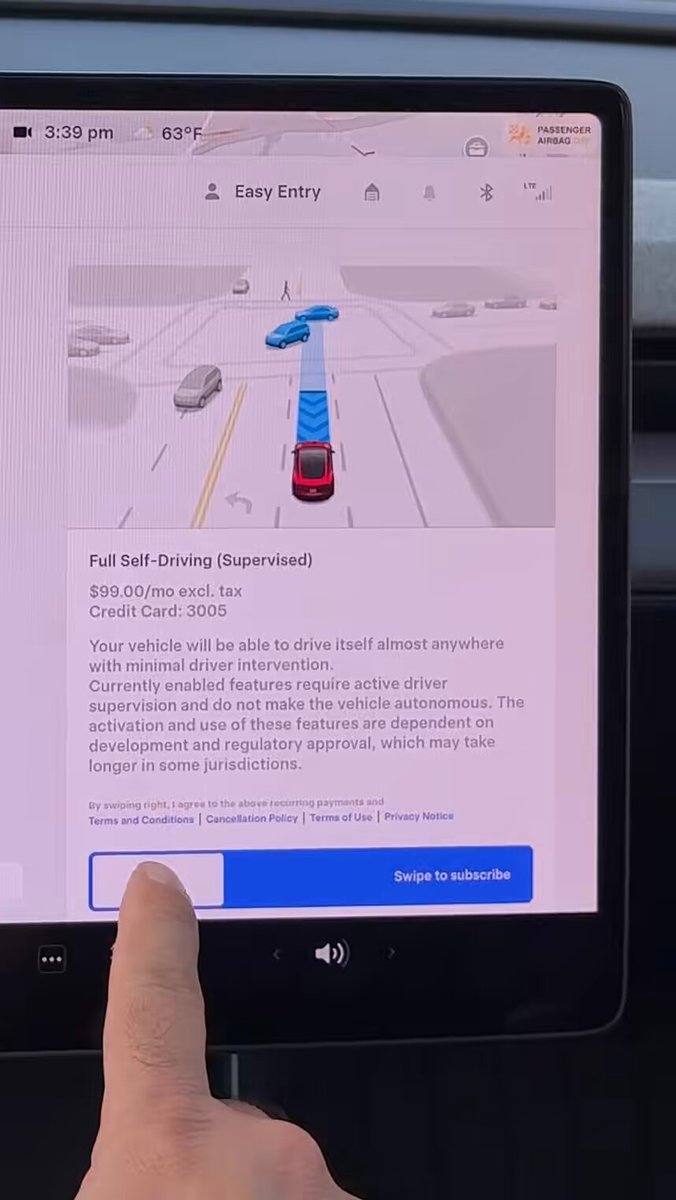
- The News: You can now subscribe to FSD (Supervised) directly through your Tesla's 'Upgrades' menu on the touchscreen, bypassing the mobile app.
- Why It Matters: This reduces friction for owners wanting to try FSD, especially following Tesla's recent global shift to a subscription-only model.
- Source: Tesla North America via X
Tesla has officially streamlined the process for accessing its advanced driver-assistance software. As of this evening, owners can subscribe to Full Self-Driving (Supervised) directly from the vehicle's center display, removing the previous requirement to use the Tesla mobile app for the transaction.
This update arrives just days after Tesla fundamentally shifted its business model, eliminating the option to purchase FSD outright in favor of a monthly subscription plan. By moving the point of sale into the dashboard, Tesla is making the software more accessible for impulse adoption or pre-road trip activation.

📊 What Changed
Previously, adding FSD required navigating through the 'Upgrades' section of the Tesla smartphone app. While not difficult, it separated the purchase decision from the driving experience. The new workflow allows the driver to make the decision while sitting in the car.
| Feature | Previous Method | New Method |
|---|---|---|
| Purchase Location | Tesla Mobile App Only | Mobile App OR Vehicle Touchscreen |
| Steps Required | Open App > Upgrades > Software > Subscribe | Controls > Upgrades > Subscribe |
| Hardware Required | HW3.0 or higher | HW3.0 or higher |
🚦 Owner's Action Plan
If you have been considering trying the latest iteration of FSD (currently v14.2.2.5), here is how to activate it directly from your driver's seat.
Steps to Subscribe In-Car
- Ensure Park is Engaged: You cannot access the Upgrades menu while driving.
- Open Controls: Tap the car icon in the bottom left corner of the touchscreen.
- Navigate to Upgrades: Select the 'Upgrades' tab from the menu list.
- Select FSD Subscription: You should see the option for 'Full Self-Driving Capability'. The price will display (e.g., $99/mo in the US).
- Confirm Purchase: Tap to subscribe. The payment method linked to your Tesla account will be charged immediately.
💡 BASENOR Tip: If you do not see the Upgrades tab, ensure your vehicle is connected to Wi-Fi or has a strong LTE connection, and that your software is up to date.
Pricing Recap
With the shift to a subscription-only model (effective globally as of February 14, 2026), these are the current monthly rates you can expect to see on your screen:
- United States: $99 / month
- Australia: AUD $149 / month
- New Zealand: NZD $159 / month
Note: If you have a legacy vehicle with HW2.5, you will still need to schedule a hardware retrofit through the app before this option becomes available.
📰 Deep Dive
This UI update is a clear tactical move supporting Tesla's broader strategy shift regarding Full Self-Driving. By recently removing the option to buy FSD for a large lump sum (previously $8,000 or $12,000 depending on the region), Tesla has pivoted entirely to a Monthly Recurring Revenue (MRR) model.
Enabling in-car subscriptions serves two purposes. First, it capitalizes on impulse capability—owners stuck in traffic or preparing for a long highway drive can now activate the driver-assist suite instantly without fumbling for their phone. Second, it normalizes FSD as a utility service, similar to Premium Connectivity, rather than a permanent asset attached to the VIN.
With FSD v14.2.2.5 rolling out and showing significant improvements in complex urban scenarios, reducing the barrier to entry is critical. If the subscription process is frictionless, Tesla likely anticipates a higher take rate, allowing more owners to experience the capabilities of the neural network-based autonomy stack for a relatively low entry fee of $99.
📋 Tracking Tesla software? See every firmware, FSD and app version in one place in our Tesla Software Update Tracker.
Related Gear
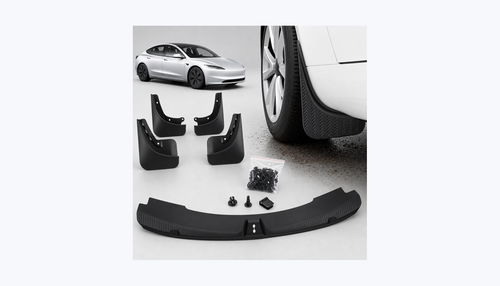
Gear up your Model 3 with tested, custom-fit BASENOR accessories — shop Model 3 accessories →
Sources & reporting notes
The links below identify the material source records used for this report.
- @tesla_na on X (2026-02-18T22:56:24.000Z) — Direct source
Source links are preserved as published or accessed. See our editorial standards and corrections policy.
The BASENOR Editorial Desk covers Tesla, SpaceX, and related technology, curating reporting from primary sources — official accounts, regulatory filings, and software release data. Every article passes source-record and fact-checking review before publication. About the newsroom.
This report was curated by the BASENOR Editorial Desk from the sources listed above. Read our editorial standards or email editorial@basenor.com to report an error.