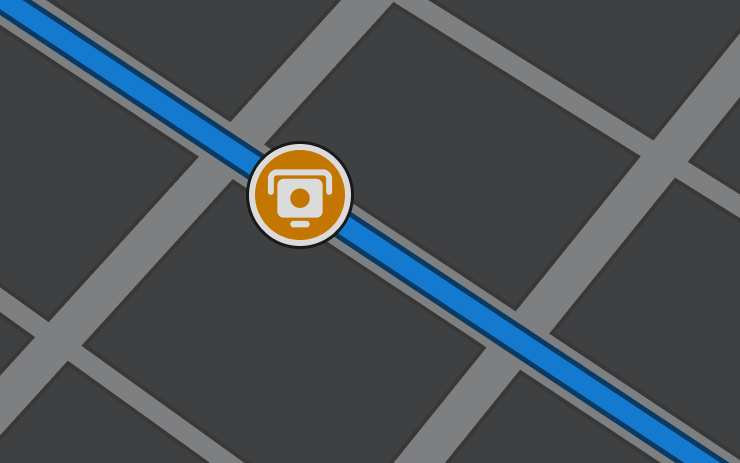
Tesla's navigation system is quietly gaining a feature drivers have wanted for a long time: speed camera locations displayed directly on your route. The change wasn't announced in any release notes — it was spotted by Teslascope tracking live fleet data this morning. If you drive in areas with fixed speed enforcement cameras, this one's worth checking for right now.

What the Feature Does
Speed Cameras on Route overlays known fixed speed camera positions onto your active navigation path. Rather than relying on a third-party app or a separate radar detector, the information surfaces natively inside Tesla's map view — the same place you're already watching for lane guidance and traffic.
This is distinct from the speed limit warnings Tesla has shown for years. Speed limit signs reflect posted limits on a road segment; this feature flags the physical enforcement hardware — the cameras themselves. For owners who regularly drive corridors with fixed cameras, that's a meaningful difference in situational awareness.
Because this change didn't appear in Tesla's official release notes, the exact scope — which regions have camera data, how frequently the database updates, and whether it covers red-light cameras in addition to speed cameras — is still unknown. What Teslascope's fleet tracking confirms is that the feature string is live and being pushed to vehicles now.
How to Check If You Have It
There's no single settings toggle labeled "Speed Cameras" to hunt for. The feature surfaces in the navigation view, so the fastest way to verify is to start a route and watch the map. Here's a methodical way to check:
- Start a navigation route — tap the search icon on your touchscreen and enter any destination. The feature only appears when active navigation is running, not in passive map mode.
- Watch the route overlay — as your route renders, look for a new camera icon or marker along the path. The visual indicator will vary, but expect something similar to how hazard or traffic markers already appear on the map.
- Check your software version — go to Controls → Software to see your current version. If you're on a recent build from the past few weeks and the feature isn't visible on a known camera route, your vehicle may still be in queue for this rollout.
- Try a route in a known enforcement area — if you're unsure whether your local roads have fixed cameras, the feature will be most obvious on highways or arterials where fixed cameras are common in your region.
What We Don't Know Yet
Because Tesla didn't document this change, several questions remain open. The camera database source isn't confirmed — Tesla could be pulling from a licensed dataset, crowd-sourced data, or an internal map layer. Coverage will almost certainly vary by country and region, with markets that have dense fixed-camera infrastructure (UK, much of Europe, Australia) likely seeing more populated overlays than areas where fixed cameras are rare.
It's also unclear whether the feature requires a Premium Connectivity subscription or works offline. Tesla's navigation functions at a basic level without connectivity, but real-time or frequently updated data layers typically require an active connection.
As more owners confirm the feature across different regions and software versions, the picture will sharpen. If you spot it on your vehicle — or notably don't see it despite being on a current build — that fleet-level data is exactly what helps track how widely this has deployed. For a running look at all software updates as they roll out, check our dedicated tracker.
Related Gear
Gear up your Tesla with tested, custom-fit BASENOR accessories — shop Tesla accessories →
Sources & reporting notes
The links below identify the material source records used for this report.
- @teslascope on X (2026-08-13T07:30:51.000Z) — Direct source
Source links are preserved as published or accessed. See our editorial standards and corrections policy.
The BASENOR Editorial Desk covers Tesla, SpaceX, and related technology, curating reporting from primary sources — official accounts, regulatory filings, and software release data. Every article passes source-record and fact-checking review before publication. About the newsroom.
This report was curated by the BASENOR Editorial Desk from the sources listed above. Read our editorial standards or email editorial@basenor.com to report an error.