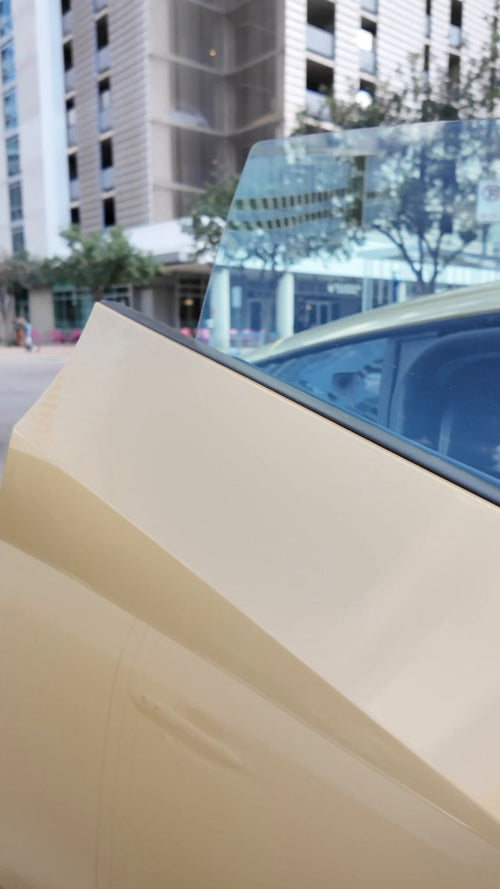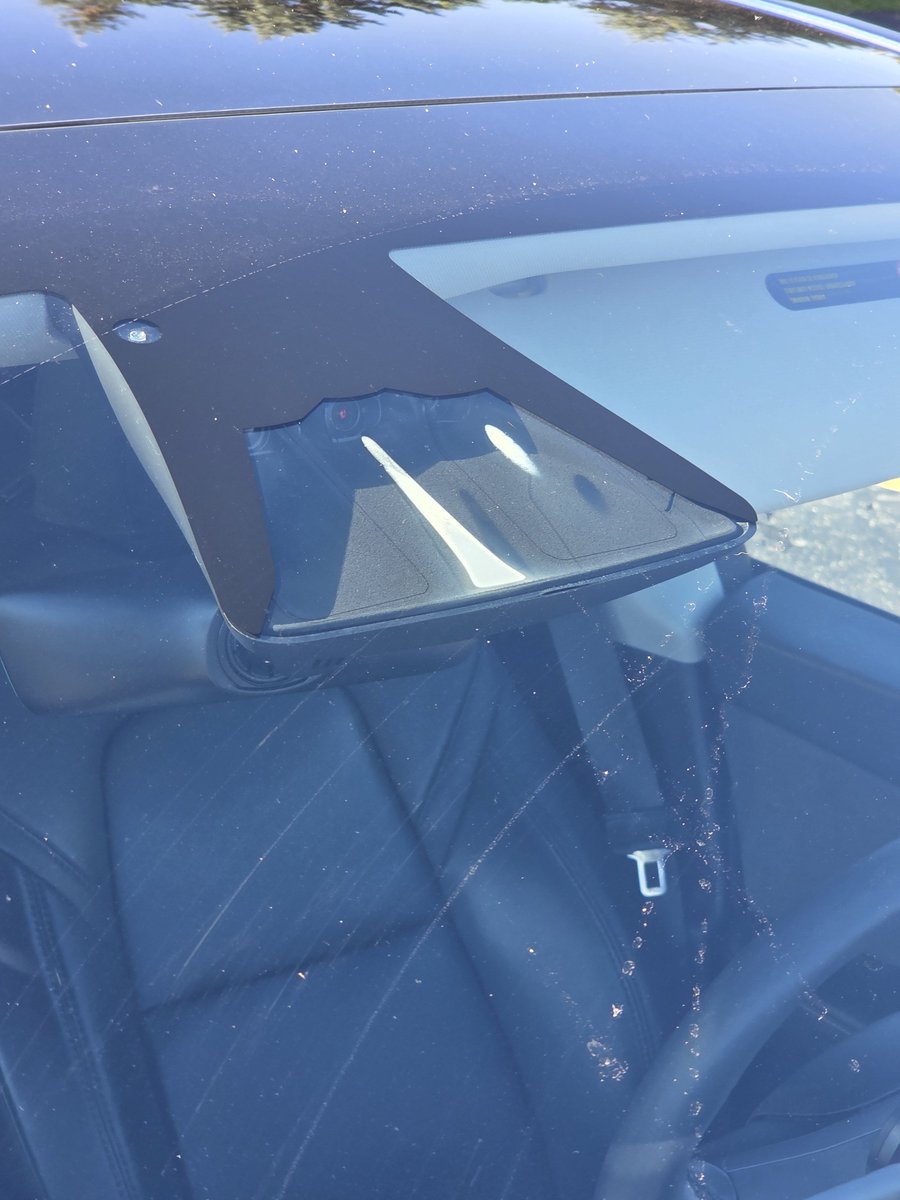
If your Tesla Model Y has been throwing unexpected 'take over immediately' warnings during FSD, the culprit might not be software — it could be moisture sitting inside your camera housing. Popular Tesla creator Dirty Tesla shared a striking photo of severe condensation inside a 2023 Model Y camera enclosure, noting that FSD mostly continued working but triggered two abrupt handover warnings during the drive. It's a known issue, and there are concrete steps you can take right now.

Why This Happens
Tesla's camera enclosures are not fully sealed — that's by design. The tradeoff is that moisture can enter, especially after rain, overnight in cold or humid conditions, or even from new interior plastics off-gassing onto the inside of the windshield near the forward-facing camera cluster. When condensation builds up on the lens, the camera's image quality degrades enough that FSD's perception stack loses confidence and demands the driver take over.
According to Tesla's own documentation, condensation inside camera enclosures is described as a "normal characteristic" of the design. That framing is cold comfort when FSD is disengaging on the highway, but it does explain why the fix is about drying things out rather than replacing hardware.
The issue isn't isolated to one model year. Owner reports of FSD errors and disengagements from condensation span 2023, 2024, and 2026 Model Y vehicles. In September 2025, Elon Musk acknowledged that camera fogging is a "major area of focus" for Tesla, and a senior staff engineer attributed the problem to cabin moisture trapped under hot temperatures without air circulation.
Action Plan
These steps follow Tesla's official guidance and community-verified workarounds. Work through them in order — most owners resolve the issue before reaching step 4.
- Precondition the cabin to a warm temperature before driving. Use the Tesla app to start climate control 15–20 minutes before you get in. Warm, dry air circulating through the cabin pulls moisture away from the camera area.
- Turn on the windshield defroster. The front defroster targets the exact area where the forward-facing cameras sit. Run it for at least 10 minutes. This is Tesla's primary recommended fix.
- Direct front air vents toward the A-pillars. Angle the front vents toward the door pillars on both sides. This helps dry out the side repeater cameras as well as the pillar-mounted cameras.
- Park in a garage or covered area overnight. Removing the vehicle from cold, wet, or high-humidity environments overnight significantly reduces the likelihood of condensation forming by morning.
- If the problem persists, schedule a Service Center visit. Tesla Service Centers have reportedly performed free camera cleaning for condensation and off-gassing issues. When booking, describe the issue as "camera condensation causing FSD disengagement" — this helps the technician route it correctly. Some service notes indicate that new vehicles may be particularly prone to this in the first few weeks, especially in hot weather, due to off-gassing from interior plastics.
What to Do When FSD Issues a Warning Mid-Drive
If you see a "take over immediately" alert while using FSD and suspect condensation is the cause, treat it like any other disengagement: take the wheel, slow down if needed, and pull over safely before attempting to re-engage. Do not try to dismiss the alert and continue — the system is telling you its camera confidence has dropped below a safe threshold. Once you've taken control, run the defroster for several minutes. In many cases, the cameras will clear and FSD can be re-engaged for the remainder of the trip.
It's also worth noting that condensation-related disengagements are distinct from the camera software recalls Tesla issued in early 2025 and mid-2026, which addressed hardware circuit board failures and a software configuration bug affecting rearview camera startup. Those were resolved via OTA updates. If your vehicle is up to date on software and you're still seeing camera warnings, condensation is the more likely culprit — and it requires a physical fix, not a software patch.
The underlying design limitation isn't going away soon, so building the defroster warm-up into your pre-drive routine — particularly in humid, rainy, or cold weather — is the most reliable way to keep FSD running without interruption.
Related Gear
Gear up your Model Y with tested, custom-fit BASENOR accessories — shop Model Y accessories →
Sources & reporting notes
The links below identify the material source records used for this report.
- @DirtyTesLa on X (2026-09-06T22:40:02.000Z) — Direct source
Source links are preserved as published or accessed. See our editorial standards and corrections policy.
The BASENOR Editorial Desk covers Tesla, SpaceX, and related technology, curating reporting from primary sources — official accounts, regulatory filings, and software release data. Every article passes source-record and fact-checking review before publication. About the newsroom.
This report was curated by the BASENOR Editorial Desk from the sources listed above. Read our editorial standards or email editorial@basenor.com to report an error.