📌 UPDATE — April 1, 2026
Tesla's 2026.2.9.3 software update has now entered its 9th rollout wave, confirmed late on March 31, 2026. This marks a significant expansion beyond the Wave 3 coverage detailed in the original article, suggesting the update is reaching a much broader portion of the Tesla fleet. If you haven't received it yet, your vehicle may be queued in one of the upcoming waves — keep your car connected to Wi-Fi and check your Tesla app for the latest status.
Source: @NowRollingOut · March 31, 2026
📌 UPDATE — March 28, 2026
The 2026.2.9.3 rollout has progressed significantly since our original coverage — Tesla is now pushing the 8th wave of this update to vehicles, up from Wave 3 reported earlier. If you haven't received it yet, your vehicle may be in the next batch. Check your Tesla app or touchscreen under Software for the latest status.

via @NowRollingOut · March 28, 2026
The News: Tesla's 2026.2.9.3 software update has entered its third rollout wave, expanding to significantly more vehicles across the fleet.
Why It Matters: Wave 3 means the majority of eligible owners should expect this update to land soon — it brings HOV lane routing, Autopilot renaming, Dog Mode Live Activity on iOS, and a revamped Dashcam Viewer.
Source: @NowRollingOut on X
Tesla Software Update 2026.2.9.3 Wave 3: Every Change and What to Do Now
Tesla's 2026.2.9.3 software update is now in its third distribution wave, confirming the rollout is accelerating across the fleet. If you haven't received it yet, it's likely queued for your vehicle. Here's a complete breakdown of what changed and the exact steps to get it installed.

📊 What Changed in 2026.2.9.3
This update is classified as a Bug Fix Update at its core, but it carries several meaningful feature additions from the 2026.2 branch. Here's the full picture:
| Change | Type | Models |
|---|---|---|
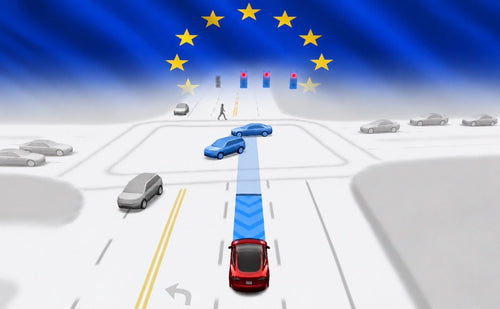
| Automatic HOV Lane Routing — Navigation can now automatically route through HOV/carpool lanes based on time, passenger count, and local restrictions. Enable via Controls > Navigation > Use HOV. | Official | All models |
| Autopilot Naming Update — "Navigate on Autopilot" becomes "Navigate on Autosteer", "FSD Computer" becomes "AI Computer", and "Autopilot Menu" becomes "Self-Driving Menu". No functional changes. | Official | All models |
| Dog Mode Live Activity (iOS) — iPhone users can now see live cabin temperature, climate status, and periodic snapshots (with Premium Connectivity) directly from the Lock Screen or Dynamic Island while Dog Mode is active. Requires Tesla App 4.51.5+. | Official | All models |
| Dashcam Viewer Upgrade — Dashcam clips now overlay speed, steering wheel angle, and self-driving state during playback — both on the in-car display and in the Tesla App (Premium Connectivity + App 4.51.5+ required). | Official | All models |
| Wireless Charging Pad Toggle — New option to enable or disable wireless phone charging pads independently via Controls > Charging. | Official | All models |
| Dog Mode Door Alert — Your phone now receives a mobile notification if any cabin door is left open while Dog Mode is active. | Official | All models |
| Spotify Queue & Playlist Improvements — Add tracks to the queue directly from the search screen and scroll smoothly through large Spotify playlists. | Official | All models |
| Charge Stats Data Sharing — Vehicle can now optionally share charging data with Tesla to power Charge Stats features in the Tesla app. | Official | All models |
🚦 Owner's Action Plan
Verdict: Recommended — This update delivers a genuinely useful navigation feature (HOV routing) plus quality-of-life improvements for Dog Mode users and anyone who reviews Dashcam footage regularly. No urgent safety fixes, but worth installing promptly.
- Check for the update now. Go to Controls > Software on your touchscreen. If 2026.2.9.3 is available, tap Install Now or schedule it for overnight.
- Update your Tesla App. Dog Mode Live Activity and the enhanced Dashcam Viewer in-app both require Tesla App version 4.51.5 or later. Update via the App Store or Google Play before the vehicle update completes.
- Enable HOV Routing if you use carpool lanes. After installing, go to Controls > Navigation > Use HOV and toggle it on. Set your passenger count accurately — the system routes based on real occupancy rules.
- Set up Dog Mode Live Activity (iPhone owners). Ensure Live Activities are enabled for the Tesla app in your iPhone's Settings. The next time you activate Dog Mode, you'll see cabin temp and snapshots on your Lock Screen automatically.
- Review your Charge Stats sharing preference. Head to Controls > Software > Data Sharing to confirm your preference for sharing charging data with Tesla.
Rollout Status
The update first appeared on March 22, 2026, and has been expanding steadily. As of this morning's Wave 3 announcement, fleet coverage is growing from its initial 1.2% seed. Wave 3 rollouts typically signal Tesla is confident in stability and is pushing to the broader fleet — most eligible owners should receive the prompt within the next few days.
Rollout Progress
Wave 3 underway — fleet coverage expanding from 1.2% seed • Source: teslascope.com / @NowRollingOut
📰 Deep Dive
The HOV lane routing addition is the headline feature here, and it's more practically useful than it might first appear. Tesla's navigation has long been capable of routing around traffic, but carpool lane eligibility is highly time- and location-dependent — rules vary by state, highway, and even time of day. Automating that logic removes a real cognitive load for commuters who regularly drive in HOV-eligible vehicles. The setting lives under Controls > Navigation, so it won't activate unexpectedly.
The Autopilot terminology changes — "Navigate on Autosteer", "AI Computer", "Self-Driving Menu" — are cosmetic but signal Tesla's ongoing effort to align its branding with the capabilities it's delivering. "AI Computer" in particular reflects the hardware's role beyond just driving assistance, as it underpins features like Sentry Mode processing and in-car gaming. Don't expect any behavioral difference; this is purely a labeling update.
Dog Mode getting two upgrades in one release is notable. The Live Activity feature on iOS is genuinely reassuring for owners who leave pets in the car — being able to glance at your Lock Screen and confirm cabin temperature without opening the app reduces anxiety and, more importantly, reduces the risk of owners misjudging conditions. The door-open alert is a smart complement: if a child or passerby accidentally opens a door while the car is in Dog Mode, you'll know immediately. For anyone who regularly uses Dog Mode, updating the Tesla app to 4.51.5+ before this OTA lands is the single most important prep step.
The Dashcam Viewer overlay — speed, steering angle, and self-driving state — turns dashcam footage from a simple video clip into a genuine data record. This is useful for insurance disputes, incident reconstruction, and for owners who want to audit how their vehicle was behaving at a specific moment. That it's also accessible through the Tesla App with Premium Connectivity means you don't need to pull a USB drive to review a clip with full context. For more on all software updates, check our dedicated coverage.
📋 Tracking Tesla software? See every firmware, FSD and app version in one place in our Tesla Software Update Tracker.
Related Gear
Gear up your Tesla with tested, custom-fit BASENOR accessories — shop Tesla accessories →
Sources & reporting notes
The links below identify the material source records used for this report.
- @NowRollingOut on X (2026-03-25T07:14:09.000Z) — Direct source
- @NowRollingOut on X (2026-03-28T04:34:10.000Z) — Direct source
- @NowRollingOut on X (2026-03-31T23:22:10.000Z) — Direct source
Source links are preserved as published or accessed. See our editorial standards and corrections policy.
The BASENOR Editorial Desk covers Tesla, SpaceX, and related technology, curating reporting from primary sources — official accounts, regulatory filings, and software release data. Every article passes source-record and fact-checking review before publication. About the newsroom.
This report was curated by the BASENOR Editorial Desk from the sources listed above. Read our editorial standards or email editorial@basenor.com to report an error.