📌 UPDATE — July 15, 2026
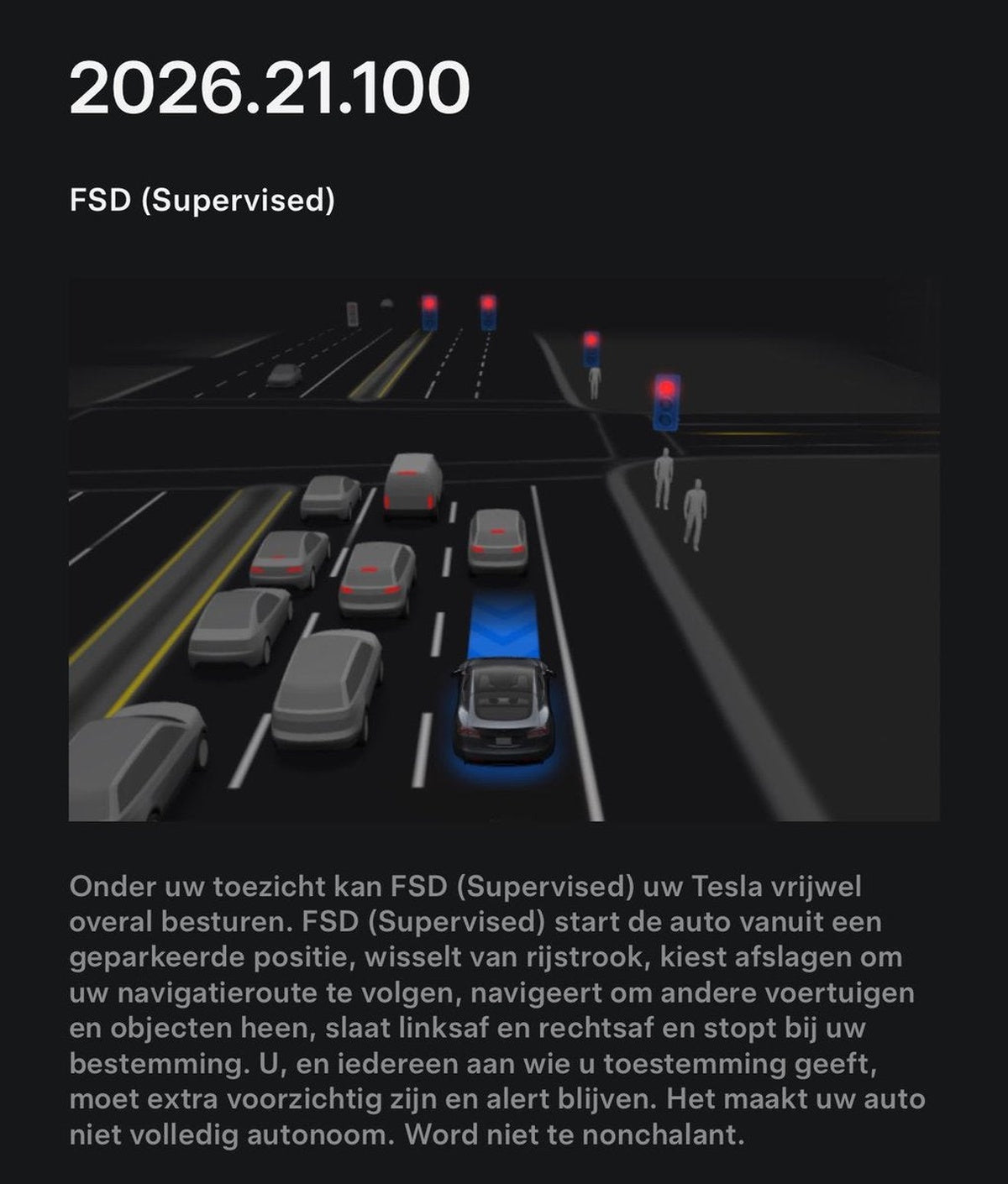
The rollout of 2026.21.100 with FSD (Supervised) v14.2.2.6 is now expanding across Europe — Tesla has begun pushing the update to a third batch of European owners. If you haven't received it yet, keep an eye on your Tesla app; wider availability typically follows within days of a third-batch push. This confirms the update is moving steadily through its staged rollout across the continent, not just the Netherlands.

📌 UPDATE — July 12, 2026
Tesla has begun pushing 2026.21.100 with FSD (Supervised) v14.2.2.6 to a second batch of European owners, confirming the rollout is expanding beyond the initial wave. The update continues to bring FSD into the 2026.20+ software branch for European vehicles. If you didn't receive the OTA in the first wave, check your Tesla app now — your invite may have arrived.

📢 @TeslaNewswire · July 12, 2026
📌 UPDATE — July 10, 2026
🔍 Teslascope has flagged something unusual about build 2026.21.100: despite the .100 suffix — which typically marks a factory-only update exclusive to recently delivered vehicles — this is reportedly the first instance ever where a .100 build is rolling out as a standard over-the-air update to existing owners. The update was first spotted on a 2026 Model Y RWD LR in Overijssel, Netherlands, and carries FSD V14.2.2.6. This means the broader Dutch Tesla fleet should be eligible to receive it, not just newly delivered cars — so if you haven't seen the update prompt yet, it's worth checking your Tesla app now.

📌 UPDATE — July 10, 2026
Tesla firmware 2026.21.100 — the build carrying FSD (Supervised) v14.2.2.6 — is now actively rolling out to the broader fleet, with 26 confirmed installs tracked so far via TeslaFi and NotATeslaApp. Early rollout numbers are typically low as Tesla stages releases gradually, so expect install counts to climb significantly over the coming days. Netherlands owners who have not yet received the OTA prompt should ensure their vehicle is connected to Wi-Fi and that Software Preferences are set to Advanced to stay near the front of the queue.
Tesla is pushing its newest software branch to FSD-equipped cars in the Netherlands. In the early hours of July 10, 2026, The Tesla Newswire reported that firmware 2026.21.100 with FSD (Supervised) v14.2.2.6 began downloading to the first wave of Tesla owners in the Netherlands. FSD (Supervised) itself has been live in the Dutch market since mid-April 2026 under the RDW's provisional EU type approval — what's new here is the delivery: the 2026.20+ software branch, arriving as a .100 build pushed over the air to existing customer cars.
If you own a Tesla in the Netherlands, here is what's happening, how to prepare your car to receive the update, and what to do the moment it lands.

What's Actually Rolling Out
The build detected in Dutch VINs is 2026.21.100, carrying FSD (Supervised) v14.2.2.6. That version string matters for two reasons. First, v14.2.2.6 is the same FSD generation currently active in North America; the driving stack itself first reached European cars in June via the 2026.17.5 build, so what's new is that it now ships on the 2026.20+ base firmware rather than a new FSD version. Second, the 2026.20+ base firmware includes the newest UI, Autopilot behavior tuning, and vehicle system improvements from Tesla's summer release cycle.
One caveat worth flagging: Tesla has not published official release notes for 2026.21.100 at the time of writing. Builds ending in ".100" have historically been used as validation branches, so the feature set may differ slightly from mainline 2026.21.x. Owners should treat the in-car release notes screen as the authoritative source once the update installs.
What Changed
| Change | Type | Models |
|---|---|---|
| FSD (Supervised) v14.2.2.6 now delivered via the 2026.21.100 build in the Netherlands | Official | Model 3, Model Y, Model S, Model X |
| Move to 2026.20+ software branch with latest UI and Autopilot tuning | Official | All HW3/HW4 vehicles in NL |
| Latest neural-network driving stack (matches current North American FSD build) | Official | FSD-capable vehicles |
Action Plan: How to Get the Update
Rollouts of this kind typically start with a small wave — often a few dozen VINs — before broadening over the following days and weeks. Here's how to maximize your chances of being in an early wave and how to set yourself up for a clean install.
- Confirm your FSD purchase or subscription is active. Open the Tesla app → your vehicle → Manage → Upgrades. If you previously paid for Enhanced Autopilot in the Netherlands, note that FSD (Supervised) is a separate package. If it isn't listed as owned or subscribed, you won't be eligible.
- Connect to Wi-Fi and leave it connected. Tesla pushes large firmware updates almost exclusively over Wi-Fi. Park within range of your home network overnight. 2026.21.100 is a full-branch jump, so expect a download in the multi-gigabyte range.
- Set Software Update preference to "Advanced." In the car: Controls → Software → Software Update Preferences → Advanced. This flag tells Tesla's servers you want early-wave firmware and can meaningfully move you up the queue.
- Check for the update manually. In the Tesla app, pull down on the vehicle screen or tap the software version number in the car's Controls → Software menu. Manual checks don't force the update, but they refresh your car's status against Tesla's servers.
- Do not schedule the install while you need the car. A branch jump of this size can take 45–90 minutes plus a calibration drive. Schedule for overnight install and keep the car plugged in.
- After install, read the in-car release notes carefully. This is your ground truth for what v14.2.2.6 does on Dutch roads specifically — the EU version may have geofenced behaviors that differ from the US build.
What to Do the First Time You Engage FSD
FSD (Supervised) means exactly that: supervised. Dutch traffic law and Tesla's own terms require you to keep your hands on the wheel and your eyes on the road at all times. The first drive is the most important one to get right.
- Pick a low-stakes route. A familiar suburban loop or a quiet stretch of A-road is better than the Amsterdam ring or Rotterdam city center for your first engagement.
- Verify the cabin camera is unobstructed. Driver attention monitoring is stricter on v14 than on earlier stacks. A dirty lens or sunglasses can trigger repeated nags.
- Engage FSD only when you're calm. Your first correction or disengagement will feel abrupt. Being relaxed makes it easier to intervene smoothly.
- Report bad behavior via the voice command "Report." This sends a snapshot to Tesla's training data. Early-market feedback disproportionately shapes future updates for that region.
- Do not enable FSD on roads where it isn't intended. Watch the in-car notes for any geofencing or road-class restrictions specific to the Netherlands.
What to Watch Next
Rollout waves tell us where Tesla is going next. If 2026.21.100 broadens smoothly across Dutch VINs over the next 7–14 days, expect neighboring EU markets already cleared or nearing clearance to see their own FSD (Supervised) waves shortly after. If the rollout pauses or shrinks, it usually signals a regression Tesla caught in early telemetry — in which case a v14.2.2.7 or 2026.21.101 patch would follow within a couple of weeks.
Either way, the Netherlands remains the bellwether for Tesla's European FSD program: the market that led April's launch is now first in line for the 2026.20+ branch. Get your car ready tonight, and you could be among the first on the new build this week.
📋 Tracking Tesla software? See every firmware, FSD and app version in one place in our Tesla Software Update Tracker.
Related Gear
Gear up your Tesla with tested, custom-fit BASENOR accessories — shop Tesla accessories →
Sources & reporting notes
The links below identify the material source records used for this report.
- @TeslaNewswire on X (2026-07-10T04:30:57.000Z) — Direct source
- @teslascope on X (2026-07-10T22:03:58.000Z) — Direct source
- @teslascope on X (2026-07-10T22:01:22.000Z) — Direct source
- @TeslaNewswire on X (2026-07-12T06:28:18.000Z) — Direct source
- @TeslaNewswire on X (2026-07-15T14:19:28.000Z) — Direct source
Source links are preserved as published or accessed. See our editorial standards and corrections policy.
The BASENOR Editorial Desk covers Tesla, SpaceX, and related technology, curating reporting from primary sources — official accounts, regulatory filings, and software release data. Every article passes source-record and fact-checking review before publication. About the newsroom.
This report was curated by the BASENOR Editorial Desk from the sources listed above. Read our editorial standards or email editorial@basenor.com to report an error.