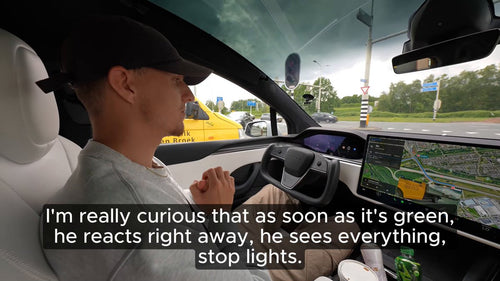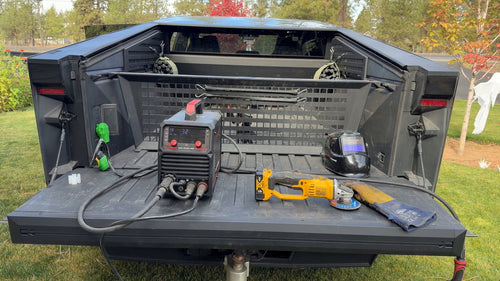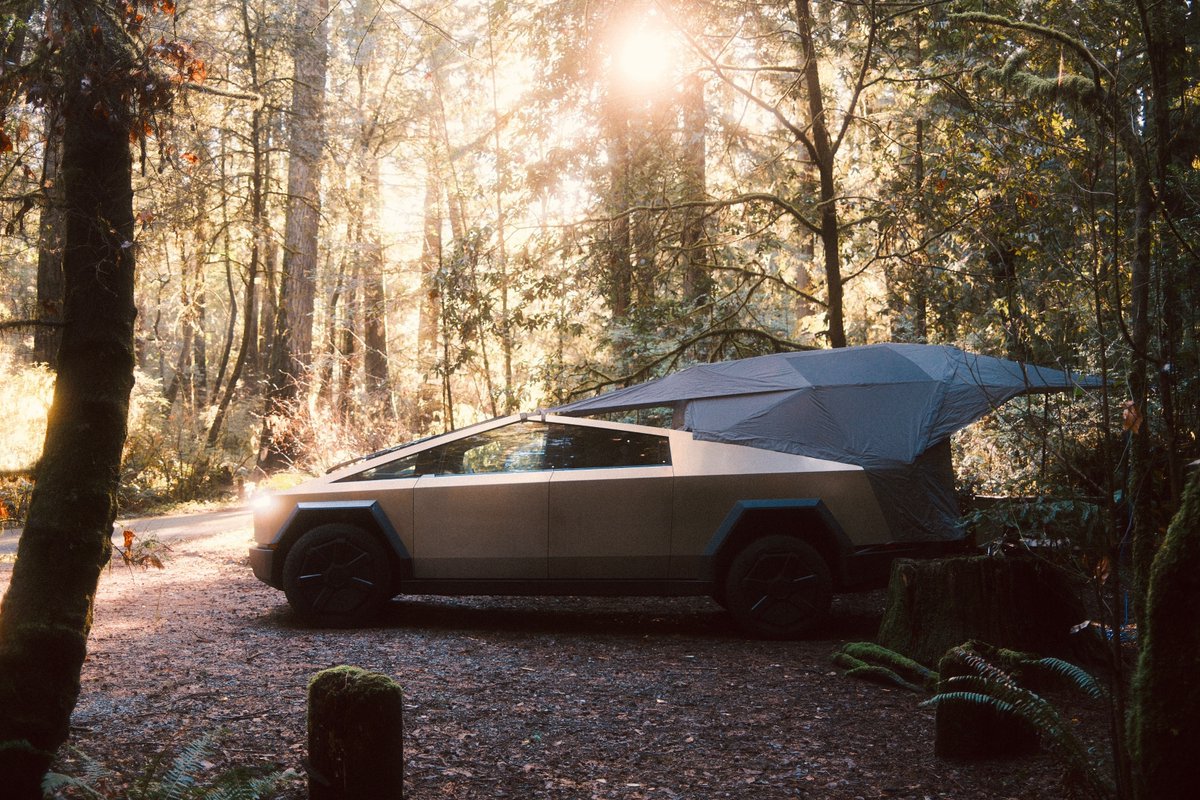
The News: Tesla's official @cybertruck account highlighted the truck's auto-leveling suspension as a core camping feature, alongside FSD Supervised, Grok route planning, CyberTent, Powershare, and its sound system.
Why It Matters: Many Cybertruck owners don't realize their truck can automatically level itself for a flat sleeping surface — no leveling blocks, no guesswork. If you're camping in your Cybertruck, this changes the experience entirely.
Source: @cybertruck on X — March 9, 2026

Your Cybertruck Is a Self-Leveling Camper — Are You Using It?
Tesla just reminded the world that the Cybertruck isn't just a truck — it's a fully equipped mobile campsite. The official @cybertruck account posted a rundown of the vehicle's camping credentials, and the standout feature for anyone who's ever wrestled with leveling blocks at a campsite is the auto-leveling suspension. Park on uneven ground, activate Cybertent Mode, and the truck sorts itself out. You sleep flat. Full stop.
But there's more going on here than a single feature. The full camping stack — FSD Supervised for hands-free driving to your destination, Grok for route and adventure planning, 9.6 kW of Powershare through the bed outlets, and a premium sound system — makes the Cybertruck a legitimate overlanding platform. Here's everything you need to know to actually use it.
📊 What the Cybertruck Camping Stack Includes
| Feature | What It Does | Status |
|---|---|---|
| Auto-Leveling Suspension | Levels the truck for a flat sleeping surface | Active via Cybertent Mode |
| Cybertent Mode | Levels suspension + activates lights, AC, and power outlets | Available (OTA delivered) |
| Powershare (Bed Outlets) | 9.6 kW of power for appliances, gear, or tools | Standard on all variants |
| FSD Supervised | Hands-on-wheel assisted driving to your destination | Subscription / Purchase |
| Grok Integration | AI-powered route and adventure planning | Available in-vehicle |
| Adaptive Air Suspension | Up to 12" travel, 17.4" max ground clearance, multiple ride height modes | Standard — all variants |
How Cybertent Mode Actually Works
The Cybertruck's adaptive air suspension is standard equipment across all variants — Single Motor, Dual Motor, and Tri-Motor (Cyberbeast). The system offers up to 12 inches of suspension travel and a maximum ground clearance of 17.4 inches, which is what makes the leveling capability so effective even on genuinely uneven terrain.
When you activate Cybertent Mode — which was rolled out via OTA update in April 2024 — the truck doesn't just level the suspension. It also automatically activates the interior and bed lighting, keeps the AC running for climate comfort, and ensures the power outlets stay live. Everything you need for a comfortable overnight stay is handled in a single tap.
Beyond Cybertent Mode, you have full manual control over ride height through the touchscreen or the Tesla mobile app. On-road settings include Entry, Low, Medium, and High. Off-road settings extend to Medium, High, Very High, and Extract — the latter being a maximum-height emergency mode (approximately 5.9 inches above the Medium setting) with a 10 mph speed limit for when the truck is genuinely stuck.
🚦 Owner's Action Plan
STEP 1 — Confirm Your Software Is Current
Go to Controls → Software and make sure you're on the latest available version. Cybertent Mode was delivered via OTA — you need a post-April 2024 build to access it. Check your all software updates history if unsure.
STEP 2 — Find Cybertent Mode
On the touchscreen, navigate to Controls → Camping (or access it via the Climate panel depending on your software version). Tap Cybertent Mode to activate. The truck will begin leveling automatically.
STEP 3 — Let It Level, Then Check
Give the suspension 30–60 seconds to complete its leveling cycle. The system compensates for uneven ground automatically — you don't need to find a perfectly flat spot first. Park where it's safe and let the truck do the work.
STEP 4 — Configure Your Preferences
Cybertent Mode lets you adjust lighting, AC temperature, and outlet behavior through the touchscreen. Set your preferred climate before you sleep — the system will maintain it.
STEP 5 — Use Grok for Route Planning
Before you leave, use Grok (accessible via the in-vehicle AI assistant) to plan your route, find campsites, and identify Supercharger stops along the way. It's integrated directly into the vehicle — no phone required.
📰 Deep Dive
Tesla's decision to spotlight the Cybertruck's camping capabilities in a single tweet is a deliberate positioning move. The truck is being framed not just as a work or towing vehicle, but as an all-in-one adventure platform — and the auto-leveling suspension is the feature that makes that framing credible. Sleeping in a vehicle that's even slightly off-level is genuinely uncomfortable over a full night; the fact that the Cybertruck handles this automatically removes one of the last friction points of vehicle-based camping.
What's worth noting is how the camping stack compounds. Powershare's 9.6 kW output through the bed outlets means you're not limited to USB-powered devices — you can run a full-size cooler, a portable espresso machine, or even power tools at a remote worksite. Pair that with Cybertent Mode keeping the AC running overnight and the lights on a schedule, and the Cybertruck starts to look less like a truck with camping features and more like a truck that was designed around camping as a primary use case.
The integration of Grok for route and adventure planning is the newest layer here. AI-assisted trip planning directly in the vehicle — not on a third-party app — means owners can ask natural language questions about trail conditions, nearby charging, or campsite availability without leaving the Tesla interface. It's a small workflow improvement that adds up significantly on a multi-day road trip.
For owners who haven't explored the suspension settings beyond the defaults, this is a good prompt to dig in. The ride height controls via the mobile app are particularly useful — you can lower the truck for easy bed access at camp, raise it for the trail approach, and return to highway height for the drive home, all from your phone before you even get in the vehicle.
Related Gear
Gear up your Cybertruck with tested, custom-fit BASENOR accessories — shop Cybertruck accessories →
Sources & reporting notes
The links below identify the material source records used for this report.
- @cybertruck on X (2026-03-09T19:06:23.000Z) — Direct source
Source links are preserved as published or accessed. See our editorial standards and corrections policy.
The BASENOR Editorial Desk covers Tesla, SpaceX, and related technology, curating reporting from primary sources — official accounts, regulatory filings, and software release data. Every article passes source-record and fact-checking review before publication. About the newsroom.
This report was curated by the BASENOR Editorial Desk from the sources listed above. Read our editorial standards or email editorial@basenor.com to report an error.