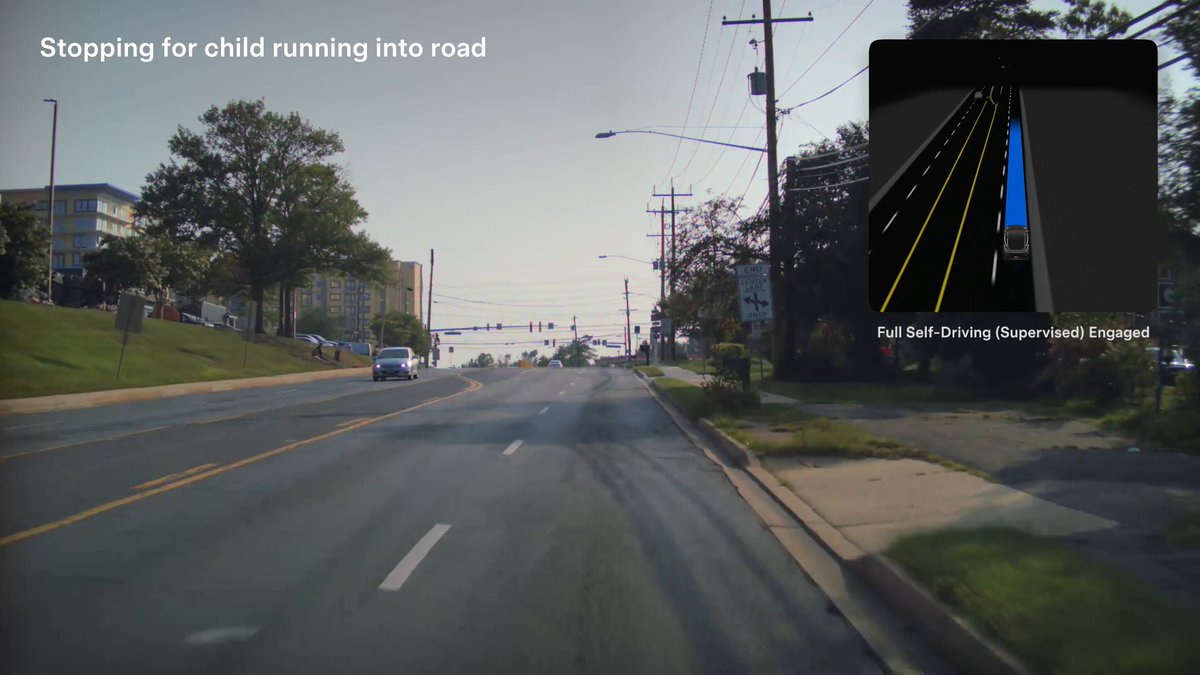
Tesla posted a new video on July 23, 2026, showing FSD Supervised intervening in real dangerous situations — swerving vehicles, sudden stops, pedestrians stepping into traffic. The message is direct: the system is designed to react faster than a human driver can. If you own a Tesla with FSD enabled, this is a good moment to check how your settings are configured and whether you're getting everything the system can offer.

Why Tesla Published This Now
The timing isn't incidental. The National Highway Traffic Safety Administration is currently running an Engineering Analysis (EA26002) covering approximately 3.2 million Tesla vehicles that have operated FSD in the United States. The investigation centers on nine crashes in reduced-visibility conditions where FSD was active, including one fatality, with Tesla's formal response due August 12, 2026. Publishing a compilation of FSD saves — real-world footage of the system preventing collisions — is Tesla's way of putting the other side of the ledger on the record publicly.
Tesla's own data claims FSD Supervised vehicles experience 7x fewer major and minor collisions and 5x fewer off-highway collisions compared to vehicles driven without it. As of May 2026, the fleet has accumulated 10 billion miles with FSD Supervised engaged, including 3.7 billion miles on city streets. That's a large dataset, and the new video draws directly from it.

Action Plan for FSD Owners
The video is a reminder to make sure your system is actually set up to perform the way it's designed. Here's what to check:
1. Confirm FSD is active on your subscription or purchase
Go to Controls → Autopilot on your touchscreen. If FSD Supervised is listed and toggleable, you're set. If you're on a trial or subscription, verify the expiry date in your Tesla app under Upgrades.
2. Check your profile's Autopilot settings
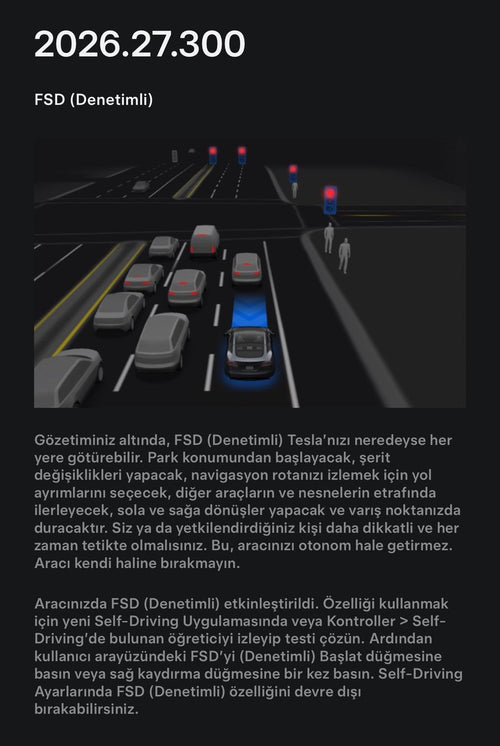
Navigate to Controls → Autopilot → Autopilot Settings. Make sure Auto Lane Change, Navigate on Autopilot, and Autosteer on City Streets are configured to your preference. Autosteer on City Streets is what enables FSD to operate in the urban scenarios shown in the video.
3. Verify your software version
Tesla has been rolling out FSD v14 Lite (via software versions 2026.20.6.10 and 2026.20.6.11) to Hardware 3 vehicles, and FSD 14.3.6 to Hardware 4 vehicles as of late July 2026. Go to Controls → Software to see your current version. If an update is available, schedule it to install overnight.
4. Keep driver monitoring calibrated
FSD Supervised is a Level 2 system — Tesla requires continuous active driver attention. If your cabin camera has been obscured or your driver profile is flagged for inattentiveness, the system may disengage more readily. Clean the cabin camera lens (located above the rearview mirror) and make sure your profile is set correctly under Controls → Safety → Driver Monitoring.
5. Enable dashcam and Sentry Mode for your own record
If FSD ever intervenes in a near-miss for you, you want that footage. Go to Controls → Safety → Dashcam and ensure it's set to Auto. A USB drive formatted to FAT32 or exFAT needs to be inserted in the center console USB port for recordings to save. Clips from FSD interventions are worth reviewing — and worth sharing with Tesla's feedback system.
The Bigger Picture
Tesla's safety video release lands in a complicated moment: record crash reports in May 2026 (207 incidents involving driver-assist systems, the highest single-month total on record) sit alongside the 10-billion-mile milestone and the collision-reduction statistics Tesla cites. Neither data point cancels the other — the fleet is larger than ever, which naturally produces more absolute incident numbers even as per-mile rates may tell a different story.
What the video does is shift the conversation from aggregate crash counts to individual interventions. For owners, the practical takeaway is straightforward: FSD Supervised works best when the system is current, the driver is engaged, and the hardware is clean and properly configured. With Tesla's NHTSA response due August 12, expect more transparency around FSD safety data in the weeks ahead. Keep an eye on our FSD coverage for updates as that process develops.
Related Gear
Gear up your Tesla with tested, custom-fit BASENOR accessories — shop Tesla accessories →
Sources & reporting notes
The links below identify the material source records used for this report.
- @Tesla on X (2026-07-23T00:28:40.000Z) — Direct source
- @Tesla on X (2026-07-23T00:29:06.000Z) — Direct source
- @SawyerMerritt on X (2026-07-23T00:39:44.000Z) — Direct source
Source links are preserved as published or accessed. See our editorial standards and corrections policy.
The BASENOR Editorial Desk covers Tesla, SpaceX, and related technology, curating reporting from primary sources — official accounts, regulatory filings, and software release data. Every article passes source-record and fact-checking review before publication. About the newsroom.
This report was curated by the BASENOR Editorial Desk from the sources listed above. Read our editorial standards or email editorial@basenor.com to report an error.