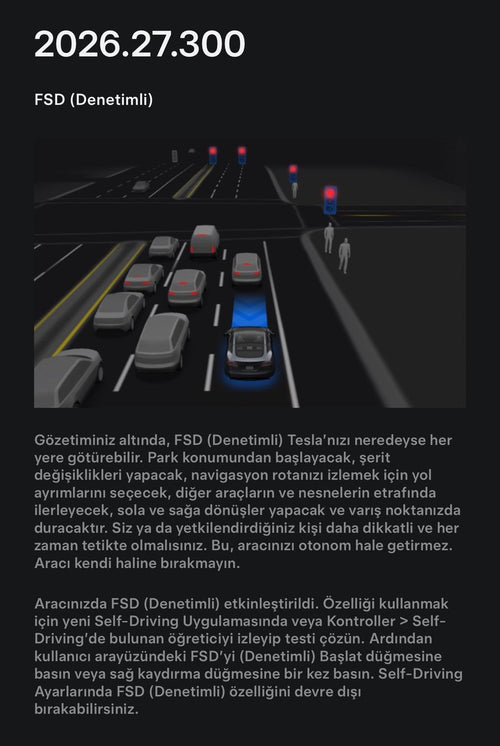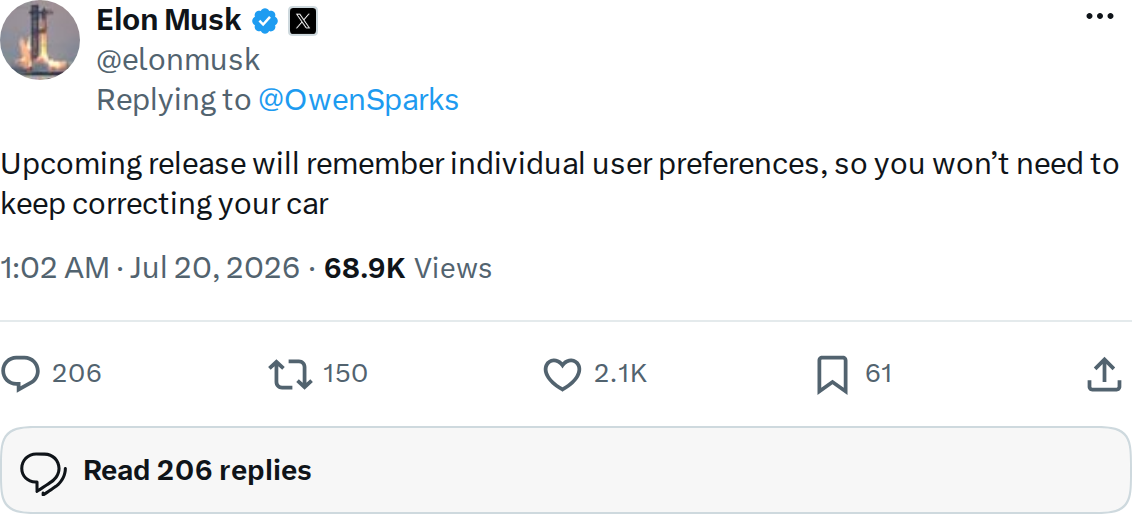
Elon Musk confirmed late Sunday that an upcoming Tesla software release will introduce personalized preference memory to FSD — meaning your car will finally stop making the same mistakes you keep correcting. No version number or firm date was given, but the signal is clear: Tesla is building a system that learns from your overrides rather than ignoring them.

What's Actually Changing
Right now, FSD operates largely on a per-trip basis when it comes to driver preferences. If you consistently nudge the car out of the carpool lane on your commute, or always override the parking spot it selects at your office, FSD doesn't retain that information — you correct it again the next day. According to the Background Research corroborating Musk's post, the new system will track those intervention patterns and adjust future behavior accordingly.
The two most concrete use cases confirmed so far:
- Lane preferences — If you regularly override FSD to stay in or exit express/carpool lanes, the system will learn your preference for that route and stop forcing corrections.
- Parking spots — At frequently visited locations (home, office, school drop-off), the car will remember which spot you actually want, not just the nearest available one.
A related feature — voice control for FSD parking instructions via Grok — is reportedly anticipated around September 2026, though that timeline is unconfirmed by Tesla directly.
What to Do Before the Update Arrives
There's no install step here — this will arrive over the air. But there are things you can do now to set yourself up for the best results once the feature goes live.
1. Start being deliberate with your overrides
The system will learn from the corrections you make. If you've been sloppy about when and why you intervene — grabbing the wheel out of habit rather than genuine preference — now is a good time to be more intentional. Consistent, repeated overrides in the same situation will be the training signal the system uses.
2. Make sure your driver profile is active
Preference memory will almost certainly be tied to your individual driver profile, not the car globally. Go to Controls → Drivers and confirm your profile is set up and selected before you drive. If multiple people share the car, each driver should have their own profile so preferences don't bleed across users.
3. Review your current FSD settings
Before the update, take stock of the FSD settings you've customized — aggressiveness, lane change behavior, speed offset. These are the preferences most likely to be part of what the system learns to preserve. Knowing your baseline makes it easier to evaluate whether the new feature is actually working for you post-update. You can find these under Controls → Autopilot.
4. Watch for the release note
Tesla doesn't always headline every feature change prominently. Keep an eye on your update notification — the release notes will be the first official confirmation of what's included. For a running log of all software updates, check our all software updates coverage.
No specific version number has been attached to this feature yet, and Musk's phrasing — "upcoming release" — suggests it could land in any of the next several FSD drops. The lack of a firm date means it's worth checking your update queue regularly rather than waiting for a headline.
Related Gear
Gear up your Tesla with tested, custom-fit BASENOR accessories — shop Tesla accessories →
Sources & reporting notes
The links below identify the material source records used for this report.
- @elonmusk on X (2026-07-20T01:02:39.000Z) — Direct source
Source links are preserved as published or accessed. See our editorial standards and corrections policy.
The BASENOR Editorial Desk covers Tesla, SpaceX, and related technology, curating reporting from primary sources — official accounts, regulatory filings, and software release data. Every article passes source-record and fact-checking review before publication. About the newsroom.
This report was curated by the BASENOR Editorial Desk from the sources listed above. Read our editorial standards or email editorial@basenor.com to report an error.