📌 UPDATE — July 30, 2026
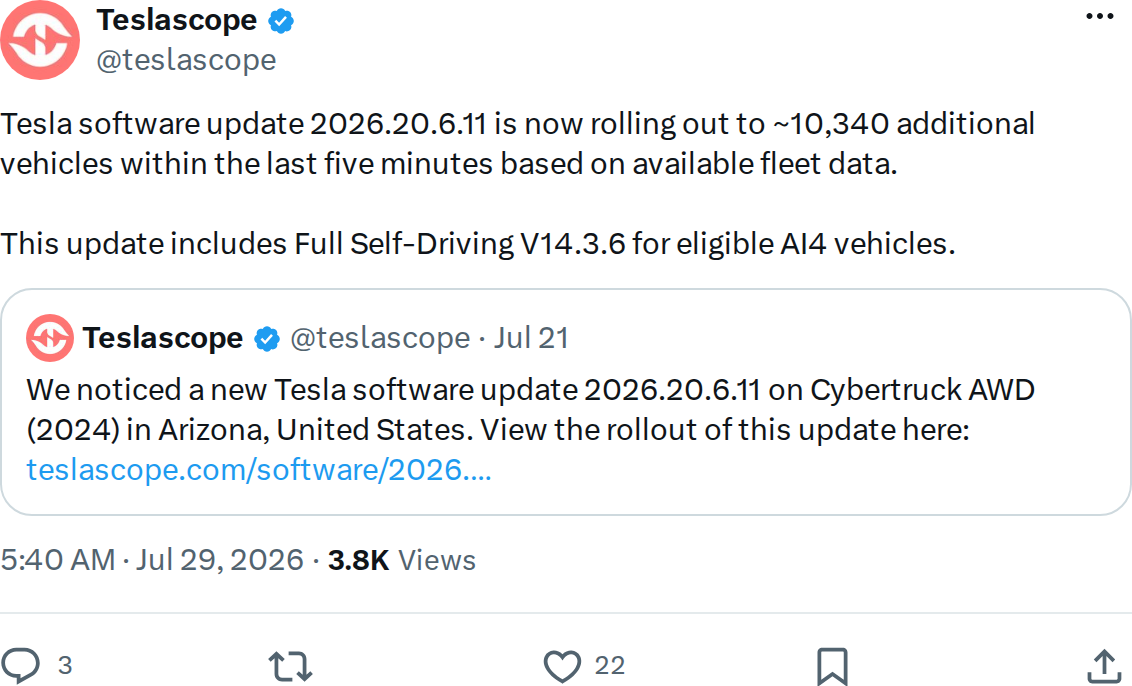
The rollout of 2026.20.6.11 has hit its 9th wave, with Teslascope tracking approximately 7,810 additional vehicles receiving the update in just the last five minutes as of 8:40 PM UTC. Crucially, this wave also extends FSD V14 Lite to Hardware 3 (HW3) vehicles — the first confirmed inclusion of HW3 cars in this deployment cycle. AI4-equipped vehicles continue to receive the full FSD V14.3.6 build as before.

📌 UPDATE — July 29, 2026
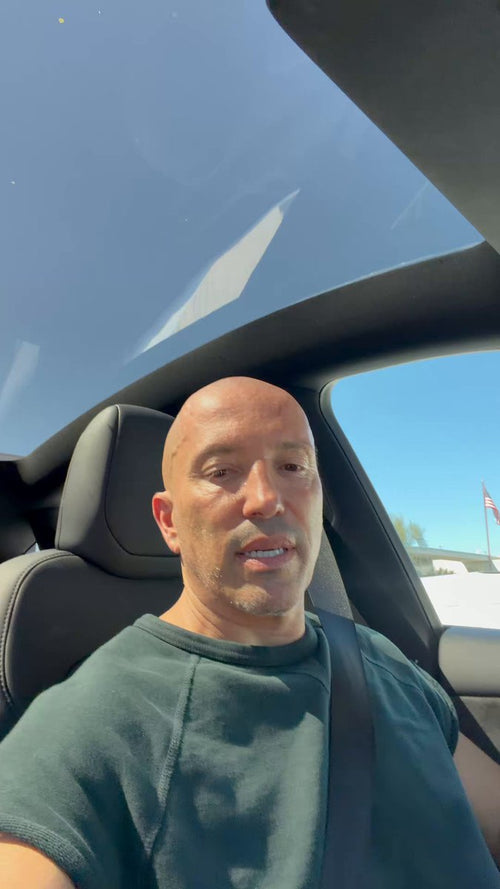
Real-world testing of FSD V14.3.6 is already yielding impressive results. @wholemars (Whole Mars Catalog) reports that 14.3.6 successfully drove him to the Century City mall in Los Angeles and autonomously parked inside the parking garage — a notoriously challenging environment for FSD involving tight turns, low ceilings, dynamic pedestrian traffic, and unmarked spaces. Parking garage navigation has historically been one of FSD's weaker points, making this a notable real-world data point for the new build. The video clip shared alongside the report shows the full end-to-end trip, from street to parked stall.

📌 UPDATE — July 29, 2026
Tesla has pushed 2026.20.6.11 with FSD (Supervised) v14.3.6 and v14 Lite to an 8th batch of vehicles, expanding the rollout further. Critically, this batch marks the unified deployment across both HW4/AI4 and HW3/AI3 hardware — meaning older HW3 owners are now receiving v14 Lite alongside HW4 owners getting the full v14.3.6 build. Release notes remain unchanged from the initial rollout, suggesting no additional fixes or features were introduced between batches. If you haven't received the update yet, check Controls → Software and tap "Check for Updates" — with eight waves now sent, availability is broad.

Tesla pushed two software updates simultaneously in the early hours of July 29 — and one of them carries a meaningful FSD upgrade. Update 2026.20.6.11 is now rolling out to approximately 10,340 vehicles and bundles FSD (Supervised) V14.3.6 for AI4 (HW4) cars, along with a distilled V14 Lite build for HW3 owners. A second update, 2026.26, is deploying to roughly 2,090 vehicles on a separate branch. Here's what changed, who gets what, and how to nudge the update to your car.


What Changed in 2026.20.6.11
| Change | Type | Models |
|---|---|---|
| FSD (Supervised) V14.3.6 — upgraded RL training stage, improved vision encoder, 20% faster reaction time via rewritten MLIR compiler | Official | AI4/HW4 vehicles |
| FSD V14 Lite — HW4 V14 intelligence distilled into HW3, unlocking RL and offline model improvements for older hardware | Official | HW3/AI3 vehicles |
| Reduced unnecessary lane biasing and minor tailgating behavior | Official | All FSD-capable |
| Improved driver monitoring — better eye gaze tracking and eyewear handling | Official | All FSD-capable |
| Parking, unparking, and reversing capabilities added to FSD | Official | All FSD-capable |
| Arrival Options — choose where FSD pulls over (Parking Lot, Street, Driveway) | Official | All FSD-capable |
| Speed Profiles — continuously available for customizing driving behavior | Official | All FSD-capable |
| Unified model across Actually Smart Summon, FSD, and Robotaxi | Official | All FSD-capable |
The headline engineering change is the rewritten AI compiler and runtime using MLIR — a 20% faster reaction time is a tangible safety improvement, not a marketing number. The unified model across Summon, FSD, and Robotaxi also signals Tesla consolidating its autonomous stack ahead of broader Robotaxi deployment. For HW3 owners, V14 Lite is the most significant FSD update that hardware has received in some time, bringing RL-based improvements that were previously locked to AI4 cars.
Action Plan: How to Get the Update Now
The rollout is active but still in early waves — about 10,340 vehicles received 2026.20.6.11 in the latest push, according to Teslascope. If you haven't seen the notification yet, these steps give you the best chance of pulling it sooner.
- Check your hardware generation first. Go to Controls → Software → Additional Vehicle Information. Look for "Autopilot computer" — if it says "Full Self-Driving Computer" or "Hardware 4", you're AI4 and eligible for V14.3.6. "Hardware 3" means you'll receive V14 Lite instead. Both are meaningful upgrades.
- Confirm FSD is active on your account. Navigate to Controls → Autopilot. You should see "Full Self-Driving (Supervised)" listed. If it's not there, the FSD portion of this update won't install regardless of your hardware.
- Enable Advanced Software Updates. Go to Controls → Software → Software Update Preference and set it to Advanced. This opts you into early wave rollouts and is the single most effective way to receive updates ahead of the general fleet.
- Force a connectivity refresh. Park within range of your home Wi-Fi. Open the Tesla app, go to Software, and tap Check for Updates. Alternatively, on the car's touchscreen: Controls → Software → tap the version number. A strong Wi-Fi connection is required — updates don't download reliably over LTE.
- Don't dismiss the notification. When the yellow clock icon appears on your screen, schedule the install for overnight if you prefer, but don't postpone indefinitely. Tesla sometimes pulls update availability windows after a set period.
- After installation, check Arrival Options. This is a new feature worth configuring immediately. In a navigation session, tap the FSD icon and look for the Arrival Options menu to set your preferred pull-over behavior — Parking Lot, Street, or Driveway.
- Review Speed Profiles. With V14.3.6, Speed Profiles are now continuously accessible rather than buried in settings. Find them under Controls → Autopilot → Speed Profile during an active FSD session and dial in your preferred driving style.
About Update 2026.26
The second concurrent update, 2026.26, is on a separate branch targeting roughly 2,090 vehicles. No official release notes for this version have surfaced yet — it may be a maintenance or stability build, or early seeding of a new feature branch. If your car receives 2026.26 instead of 2026.20.6.11, the FSD V14.3.6 changes listed above are not part of that package. Keep an eye on all software updates as notes emerge.
With over 7% of the Teslascope-monitored fleet already on 2026.20.6.11 as of this writing, the rollout is moving at a solid pace. Most owners on Advanced update preference should see the notification within the next few days — the 20% reaction time improvement alone makes this one worth prioritizing.
📋 Tracking Tesla software? See every firmware, FSD and app version in one place in our Tesla Software Update Tracker.
🚕 Following the Robotaxi rollout? See every operating city, launch date and announced market in our Tesla Robotaxi Tracker.
Related Gear
Gear up your Tesla with tested, custom-fit BASENOR accessories — shop Tesla accessories →
Sources & reporting notes
The links below identify the material source records used for this report.
- @teslascope on X (2026-07-29T05:40:11.000Z) — Direct source
- @teslascope on X (2026-07-29T05:40:12.000Z) — Direct source
Source links are preserved as published or accessed. See our editorial standards and corrections policy.
The BASENOR Editorial Desk covers Tesla, SpaceX, and related technology, curating reporting from primary sources — official accounts, regulatory filings, and software release data. Every article passes source-record and fact-checking review before publication. About the newsroom.
This report was curated by the BASENOR Editorial Desk from the sources listed above. Read our editorial standards or email editorial@basenor.com to report an error.