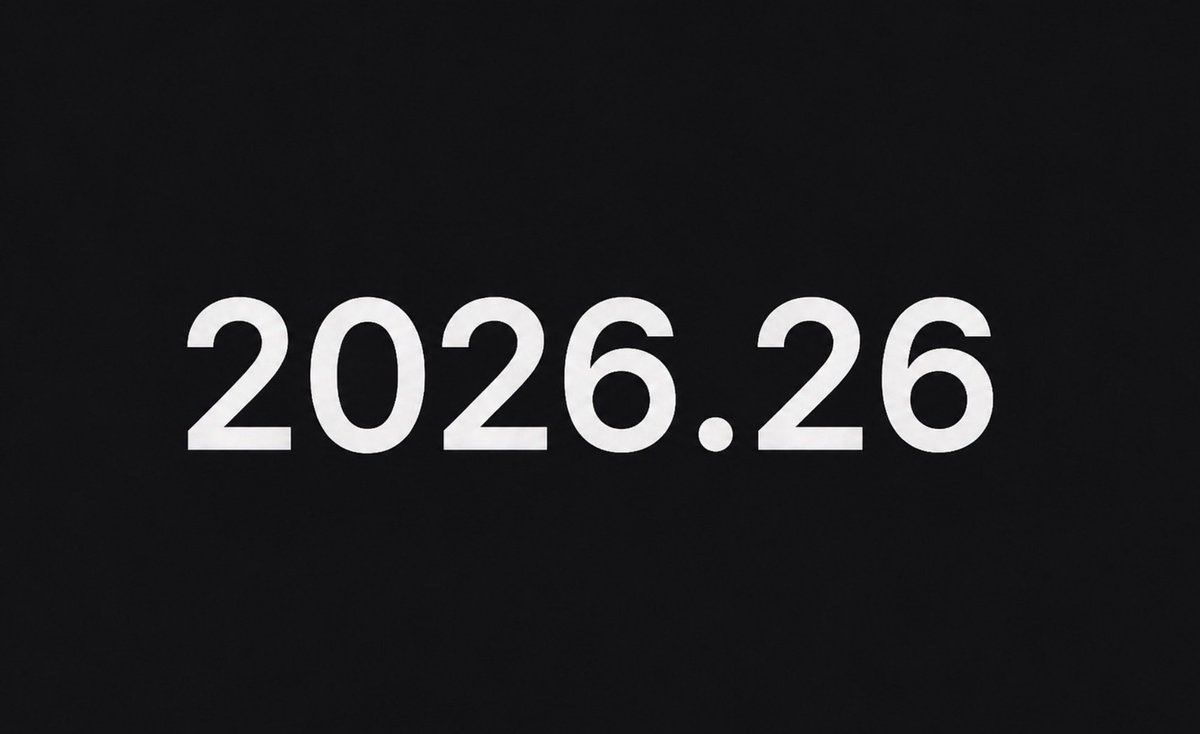
Tesla's Summer Update is almost here. According to The Tesla Newswire, the release — likely designated 2026.26 — is expected to begin appearing for owners as early as next week, with a full fleet rollout targeted by the end of July. While Tesla hasn't published an official feature list yet, early signs point to meaningful improvements across the board.

What We Know About 2026.26
The version number itself tells part of the story. Tesla's naming convention ties the first two digits to the year and the next two to the approximate week of release — so 2026.26 lands squarely in late June/early July, right on schedule for the company's annual mid-year software push. Early reports confirm the specific build is 2026.26.1, and some owners are already seeing it appear on their vehicles as of July 10.
Tesla hasn't released a formal changelog yet, which is typical for the early stages of a staged rollout. Based on the current software trajectory, owners can expect system stability improvements, security patches, and bug fixes as a baseline. Whether this update carries headline features — new FSD capabilities, UI changes, or new vehicle functions — remains unconfirmed until Tesla publishes official release notes.
It's worth noting the broader software context heading into this release. FSD (Supervised) v14.2.2.6 began downloading to an initial cohort in the Netherlands on July 10, running on firmware 2026.21.100. Meanwhile, FSD v14 Light on firmware 2026.20.51 has been rolling out to Hardware 3 vehicles in the US since June 29 and reached South Korea on July 10 — bringing improvements to navigation, merges and forks, pedestrian handling, traffic light response, and smoother lane centering, among others. The Summer Update may consolidate or build on these branches for the wider fleet.
How to Make Sure You Get It First
Tesla's staged rollouts reward owners who have their vehicles configured correctly. Here's how to put yourself at the front of the queue:
- Enable Advanced Updates. On your touchscreen, go to Controls → Software and set your Software Preference to Advanced. This opts you into early-stage rollouts before the broader fleet receives them.
- Connect to Wi-Fi tonight. Tesla downloads updates over Wi-Fi, not LTE. Plug in at home and make sure your car is connected to your home network. Updates typically download overnight while the vehicle is parked and charging.
- Check your Tesla app. Open the Tesla app and navigate to your vehicle's Software tab. If an update is available, you'll see a yellow banner. You can schedule the install for off-peak hours directly from the app.
- Don't dismiss the notification. When the update prompt appears on your screen, schedule it immediately rather than postponing. Repeated dismissals can delay your place in the rollout queue.
- Keep the car plugged in during install. Software installs require sufficient battery. Tesla recommends being plugged in during the process to avoid any interruptions.
What to Check After the Update Installs
Once 2026.26.1 lands on your car, a few things are worth verifying before you drive:
- Review the release notes. Go to Controls → Software → Release Notes on your touchscreen. Tesla's in-car notes are the authoritative source — read them in full before assuming nothing changed.
- Check your FSD/Autopilot settings. Major software updates occasionally reset driver assistance preferences. Confirm your following distance, lane change confirmation, and FSD profile settings are still where you left them.
- Test your camera feeds. Navigate to the camera view and verify all cameras are displaying correctly. If you notice any degradation, a reboot (hold both scroll wheels) usually resolves it.
- Update your Tesla app. If you haven't already, make sure you're running Tesla app version 4.58.5 or later. The recent app update introduced a live Self-Driving indicator that requires vehicle software 2026.20.6.1 or newer — 2026.26 should satisfy that requirement.
With full deployment expected before August, most owners should have 2026.26.1 on their vehicles within the next two to three weeks. Keep an eye on your Software tab — and check back here once Tesla drops the official release notes for the full breakdown of what's new.
📋 Tracking Tesla software? See every firmware, FSD and app version in one place in our Tesla Software Update Tracker.
Related Gear
Gear up your Tesla with tested, custom-fit BASENOR accessories — shop Tesla accessories →
Sources & reporting notes
The links below identify the material source records used for this report.
- @TeslaNewswire on X (2026-07-10T19:42:44.000Z) — Direct source
Source links are preserved as published or accessed. See our editorial standards and corrections policy.
The BASENOR Editorial Desk covers Tesla, SpaceX, and related technology, curating reporting from primary sources — official accounts, regulatory filings, and software release data. Every article passes source-record and fact-checking review before publication. About the newsroom.
This report was curated by the BASENOR Editorial Desk from the sources listed above. Read our editorial standards or email editorial@basenor.com to report an error.