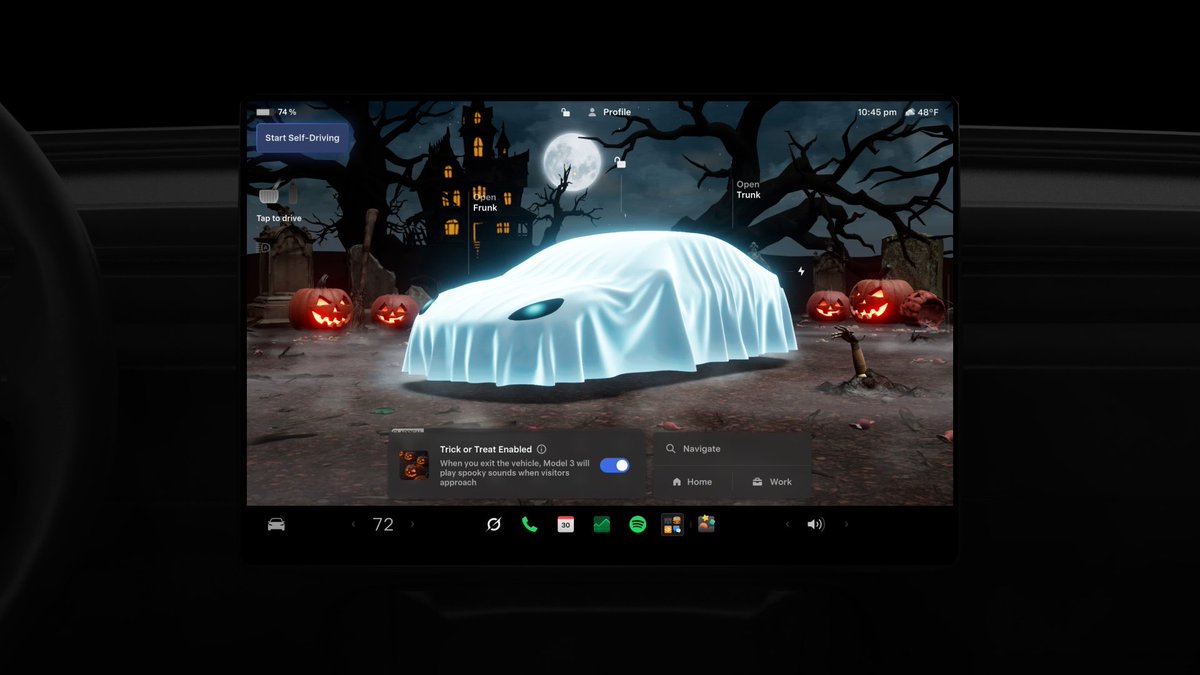
Tesla's 2026.38.3.1 software update is actively rolling out, and it's bringing the most seasonally themed feature set the company has shipped in years. The headline addition is Halloween Mode — a suite of spooky visuals, sounds, and interactive tricks that turns your car into what Tesla officially describes as a 'haunted house on wheels.' As of October 8, the update has reached roughly 1–3% of the fleet and is expanding.

What's in This Update
| Change | Type | Models |
|---|---|---|
| Halloween Mode (Ghost Costume, Trick or Treat) | Official | 3, Y, S, X, Cybertruck |
| Haunting Light Show | Official | 3, Y, S, X, Cybertruck |
| Scary Voice Effects (via Tesla app) | Official | 3, Y, S, X, Cybertruck |
| Halloween Driving Visualizations (ghost avatar, skeleton pedestrians, purple FSD path) | Official | 3, Y, S, X, Cybertruck |
| Chilling Photobooth (holiday frames, spooky stickers) | Official | AMD-equipped vehicles |
| Halloween-themed car wraps and spooky lock sounds | Official | 3, Y, S, X, Cybertruck |
| Emergency Drive Away (break from Supercharger in emergency) | Official | 3, Y, S, X, Cybertruck |
| Dynamic Headlight Leveling | Official | 3, Y, S, X, Cybertruck |

How to Enable Halloween Mode
Once your car has received 2026.38.3.1, here's how to get into the Halloween spirit:
- Check for the update. Go to Controls > Software on your touchscreen. If 2026.38.3.1 isn't showing yet, tap Check for Updates. The rollout is still in early stages — if it's not there, check back in a day or two.
- Open Halloween Mode. Once updated, navigate to Controls > Entertainment > Halloween Mode (or look for a seasonal shortcut on the home screen — Tesla has historically surfaced these prominently around the holiday).
- Apply the Ghost Costume. Inside Halloween Mode, select Ghost Costume to swap your car's visualization on the center display for a ghost version. When you open a door, the ghost animates — a skeleton climbs in.
- Activate Trick or Treat Mode. This is the crowd-pleaser for Halloween night. Enable it and your car will play spooky sounds and flicker its exterior lights when people approach — think of it as a more theatrical Sentry Mode. Park near the front of your house for maximum effect.
- Set a Halloween wrap and lock sound. In the same menu, swap your car's visual wrap to one of the new Halloween-themed options and pick a spooky lock/unlock sound. These work on all supported hardware.
- Try Scary Voice Effects. Open the Tesla app on your phone. When visitors are near the car, speak into the app — your car's exterior speaker will repeat your words in a distorted, frightening voice.
- Check your infotainment hardware for Photobooth. The new Halloween Photobooth with holiday frames and stickers requires an AMD-based infotainment system. If your car has an older Intel unit, you'll still get wraps, lock sounds, and Trick or Treat Mode — just not the fullscreen parked scene or Photobooth extras.

What Changes While You Drive
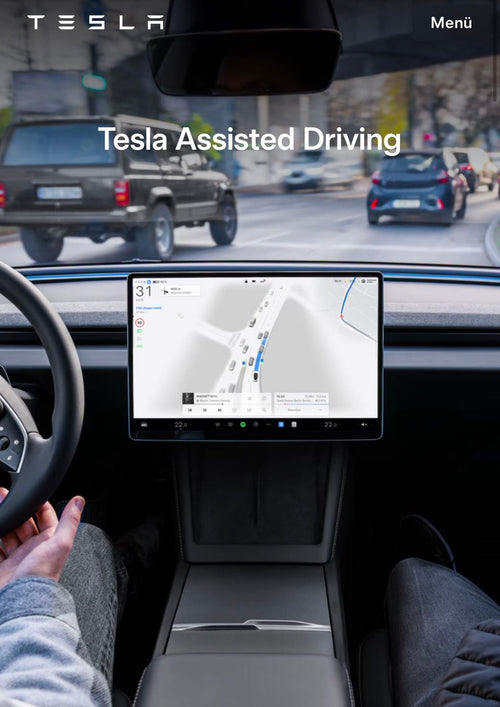
Halloween Mode isn't just a parked feature. With the update installed and the mode active, your on-screen driving experience changes too: your car's avatar stays as a ghost, nearby vehicles render in green, and pedestrians appear as walking skeletons. If your car has Full Self-Driving (Supervised), the usual blue path ahead turns purple. It's a subtle but genuinely fun layer that makes every commute feel a little more October.
The Non-Halloween Additions Worth Knowing
Buried under the seasonal fanfare are two practical updates. Emergency Drive Away lets your car disconnect from a Supercharger cable under emergency conditions — useful if you ever need to leave a charging stall in a hurry. Dynamic Headlight Leveling adjusts your headlights automatically based on vehicle load and road angle, a safety-relevant improvement that has nothing to do with skeletons.
The rollout is still early — according to teslascope.com, version 2026.38.3.1 had reached approximately 3% of the fleet as of October 7. Most owners should expect the notification within the next week. For the full history of all software updates, our tracker has you covered.
📋 Tracking Tesla software? See every firmware, FSD and app version in one place in our Tesla Software Update Tracker.
Related Gear
Gear up your Tesla with tested, custom-fit BASENOR accessories — shop Tesla accessories →
Sources & reporting notes
The links below identify the material source records used for this report.
- @TeslaNewswire on X (2026-10-08T19:47:31.000Z) — Direct source
Source links are preserved as published or accessed. See our editorial standards and corrections policy.
The BASENOR Editorial Desk covers Tesla, SpaceX, and related technology, curating reporting from primary sources — official accounts, regulatory filings, and software release data. Every article passes source-record and fact-checking review before publication. About the newsroom.
This report was curated by the BASENOR Editorial Desk from the sources listed above. Read our editorial standards or email editorial@basenor.com to report an error.