
Tesla has begun pushing software update 2026.38.4.5, first spotted on a 2022 Model 3 SR in Gyeonggi-do, South Korea early on November 10. The build ships FSD (Supervised) v14.2 Lite alongside three owner-facing additions: Start Self-Driving from Park, Speed Profiles, and UI Improvements. If you haven't seen the notification yet, here's exactly what's in it and what to check once it lands.

What Changed
| Change | Type | Models |
|---|---|---|
| FSD (Supervised) v14.2 Lite | Official | Model 3, Model Y, Cybertruck |
| Start Self-Driving from Park | Official | FSD-equipped vehicles |
| Speed Profiles | Official | FSD-equipped vehicles |
| UI Improvements | Official | All supported models |
Feature Breakdown
FSD (Supervised) v14.2 Lite
This is the headline payload of 2026.38.4.5. The "Lite" designation, consistent with how Tesla has labeled recent FSD sub-releases, typically indicates a targeted model update rather than a full architecture revision. According to notateslaapp.com, FSD v14.2 Lite was previously associated with the 2026.27.x branch and saw significant rollout to Hardware 3 vehicles in September 2026 — so if you're on HW3 and already received it then, this build may represent a refinement pass. Either way, check your FSD behavior on familiar routes after the update installs.

Start Self-Driving from Park
This is the most practically useful addition in the build. Previously, activating FSD required the car to already be in motion or at least in Drive. With this change, you can initiate a self-driving session directly from a parked state — useful when pulling out of a garage, driveway, or tight parking spot where you'd rather have the car take over immediately. You'll find the option on the FSD activation screen when the vehicle is in Park.

Speed Profiles
Speed Profiles let you customize how aggressively FSD handles speed relative to posted limits and traffic flow. Think of it as a persistent preference layer — rather than adjusting the speed offset every time you engage FSD, you set a profile once and it applies across sessions. If you've been manually nudging the scroll wheel to dial in your preferred pace on every drive, this is the fix.

UI Improvements
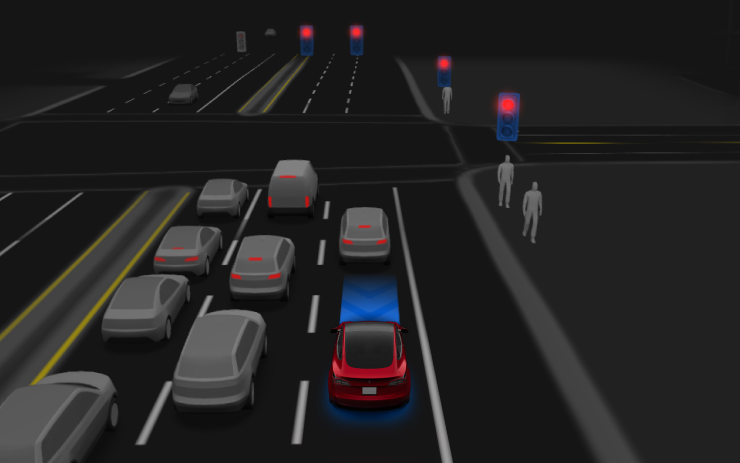
Tesla lists this as a standalone change, which typically covers refinements to layout, responsiveness, or visual consistency across the touchscreen. No specific UI elements have been detailed in the release notes for this version — watch for changes in the FSD engagement panel, the driving visualization, or the controls menu after you install.
Action Plan
Once the update notification appears on your touchscreen, here's how to make the most of it:
- Install over Wi-Fi. Go to Controls > Software and tap Install Now when prompted. A stable home Wi-Fi connection is faster and avoids any LTE throttling mid-download.
- Check your FSD version post-install. Navigate to Controls > Autopilot and confirm the FSD build string reflects v14.2 Lite. If it still shows a prior version, give it 10–15 minutes — the FSD model downloads separately from the main OS package.
- Test Start Self-Driving from Park. Park in a safe, open area. Tap the FSD button while in Park and confirm the new initiation flow appears. The first time, do this somewhere you're comfortable with the car taking over from a standstill.
- Set your Speed Profile. Open the FSD settings panel (Controls > Autopilot > Full Self-Driving) and look for the Speed Profiles option. Choose your preferred behavior — conservative, matched to flow, or slightly above limit — and save it. You won't need to re-adjust per trip.
- Note any UI changes. Spend a few minutes in the menus you use most. If something moved or looks different, it's likely part of the UI Improvements pass. The FSD visualization screen and the quick controls strip are common targets for these tweaks.
The rollout is in its earliest stage — one vehicle confirmed in South Korea as of this writing. Wider distribution across other regions typically follows within days for a build in an active branch like 2026.38.x. Keep an eye on your Software screen, and check all software updates here as the rollout expands.
📋 Tracking Tesla software? See every firmware, FSD and app version in one place in our Tesla Software Update Tracker.
Related Gear
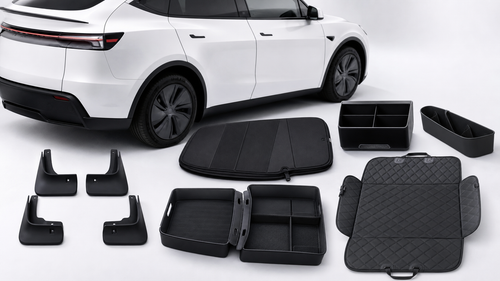
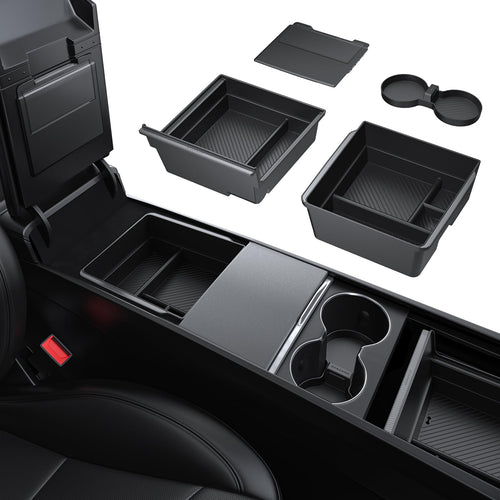
Gear up your Tesla with tested, custom-fit BASENOR accessories — shop Tesla accessories →
Sources & reporting notes
The links below identify the material source records used for this report.
- @teslascope on X (2026-11-10T03:11:51.000Z) — Direct source
- @teslascope on X (2026-11-10T03:11:57.000Z) — Direct source
- @teslascope on X (2026-11-10T03:12:03.000Z) — Direct source
- @teslascope on X (2026-11-10T03:12:08.000Z) — Direct source
- @teslascope on X (2026-11-10T03:12:12.000Z) — Direct source
Source links are preserved as published or accessed. See our editorial standards and corrections policy.
The BASENOR Editorial Desk covers Tesla, SpaceX, and related technology, curating reporting from primary sources — official accounts, regulatory filings, and software release data. Every article passes source-record and fact-checking review before publication. About the newsroom.
This report was curated by the BASENOR Editorial Desk from the sources listed above. Read our editorial standards or email editorial@basenor.com to report an error.