📌 UPDATE — July 2, 2026
🔍 UNDOCUMENTED CHANGESBeyond the headline Charge Stats 2 features, hidden code discovered in Tesla App v4.58.5 points to several unannounced additions. A new Coastal Blue vehicle color appears to be in the pipeline, and the video tutorials section is being overhauled with search functionality and the ability to pin tutorials for quick access. FSD users can also expect an in-app stats dashboard mirroring what's already shown in the in-car UI.
Most notably, the code hints at a potential identity verification step using the cabin camera before FSD can be activated — a significant safety and accountability measure that has not been officially announced by Tesla.

via @TeslaNewswire · July 2, 2026
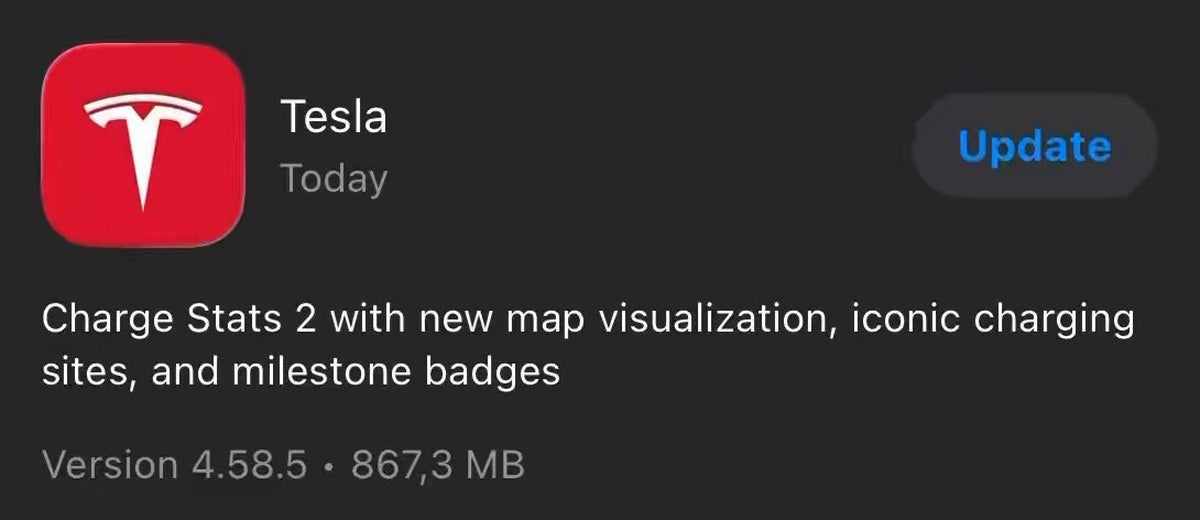
Tesla has pushed App version 4.58.5 to iOS, carrying the same Charge Stats 2 feature set that debuted in 4.58.0. If you haven't seen it yet in your app, this update is your cue to check — the new charging history experience is a meaningful upgrade over what came before.

What's New in Charge Stats 2
The headline addition is a map visualization that plots every Supercharger you've visited within a selected timeframe. It defaults to the last 12 months but lets you dial in a custom date range — useful if you want to review a specific road trip or compare charging patterns year over year. Every stop is pinned on the map, turning your charging history into something that actually tells a story.
Alongside the map, Tesla has introduced iconic charging sites — a curated set of notable Supercharger locations that get special recognition within the feature. Think landmark stations or destinations with a bit of history. It's a small touch, but it adds a layer of discovery for owners who like to explore.
The third addition is milestone badges. As you rack up charging sessions, certain thresholds unlock badges inside the app. It's a light gamification layer that gives long-time owners a way to see their history recognized.
How to Get It
Version 4.58.5 is available now on the iOS App Store. Android users received the same Charge Stats 2 features in the earlier 4.58.0 rollout, which began on June 16 and reached a wide audience by June 23, according to background research tracking the rollout.
- Open the App Store on your iPhone and search for Tesla.
- Tap Update if version 4.58.5 is available (or enable automatic updates to stay current).
- Once updated, open the Tesla app and navigate to Charging from the main menu.
- Look for the Charge Stats section — the new map view and badges should appear automatically once the feature is enabled server-side for your account.
- Tap the map to explore your Supercharger history, and adjust the date range to zoom in on specific trips.
Note that Charge Stats 2 is tied to your Supercharging history, so owners who primarily charge at home or use third-party networks will see limited data on the map. The milestone badges and iconic site highlights are specific to Tesla's own Supercharger network.
If the new map view doesn't appear immediately after updating, give it a day — Tesla has been rolling out the server-side feature toggle gradually since the 4.58.0 launch. For all software updates, keeping the app current is the fastest way to catch new features as they land.
📋 Tracking Tesla software? See every firmware, FSD and app version in one place in our Tesla Software Update Tracker.
Related Gear
Gear up your Tesla with tested, custom-fit BASENOR accessories — shop Tesla accessories →
Sources & reporting notes
The links below identify the material source records used for this report.
- @TeslaNewswire on X (2026-07-01T18:55:54.000Z) — Direct source
- @TeslaNewswire on X (2026-07-02T04:45:45.000Z) — Direct source
Source links are preserved as published or accessed. See our editorial standards and corrections policy.
The BASENOR Editorial Desk covers Tesla, SpaceX, and related technology, curating reporting from primary sources — official accounts, regulatory filings, and software release data. Every article passes source-record and fact-checking review before publication. About the newsroom.
This report was curated by the BASENOR Editorial Desk from the sources listed above. Read our editorial standards or email editorial@basenor.com to report an error.