30-Second Brief
The News: Tesla's official account is now directly encouraging owners to try FSD (Supervised) v14, calling it "a completely different experience" from earlier versions.
Why It Matters: This is Tesla putting its full promotional weight behind v14 — the biggest FSD overhaul in years — built on a 10x larger neural network and available on HW4 vehicles now.
Sources: @Tesla · @Tesla · @ray4tesla
Tesla Officially Pushes FSD v14: What's New and What You Should Do Right Now
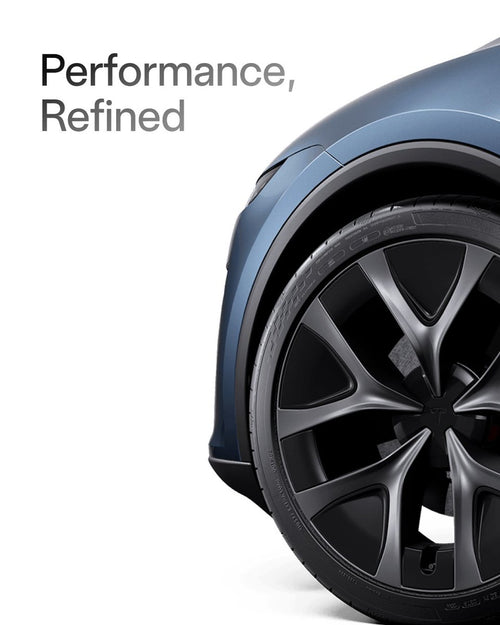
Tesla doesn't usually send owners directly to its own tweets as product pitches. So when the official @Tesla account posted that FSD Supervised today is "a completely different experience compared to earlier versions" — and followed it up with a blunt "Try V14 if you haven't yet" — that's a signal worth paying attention to.
This is Tesla's clearest public endorsement of FSD v14 to date, and it arrives alongside real-world footage from community testers showing the system making noticeably more human-like decisions in complex traffic situations. If you're an HW4 owner who hasn't activated v14 yet, today is the day to change that.


📊 What Changed: FSD v14 vs. Previous Versions
| Change | Type | Models |
|---|---|---|
| Arrival Options — Choose where FSD parks: lot, street, driveway, garage, or curbside. Preferences saved per destination. | Official | HW4 vehicles |
| Emergency Vehicle Handling — Enhanced pull-over and yield behavior for police, fire, and ambulance. | Official | HW4 vehicles |
| Vision-Based Navigation — Routing and navigation integrated directly into the neural net for real-time detour handling. | Official | HW4 vehicles |
| Speed Profiles incl. "Sloth" Mode — New profile for ultra-conservative speeds. Right scroll-wheel now adjusts Speed Profile instead of exact speed offset. | Official | HW4 vehicles |
| Improved Road Debris Offsetting — Better avoidance of tires, tree branches, boxes, and other debris. | Official | HW4 vehicles |
| Improved Scenario Handling — Better unprotected turns, lane changes, vehicle cut-ins, and school bus behavior. | Official | HW4 vehicles |
| Automatic Narrow Field Camera Washing — Robotaxi-style self-cleaning for front camera at speed. | Official | HW4 vehicles |
| Upgraded Neural Network Vision Encoder — Higher resolution features; better handling of emergency vehicles, obstacles, and human gestures (v14.2.2.3+). | Official | HW4 vehicles |
| Permanent Start Self-Driving Button — Accessible even while already moving. | Official | HW4 vehicles |
| Feels Snappier, More Decisive, More Human — Early testers consistently report the car feels less robotic, with smoother acceleration and deceleration. | 🔍 User-Reported | HW4 vehicles |
| Returns to Right Lane After Passing — FSD v14 reportedly attempts to move back to the right lane after overtaking. | 🔍 User-Reported | HW4 vehicles |
FSD v14 in the Wild: Community Footage
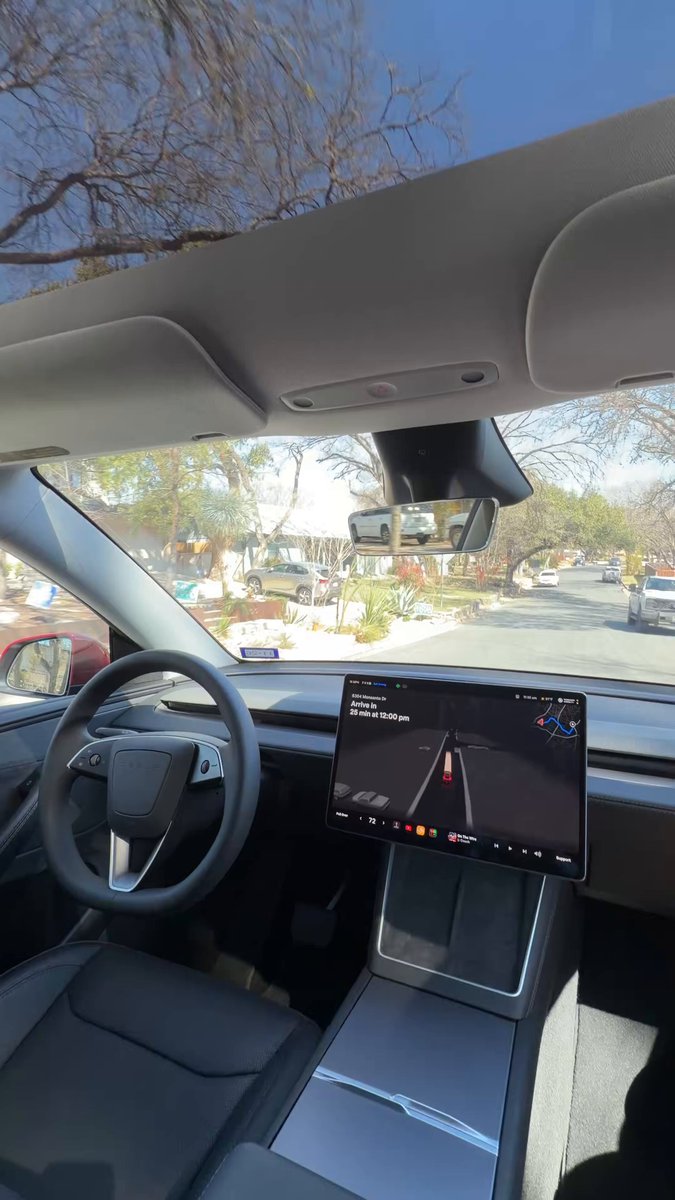
Alongside Tesla's official push, community tester @ray4tesla shared footage today of FSD v14 making a notably smart real-world decision in traffic — the kind of move that earlier versions would have fumbled or required driver intervention to resolve.

This kind of organic validation — arriving on the same day as Tesla's official marketing push — is not a coincidence. Tesla is clearly confident enough in v14's real-world performance to put its brand directly behind it.
🚦 Owner's Action Plan
✅ Step 1 — Check your hardware generation
Go to Controls → Software → Additional Vehicle Information. Look for "Autopilot computer." If it says "Full Self-Driving Computer (HW4)," you're eligible for v14 now. HW3 owners: expect "FSD v14 Lite" in Q2 2026.
✅ Step 2 — Confirm you're on v14.2 or later
Go to Controls → Software and check your FSD software version. You need FSD (Supervised) v14.2 or later to access the full feature set. If you're still on an older version, make sure software updates are set to "Advanced" to get updates as soon as they're available.
✅ Step 3 — Subscribe or activate FSD
As of February 14, 2026, outright FSD purchase is no longer available. FSD (Supervised) is now $99/month via subscription, or $49/month if you previously purchased Enhanced Autopilot (EAP). If you had a purchased FSD license, confirm it transferred correctly to your current vehicle — the free FSD Transfer Promotion ends March 31, 2026.
✅ Step 4 — Try the Speed Profiles
v14 adds a new "Sloth" mode for ultra-conservative driving — useful for school zones, heavy pedestrian areas, or new FSD users. The right scroll-wheel on the steering wheel now adjusts Speed Profile in real time. Experiment to find your preferred driving style.
✅ Step 5 — Set your Arrival Options
Before your next trip, configure where you want FSD to park upon arrival — options include Parking Lot, Street, Driveway, Parking Garage, or Curbside. The system saves your preference per destination, so you'll only need to set it once per location.
Action Required for FSD Transfer Holders
If you have a transferred FSD license and haven't confirmed it's active on your current vehicle, do it now. The free FSD Transfer Promotion ends March 31, 2026. After that date, transfers will no longer be complimentary.
📋 Tracking Tesla software? See every firmware, FSD and app version in one place in our Tesla Software Update Tracker.
Related Gear
Gear up your Tesla with tested, custom-fit BASENOR accessories — shop Tesla accessories →
Sources & reporting notes
The links below identify the material source records used for this report.
- @Tesla on X (2026-02-27T20:14:21.000Z) — Direct source
- @Tesla on X (2026-02-27T20:13:20.000Z) — Direct source
- @ray4tesla on X (2026-02-27T20:11:19.000Z) — Direct source
Source links are preserved as published or accessed. See our editorial standards and corrections policy.
The BASENOR Editorial Desk covers Tesla, SpaceX, and related technology, curating reporting from primary sources — official accounts, regulatory filings, and software release data. Every article passes source-record and fact-checking review before publication. About the newsroom.
This report was curated by the BASENOR Editorial Desk from the sources listed above. Read our editorial standards or email editorial@basenor.com to report an error.