Tesla has begun pushing software update 2026.15.7, first spotted on a Model X AWD in Gyeonggi-do, South Korea early on August 17. The build packages FSD (Supervised) v14.2.2.5 alongside three owner-facing additions — Brake Confirm, Speed Profiles, and UI Improvements — making it one of the more substantive incremental drops in the current release cycle. If you haven't seen the notification yet, here's what's coming and what to do when it arrives.

What's in 2026.15.7
| Change | Type | Models |
|---|---|---|
| FSD (Supervised) v14.2.2.5 | Official | 3, Y, S, X, Cybertruck |
| Brake Confirm | Official | 3, Y, S, X, Cybertruck |
| Speed Profiles | Official | 3, Y, S, X, Cybertruck |
| UI Improvements | Official | 3, Y, S, X, Cybertruck |
FSD (Supervised) v14.2.2.5 is the headline item. This is a point release within the v14.2 branch, meaning it carries incremental neural-net refinements rather than a full architecture overhaul — expect tighter handling in complex intersections and improved lane-change confidence based on the pattern of prior v14.x point releases.

Brake Confirm is a new safety-oriented feature. Based on the naming convention, it introduces a confirmation step or visual/haptic acknowledgment when the vehicle applies significant regenerative or friction braking — useful context for drivers who want clearer feedback on what the car is doing, particularly in FSD-engaged situations.

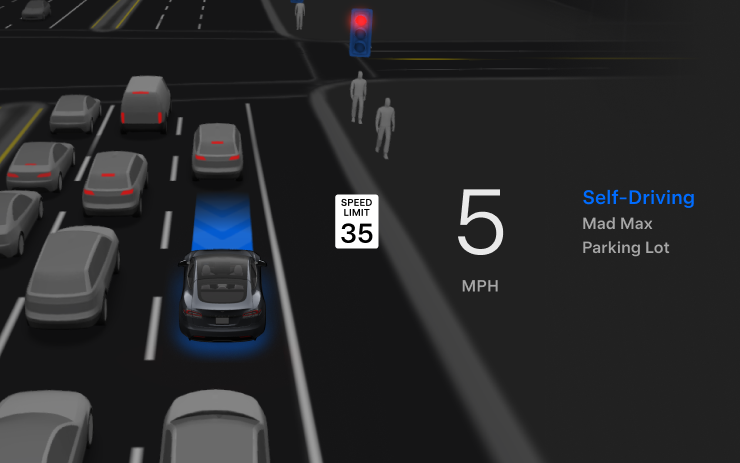
Speed Profiles lets you save and switch between custom speed offset configurations — handy if you regularly drive routes with different preferred cruise speeds without re-adjusting each time.
UI Improvements rounds out the release. Tesla typically uses this label for touchscreen layout refinements, menu reorganization, or rendering performance tweaks — nothing that changes core functionality, but often noticeable in daily use.

Action Plan: How to Get and Check This Update
The update is in early rollout — currently confirmed on one vehicle in South Korea. Global distribution typically follows within days to a couple of weeks. Here's how to make sure you're ready and what to do once it lands.
- Check your current version. Tap the Tesla 'T' logo on your touchscreen → Software. Note your current version number. If you're already on 2026.15.x, you're in the same branch and likely in queue.
- Enable Wi-Fi at home. Tesla delivers OTA updates over Wi-Fi. Make sure your car is connected to your home network overnight — updates almost never push over LTE alone.
- Leave the car plugged in. Updates require sufficient battery and often install while charging. Parking plugged in overnight maximizes your chances of receiving the update promptly.
- Check 'Advanced' update settings. Go to Software → tap 'Advanced.' If you're set to 'Standard,' switch to 'Advanced' to receive updates as early as possible in the rollout wave.
- Once installed, locate Brake Confirm. After the update, navigate to Controls → Autopilot (or Driving) to find the new Brake Confirm toggle. Confirm it's set to your preference before your next drive.
- Set up Speed Profiles. Look for Speed Profiles under Controls → Driving. Create profiles for your most common driving contexts — commute, highway, school zone — so you can switch without manual adjustment each time.
- Re-enable FSD if needed. FSD (Supervised) sometimes resets its settings post-update. After installation, verify your FSD profile, Assertiveness level, and any custom behaviors are still configured as you left them.

Rollout pace for incremental builds like this one tends to accelerate quickly once Tesla confirms stability from the initial wave. Keep an eye on your notification bar — and if you receive 2026.15.7 before the broader community, the all software updates tracker is worth bookmarking to compare notes with other owners.
📋 Tracking Tesla software? See every firmware, FSD and app version in one place in our Tesla Software Update Tracker.
Related Gear
Gear up your Tesla with tested, custom-fit BASENOR accessories — shop Tesla accessories →
Sources & reporting notes
The links below identify the material source records used for this report.
- @teslascope on X (2026-08-17T03:43:08.000Z) — Direct source
- @teslascope on X (2026-08-17T03:43:12.000Z) — Direct source
- @teslascope on X (2026-08-17T03:43:17.000Z) — Direct source
- @teslascope on X (2026-08-17T03:43:20.000Z) — Direct source
- @teslascope on X (2026-08-17T03:43:24.000Z) — Direct source
- @teslascope on X (2026-08-17T03:43:27.000Z) — Direct source
Source links are preserved as published or accessed. See our editorial standards and corrections policy.
The BASENOR Editorial Desk covers Tesla, SpaceX, and related technology, curating reporting from primary sources — official accounts, regulatory filings, and software release data. Every article passes source-record and fact-checking review before publication. About the newsroom.
This report was curated by the BASENOR Editorial Desk from the sources listed above. Read our editorial standards or email editorial@basenor.com to report an error.