The official Cybertruck account just reminded owners of one of the vehicle's most practical real-world capabilities: keeping your house running when the grid goes down. Cybertruck's Powershare system turns your truck into a rolling home battery — and the specs behind it are more capable than most owners realize. Here's everything you need to know.

1. It's Called Powershare — and It's Bidirectional
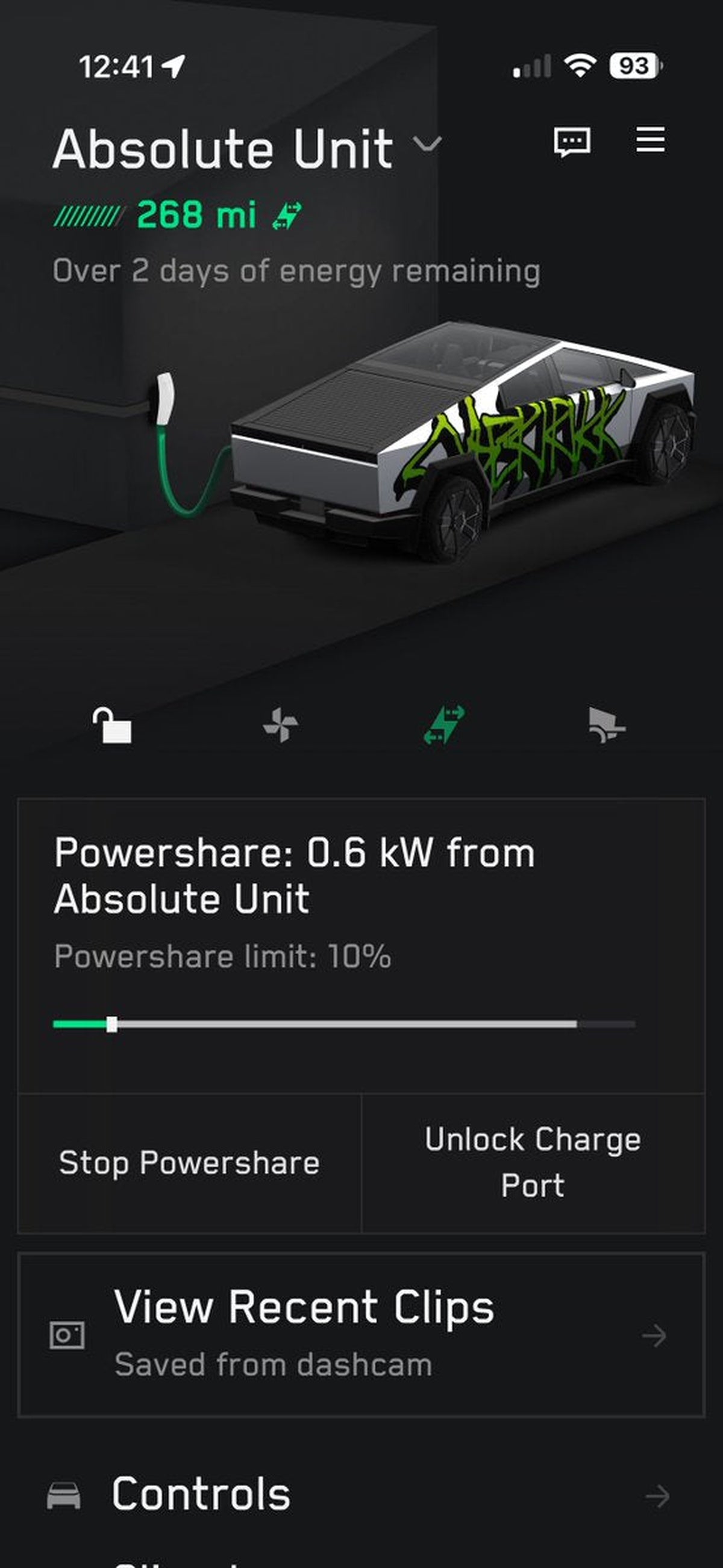
The feature is officially named Powershare, with the home backup mode specifically called Powershare Home Backup. Unlike a standard EV that only draws power from the grid, the Cybertruck can push electricity back out — to your home, to tools on a job site, or to another EV. It's bidirectional charging built into the truck from the factory, not an afterthought add-on.
2. Maximum Output Is 11.5 kW — Enough for Most Homes
When connected to your home via the Powershare Gateway, the Cybertruck delivers up to 11.5 kW of continuous power. That's enough to run essential circuits including lighting, refrigerators, HVAC, and EV chargers for other vehicles. AWD and Cyberbeast trims include five built-in outlets (two 120V/20A in the cabin, two 120V/20A plus one 240V/40A in the bed) offering up to 9.6 kW combined for direct plug-in use without any home integration.
3. A Full Charge Can Power Your Home for Over Three Days
The Cybertruck's 123 kWh battery pack is the key number here. Based on the U.S. average daily household consumption of roughly 30 kWh, a fully charged Cybertruck can keep your home running for more than three days before needing a recharge. That covers the vast majority of outage scenarios — most utility blackouts resolve within 24–72 hours.
4. You Need the Powershare Home Backup Bundle to Connect to Your House
Powering tools or charging other EVs directly from the bed outlets requires no extra hardware. But for whole-home backup — where the Cybertruck integrates with your electrical panel and automatically kicks in during an outage — you'll need the Powershare Home Backup Bundle, priced at $1,990. It includes a Universal Wall Connector and a Powershare Gateway. If you already have a Powerwall and Wall Connector installed, you may not need the bundle at all.
5. Installation Adds to the Cost — Budget $2,000–$4,000
The hardware bundle is only part of the equation. Professional installation for the Powershare Home Backup system typically runs $2,000 to $4,000, depending on your home's electrical setup and local labor rates. Some Foundation Series Cyberbeast buyers received a $4,000 installation rebate at purchase, which effectively covered this cost entirely. If you're buying a new Cyberbeast, it's worth checking current incentive availability.
6. Enabling It Takes About 30 Seconds on the Touchscreen
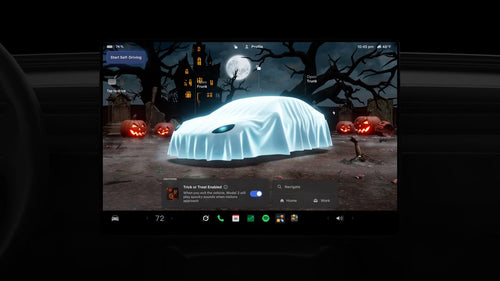
Once your hardware is installed, activating Powershare is straightforward: go to Controls > Charging > Powershare on the vehicle touchscreen. The only firmware requirement is Cybertruck version 2024.14 or later — which any truck on the road today will already have. There's no app subscription or recurring fee to use the home backup function.
7. Powerwall Integration and Grid Export Are Coming (or Already Here)
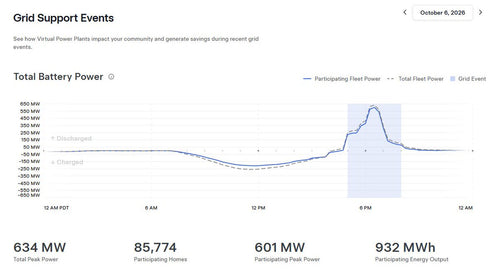
Powershare's capabilities are still expanding. Integration with an existing Powerwall — allowing the Cybertruck to extend your home battery backup rather than act as a standalone source — is officially scheduled for mid-2026. Meanwhile, Powershare Grid Support is already live in Texas (CenterPoint Energy and Oncor service areas, launched February 2026) and approved for PG&E's residential V2X program in California as of April 2026, letting owners sell excess energy back to the grid during peak demand periods.
With grid reliability becoming an increasingly real concern across the U.S., Powershare positions the Cybertruck as something beyond a truck or even an EV — it's a mobile energy asset. The Powerwall integration milestone later this year will be the next meaningful unlock for owners who already have Tesla Energy hardware at home.
Related Gear
Gear up your Cybertruck with tested, custom-fit BASENOR accessories — shop Cybertruck accessories →
📋 Tracking Tesla software? See every firmware, FSD and app version in one place in our Tesla Software Update Tracker.
Sources & reporting notes
The links below identify the material source records used for this report.
- @cybertruck on X (2026-07-07T06:20:59.000Z) — Direct source
Source links are preserved as published or accessed. See our editorial standards and corrections policy.
The BASENOR Editorial Desk covers Tesla, SpaceX, and related technology, curating reporting from primary sources — official accounts, regulatory filings, and software release data. Every article passes source-record and fact-checking review before publication. About the newsroom.
This report was curated by the BASENOR Editorial Desk from the sources listed above. Read our editorial standards or email editorial@basenor.com to report an error.