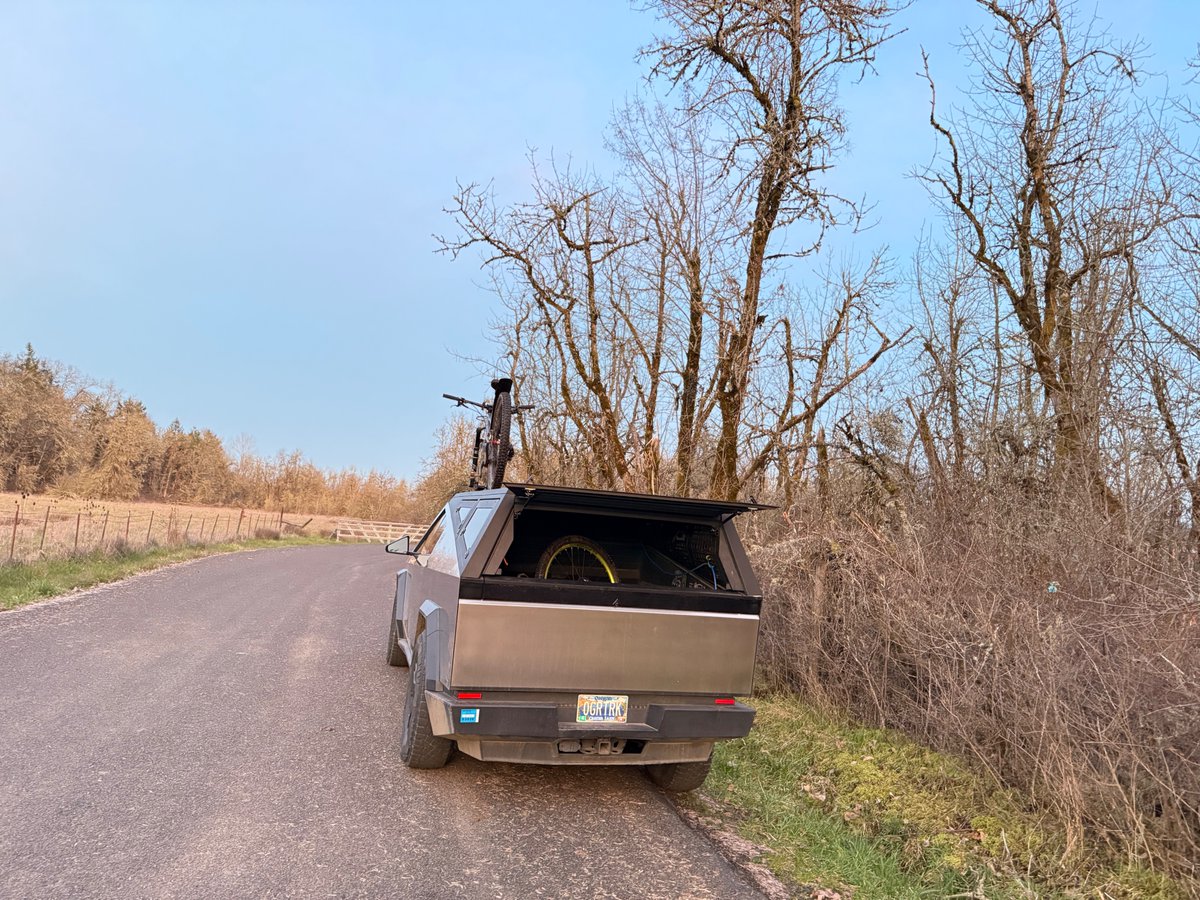
The News: Cybertruck's CyberTent Mode automatically adjusts the adaptive air suspension to level the vehicle on uneven terrain — no manual fiddling required.
Why It Matters: Cybertruck owners who camp off-road no longer need to hunt for a perfectly flat spot. The truck does the leveling work for you, making the bed a genuinely usable sleeping surface anywhere.
Source: @cybertruck on X
Cybertruck CyberTent Mode Now Automatically Levels Your Suspension for Camping
If you've ever tried sleeping in the back of a truck on a sloped campsite, you know the frustration: the ground is never perfectly flat, and every degree of tilt you feel it. The Cybertruck's CyberTent Mode solves that problem outright. Tesla's official @cybertruck account confirmed the feature today: when you activate CyberTent Mode, the truck's adaptive air suspension automatically adjusts to level the vehicle on uneven terrain — giving you a flat surface to sleep on without touching a single setting manually.

📊 What CyberTent Mode Actually Does
CyberTent Mode is more than just a single trick. According to verified information, when the mode is activated it bundles several camping-specific automations together:
| Feature | What It Does | Manual Alternative |
|---|---|---|
| Auto Suspension Leveling | Adjusts adaptive air suspension to level vehicle on uneven terrain | Manual ride height via touchscreen or app |
| Interior & Bed Lighting | Automatically activates cabin and truck bed lights | Manual light controls |
| Climate Control | Keeps AC/heat running throughout the night | Camp Mode (shared with other Tesla models) |
| Power Outlets | Keeps 120V/240V outlets live for devices and gear | Manual outlet activation |
| Tonneau Cover | Holds tonneau open to accommodate a tent over the bed | Manual tonneau control |
The suspension specs behind this feature are worth appreciating: the Cybertruck's adaptive air suspension — standard across all variants including Single Motor, Dual Motor, and Cyberbeast — offers up to 12 inches of suspension travel and a maximum ground clearance of 17.4 inches. That's a substantial range of adjustment, which means CyberTent Mode can compensate for genuinely rough, uneven ground — not just a slightly tilted parking lot.
🚦 Owner's Action Plan
Verdict: ✅ Recommended — Use this every time you camp in or near the Cybertruck
Step 1 — Confirm your software is up to date
CyberTent Mode was introduced via OTA update in April 2024. If you haven't updated in a while, go to Controls → Software and check for available updates. If you're already on a recent build, you're good.
Step 2 — Park on your intended camping spot before activating
Drive to your final camping position first. CyberTent Mode will level from wherever you're parked — it can't reposition the truck, only adjust the suspension. The closer you are to level before activating, the faster and more precise the adjustment.
Step 3 — Activate CyberTent Mode
On the touchscreen, navigate to Controls → Camping (or search for "CyberTent" in the search bar). Tap to activate. The suspension will automatically begin adjusting. Wait for the confirmation that leveling is complete before setting up your sleeping area or tent.
Step 4 — Let the automation work
Once active, climate control, lighting, and power outlets will all activate automatically. You don't need to configure these separately. If you want to adjust the temperature or light levels, you can still do so manually — CyberTent Mode doesn't lock those controls.
Step 5 — Manual override is always available
If you need to fine-tune ride height beyond what CyberTent Mode sets — for example, to get a specific angle for a rooftop tent — you retain full manual suspension control via the touchscreen or the Tesla mobile app at any time.
📰 Deep Dive
The auto-leveling feature is a genuinely practical differentiator for the Cybertruck as a camping platform. Most overlanding and truck camping setups require either finding a naturally level campsite (which limits your options significantly) or manually using leveling blocks — a tedious process that usually involves multiple attempts, someone spotting outside, and a bubble level. CyberTent Mode eliminates that entirely. You park, tap a button, and the truck sorts itself out.
What makes this particularly useful is the Cybertruck's suspension range. With up to 12 inches of travel, the system has real latitude to correct for uneven ground — this isn't just a minor trim adjustment. Combined with the fact that all Cybertruck variants ship with adaptive air suspension as standard (not an upgrade), every Cybertruck owner has access to this capability regardless of which configuration they bought.
The broader picture here is Tesla continuing to build out the Cybertruck's identity as a serious outdoor utility vehicle, not just a truck with an unusual design. The combination of auto-leveling, onboard 120V/240V power, climate control that runs overnight, and the large flat bed creates a camping setup that's genuinely competitive with purpose-built overlanding rigs — and it's all software-driven, meaning it improves over time without any hardware changes. For Cybertruck owners who camp even occasionally, CyberTent Mode is one of those features that quickly becomes non-negotiable once you've used it.
Related Gear
Gear up your Cybertruck with tested, custom-fit BASENOR accessories — shop Cybertruck accessories →
Sources & reporting notes
The links below identify the material source records used for this report.
- @cybertruck on X (2026-03-10T21:53:50.000Z) — Direct source
Source links are preserved as published or accessed. See our editorial standards and corrections policy.
The BASENOR Editorial Desk covers Tesla, SpaceX, and related technology, curating reporting from primary sources — official accounts, regulatory filings, and software release data. Every article passes source-record and fact-checking review before publication. About the newsroom.
This report was curated by the BASENOR Editorial Desk from the sources listed above. Read our editorial standards or email editorial@basenor.com to report an error.