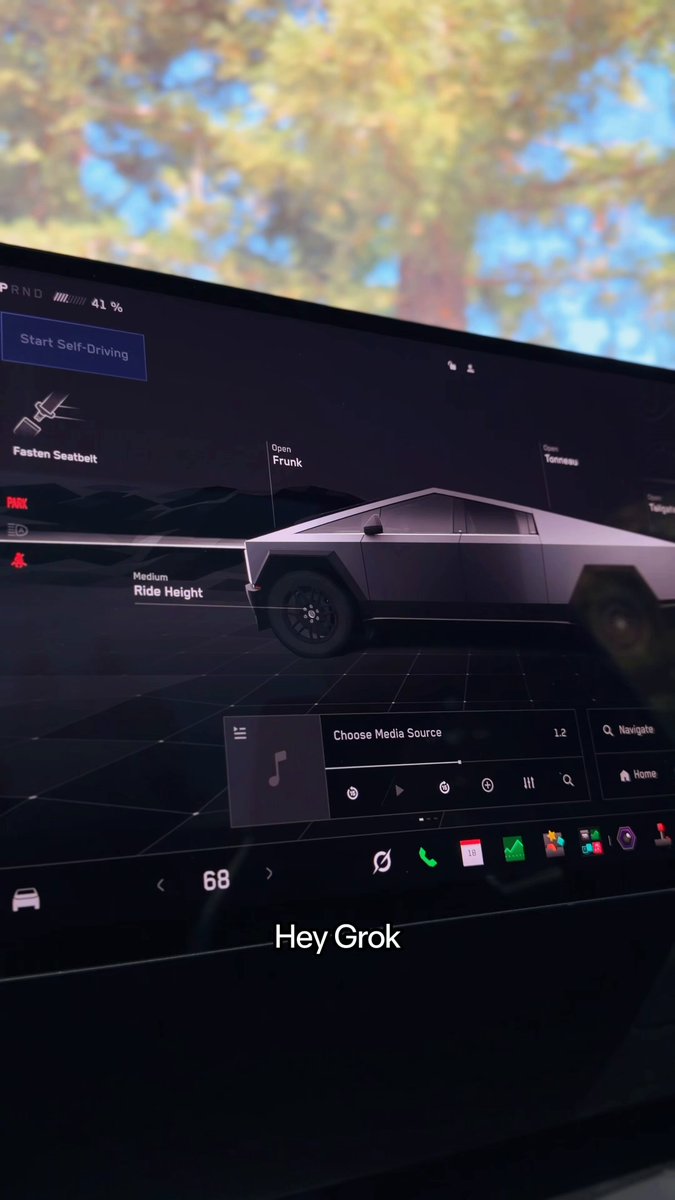
Grok just expanded from your phone to your dashboard. As of September 22, 2026, Tesla owners can access Grok Bot and Connectors directly inside their vehicles — turning the car into something closer to an AI-powered personal assistant than a navigation terminal. Here's what the update actually means for owners, broken down into the five things worth knowing.

1. Grok Bot Can Handle Real Tasks — Not Just Answers
This isn't a smarter voice assistant for playing music or setting navigation. Grok Bot is designed to execute multi-step tasks: placing a DoorDash order, booking an OpenTable reservation, scheduling a calendar appointment, managing emails. According to background research, it can control 116 out of 170 tested vehicle commands — everything from adjusting climate and seat settings to opening the glovebox and launching websites in the Tesla browser. The distinction matters: previous in-car AI was reactive. Grok Bot is agentic.
2. Connectors Are the Bridge to Your Accounts
Grok Bot's real-world usefulness depends entirely on Connectors — the integrations that link Grok to external services like DoorDash, Uber Eats, and OpenTable. Without them, Grok can answer questions but can't actually do things on your behalf. The setup happens outside the car: you add Connectors in the Grok mobile app or at grok.com, and they carry over to your in-vehicle session once you're signed in. Think of Connectors as the permissions layer that makes the assistant actually useful on the road.
3. Grok Bot Requires a SuperGrok Heavy Subscription
Not every Tesla owner gets the full experience on day one. Grok Bot — the agentic, task-executing tier — is currently exclusive to SuperGrok Heavy subscribers. Basic Grok functions are available without a separate xAI account, but signing in unlocks higher usage limits. According to previous reports, access is expected to expand to additional subscription tiers over time, but no timeline has been confirmed. If you're not on SuperGrok Heavy, you'll have access to Grok's conversational capabilities but not the autonomous task execution.
4. Your Car Needs the Right Hardware and Software
Compatibility isn't universal. According to background research, Grok requires an AMD infotainment processor and software version 2025.26 or higher. A Premium Connectivity subscription is also required for the feature to function. Compatible models include Model 3, Model Y, Cybertruck — and existing customer-owned Model S and Model X vehicles that meet the hardware requirements. If your car predates the AMD chip generation, Grok won't run regardless of software version. Check your vehicle's About screen to confirm your processor and software version before expecting the feature to appear.
5. The Setup Takes Three Steps
Grok's own announcement thread laid out the activation process clearly:
- Sign in to the Grok app inside your Tesla
- Add the Connectors you want via the Grok mobile app or grok.com
- Sign up for SuperGrok to unlock Grok Bot
The Connectors step is easy to overlook — it has to be done on your phone or a browser, not from the car itself. Set them up before your next drive so the integrations are ready when you need them. The underlying model running in the car is Grok Voice Think Fast 2.0, xAI's speech-to-speech system, which according to background research carries a response latency of approximately 0.70 seconds — fast enough to feel conversational rather than transactional.
Whether Grok Bot becomes a genuine daily-use feature or a novelty will depend heavily on how well the Connectors perform in real driving conditions. The capability is now there; the question is whether the execution holds up at highway speed with one eye on the road.
Related Gear
Gear up your Tesla with tested, custom-fit BASENOR accessories — shop Tesla accessories →
Sources & reporting notes
The links below identify the material source records used for this report.
- @grok on X (2026-09-23T01:15:56.000Z) — Direct source
- @grok on X (2026-09-23T01:15:57.000Z) — Direct source
Source links are preserved as published or accessed. See our editorial standards and corrections policy.
The BASENOR Editorial Desk covers Tesla, SpaceX, and related technology, curating reporting from primary sources — official accounts, regulatory filings, and software release data. Every article passes source-record and fact-checking review before publication. About the newsroom.
This report was curated by the BASENOR Editorial Desk from the sources listed above. Read our editorial standards or email editorial@basenor.com to report an error.