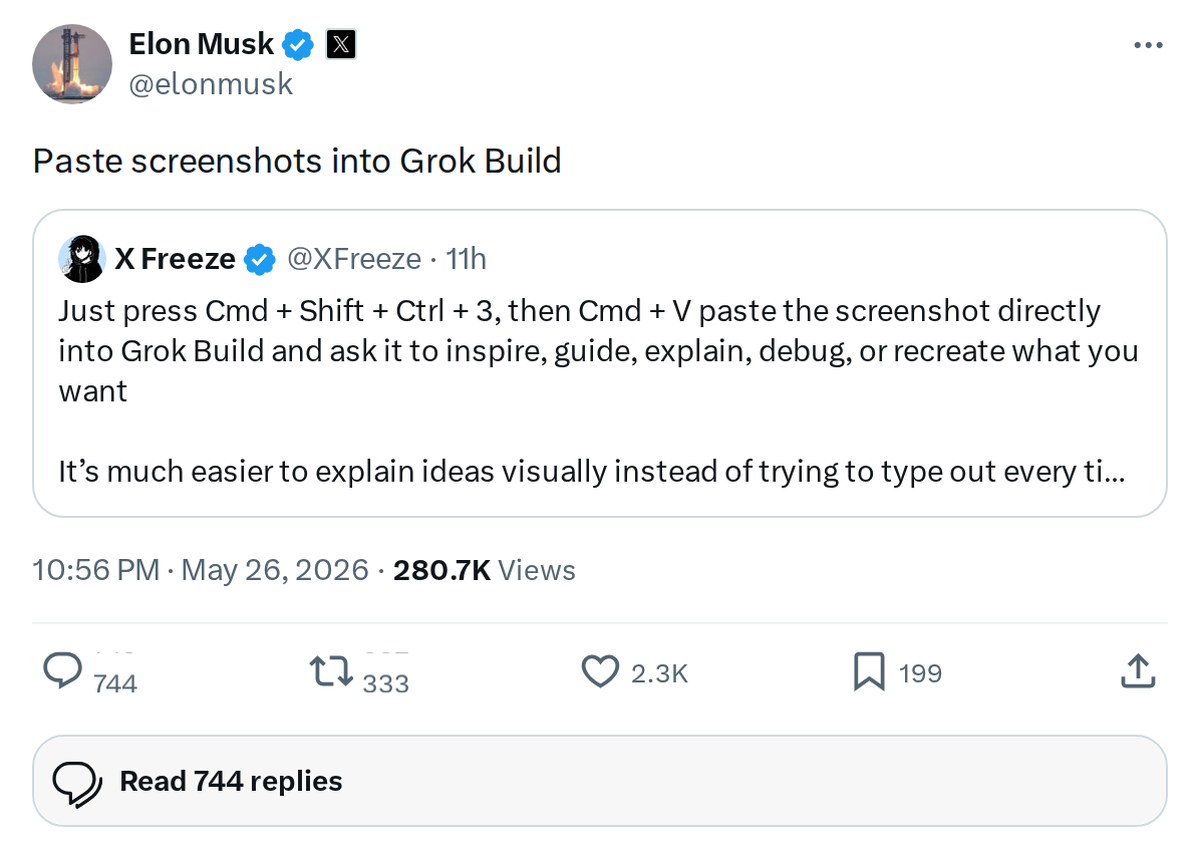
Grok Build picked up a small but genuinely useful capability today: you can now paste screenshots directly into the interface. Elon Musk announced the feature in a brief post on X, and for anyone who regularly uses Grok for coding, debugging, or design work, it removes a friction point that's been there since day one.

Until now, getting visual context into Grok required uploading an image file — an extra step that broke the flow of a fast back-and-forth session. Paste support means you can grab a screenshot of an error message, a UI mockup, a chart, or a block of code and drop it straight into the prompt without leaving the window.
This builds on the multimodal foundation xAI introduced with Grok's vision capabilities, which gave the model the ability to interpret images alongside text. Paste support is less a new AI capability and more a quality-of-life improvement that makes the existing vision features actually convenient to use in practice. For developers working in Grok Build specifically — xAI's environment for building AI-powered apps — the ability to paste a screenshot of a broken UI or a failing test output and ask Grok to diagnose it is a meaningful workflow upgrade.
No rollout timeline or platform restrictions were mentioned in the announcement. If you're already using Grok Build, it's worth testing the feature now — Ctrl+V or Cmd+V into the prompt field should do it.
Sources & reporting notes
The links below identify the material source records used for this report.
- @elonmusk on X (2026-05-26T14:56:11.000Z) — Direct source
Source links are preserved as published or accessed. See our editorial standards and corrections policy.
The BASENOR Editorial Desk covers Tesla, SpaceX, and related technology, curating reporting from primary sources — official accounts, regulatory filings, and software release data. Every article passes source-record and fact-checking review before publication. About the newsroom.
This report was curated by the BASENOR Editorial Desk from the sources listed above. Read our editorial standards or email editorial@basenor.com to report an error.