📌 UPDATE — August 11, 2026
Tesla has expanded the Paint Shop experience with a new app-based custom wrap upload feature. Owners can now upload their own wrap designs directly from the Tesla app to their vehicle's in-car visualization — no USB drive required. This means you can match your real-world wrap on the screen, or simply experiment with custom looks straight from your phone. The update streamlines what was previously a more cumbersome process and opens the door to greater personalization without any physical media.

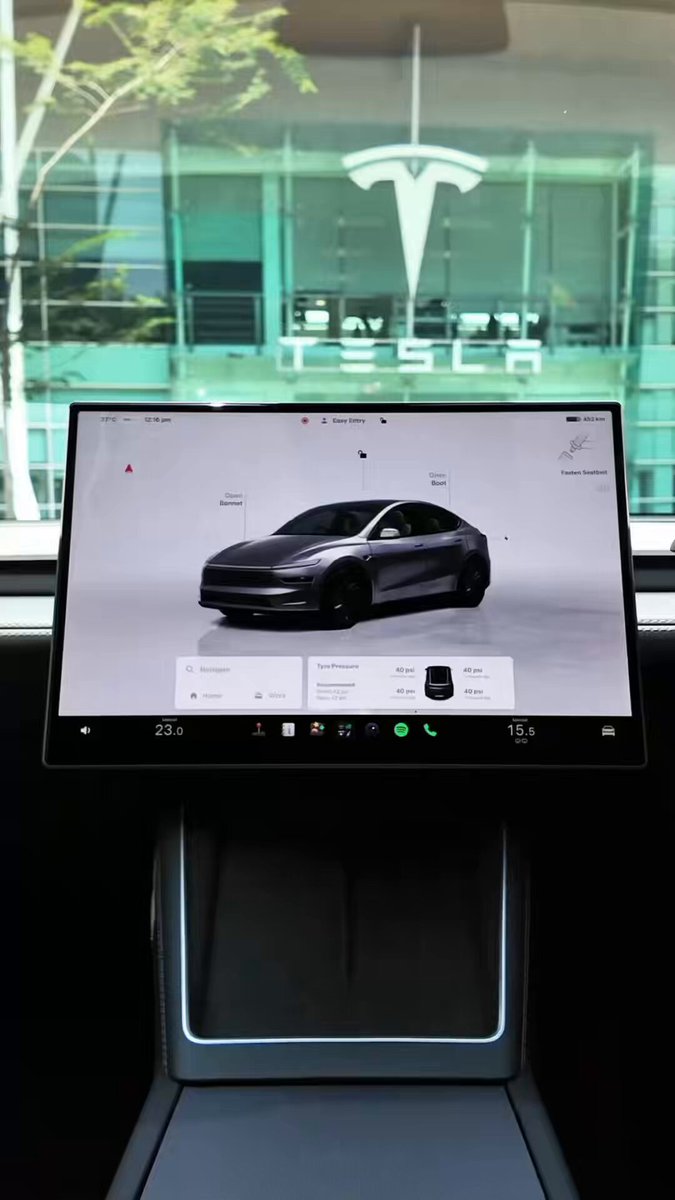
Tesla has expanded the Paint Shop inside Toybox, letting owners personalize their vehicle's in-car visualization with custom wraps, window tints, and license plates. It's a cosmetic feature — your screen, not your paint — but the implementation is more capable than most owners realize. Here's what's actually worth knowing.

1. Where to find it
The path is straightforward: Toybox > Paint Shop > Wraps. Paint Shop has been available on most Tesla models since around 2022, but the Wraps section has grown substantially since its Cybertruck debut in the 2024 Holiday Update. If you haven't visited it recently, it looks different from what you might remember.
2. You no longer need a USB drive
This was the biggest friction point for early adopters. Uploading a custom wrap originally required a USB drive loaded with PNG files. As of the Summer 2026 software update (version 2026.26, rolling out from July 2026), you can upload directly from the Tesla mobile app — version 4.59.0 or later. Look for the "Wrap" tab inside the "Creations" section of the app. Select "Upload & Apply Wrap" and the image pushes to both your phone and the in-car display simultaneously.
3. The file specs are tighter than you'd expect
Tesla imposes specific constraints on custom wrap images. Files must be PNG format, sized between 512×512 and 1024×1024 pixels, and no larger than 1 MB each. Filenames are capped at 30 characters and limited to alphanumeric characters, underscores, dashes, or spaces. You can store up to 10 custom wraps via the app and another 10 via USB — 20 total. Tesla publishes official wrap templates for each vehicle model on GitHub, which is the sensible starting point if you're designing your own.
4. Window tints are part of the package too
The tweet from Tesla Malaysia specifically calls out window tints alongside wraps and license plates — and this isn't new for everyone. According to Tesla's App Store release notes, support for "Custom Wraps and Tints" for Model 3, Model Y, and Cybertruck appeared in app version 4.52.1, released December 31, 2025. The visualization lets you see how different tint levels look on your specific model's 3D render, which is genuinely useful before committing to an installation appointment.
5. It works across models, including older infotainment hardware
Custom wrap and license plate visualization is confirmed compatible with both AMD Ryzen and older Intel Atom infotainment systems, so owners of pre-2022 vehicles aren't locked out. The feature covers Model 3, Model Y, and Cybertruck for tints, with custom wraps available across compatible vehicles following the 2025 Holiday Update expansion. The license plate customization lets you set both the text and background image of the digital plate shown in the visualization — handy if you want the screen to reflect your actual plate or a personalized design.
The Paint Shop won't change how your car looks on the road, but for owners who've already wrapped or tinted their vehicle, matching the in-car visualization to reality is a satisfying detail. For those still deciding on a real-world wrap, the 27 pre-designed options and the tint preview make it a low-stakes way to experiment before spending money at a shop.
Related Gear
Gear up your Tesla with tested, custom-fit BASENOR accessories — shop Tesla accessories →
Sources & reporting notes
The links below identify the material source records used for this report.
- @Tesla_Malaysia on X (2026-08-09T07:29:19.000Z) — Direct source
Source links are preserved as published or accessed. See our editorial standards and corrections policy.
The BASENOR Editorial Desk covers Tesla, SpaceX, and related technology, curating reporting from primary sources — official accounts, regulatory filings, and software release data. Every article passes source-record and fact-checking review before publication. About the newsroom.
This report was curated by the BASENOR Editorial Desk from the sources listed above. Read our editorial standards or email editorial@basenor.com to report an error.