
Tesla Energy has officially confirmed Smart Charging — a new feature that ties your Powerwall, Wall Connector, and Tesla (or compatible EV) together into a single intelligent charging system. Rather than charging on a fixed schedule, the system reads your solar output, home energy goals, and departure time, then decides when and how fast to charge. Here's what owners actually need to know.

1. It Requires Specific Hardware — and a Firmware Update
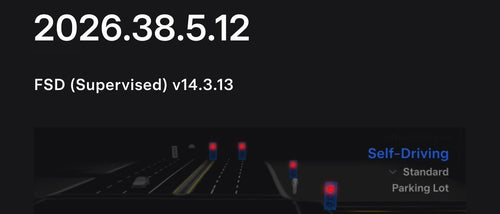
Smart Charging isn't a universal Tesla app toggle. It works with Powerwall 2 (and newer) paired with a Gen 3 Wall Connector. Both devices need to be on firmware 26.34, and you'll need Tesla app version 4.55.5 or later. Critically, the Wall Connector must be on the same Wi-Fi network as your Powerwall — if they're on different networks, the feature won't activate. Only one Wall Connector can be configured for Smart Charging at a time per Powerwall system.
2. Savings Mode Charges When Energy Is Cheapest
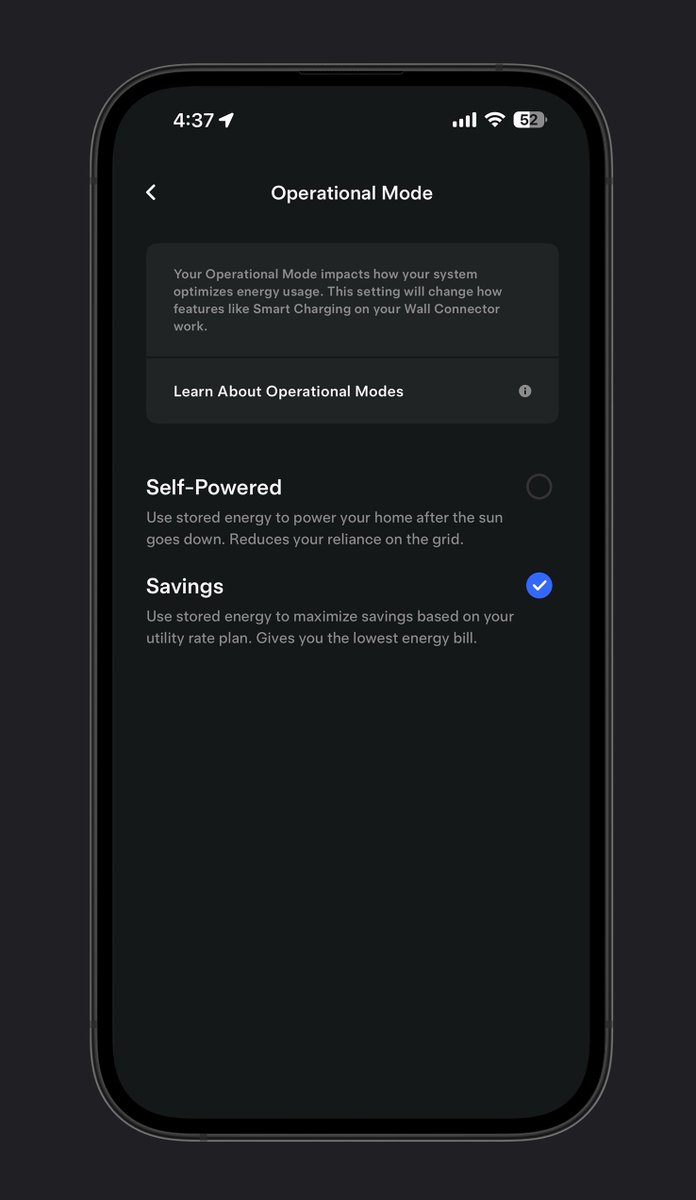
Savings Mode unlocks what Tesla calls Low-Cost Charging. The system cross-references your utility rate plan — including time-of-use windows — with real-time solar production to find the lowest-cost charging window each day. If your solar panels are generating excess power at 1 p.m. and your utility rates spike after 4 p.m., the system will prioritize that midday solar window automatically. You set the departure time and charge target; the algorithm handles the rest.

3. Self-Powered Mode Cuts Grid Dependence Entirely
Self-Powered Mode takes a different philosophy: charge the car only on excess solar, full stop. The system monitors how much solar your panels are generating beyond your home's current consumption, then routes that surplus to the Wall Connector. It won't pull from the grid to top off the battery — which means your charge level on any given day depends on how much sun you got. For owners focused on energy independence over convenience, this is the mode worth enabling.

4. It Works With Non-Tesla EVs Too
This is the detail that expands the story beyond Tesla-to-Tesla households. Tesla Energy confirmed on November 6 that Smart Charging through the Tesla Home app can optimize charging for any electric vehicle — not just Teslas — as long as the vehicle is compatible with the Gen 3 Wall Connector. Multi-EV households running a mix of brands now have a path to solar-optimized charging through a single app, which is a meaningful step for the Wall Connector's positioning as a home charging platform rather than a Tesla-only accessory.

5. There's No Extra Cost — It's a Software Update
Smart Charging arrives as a firmware update to existing hardware. According to available reports, no additional subscription or fee has been announced for the feature. If you already own a Powerwall 2 or newer and a Gen 3 Wall Connector, the capability is coming to your setup via firmware 26.34 at no added charge. The feature began rolling out in early October 2026, with the first owner reports appearing around October 7, and Tesla Energy's official confirmation following on November 6.
The practical upshot: if your Powerwall has been sitting as a backup power device while you charge your car on a fixed overnight schedule, Smart Charging is worth enabling. Savings Mode alone could meaningfully reduce charging costs for owners on time-of-use rate plans — and Self-Powered Mode gives solar households a genuine path to driving on sunshine rather than grid power. Check your Tesla app version and Wall Connector firmware first; if both are current, the option should already be waiting in your settings.
Related Gear
Gear up your Tesla with tested, custom-fit BASENOR accessories — shop Tesla accessories →
Sources & reporting notes
The links below identify the material source records used for this report.
- @teslaenergy on X (2026-11-06T20:00:48.000Z) — Direct source
- @TeslaNewswire on X (2026-11-06T20:55:02.000Z) — Direct source
Source links are preserved as published or accessed. See our editorial standards and corrections policy.
The BASENOR Editorial Desk covers Tesla, SpaceX, and related technology, curating reporting from primary sources — official accounts, regulatory filings, and software release data. Every article passes source-record and fact-checking review before publication. About the newsroom.
This report was curated by the BASENOR Editorial Desk from the sources listed above. Read our editorial standards or email editorial@basenor.com to report an error.