
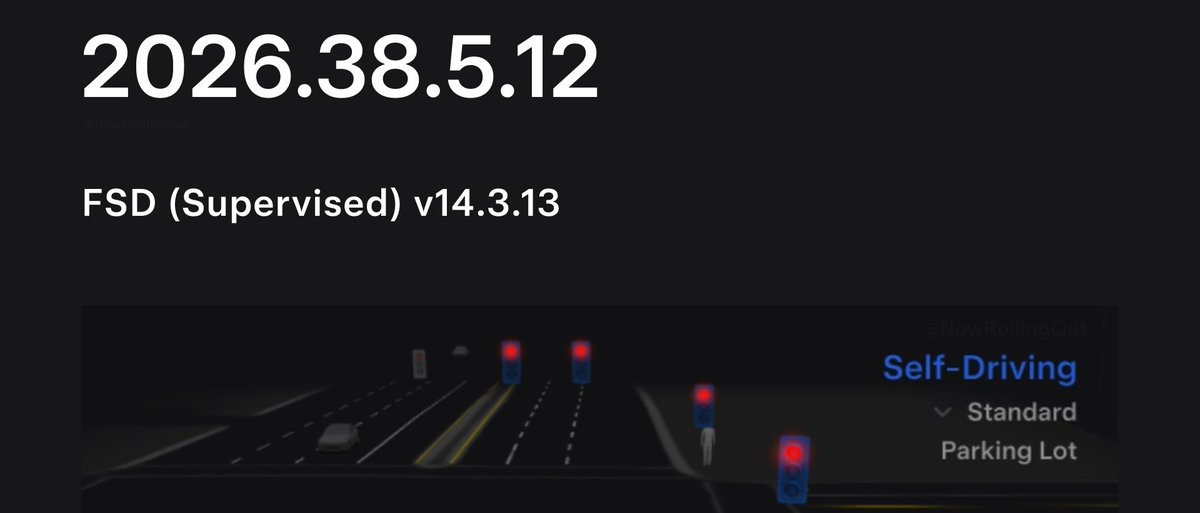
Tesla has pushed a third wave of software update 2026.38.5.12, carrying Full Self-Driving (Supervised) V14.3.13 to roughly 1,650 additional eligible AI4 vehicles. If your car hasn't received it yet, it may be queued — here's what you need to know and exactly how to check.

What's in This Update
| Change | Type | Models |
|---|---|---|
| Full Self-Driving (Supervised) V14.3.13 | Official | AI4-equipped vehicles (100% eligible) |
| Halloween Mode | Official | Model 3, Model Y, Cybertruck |
The official release notes for 2026.38.5.12 also include Halloween Mode — a seasonal feature that adds a Ghost Costume to your car's visualization, enables Trick or Treat Mode (spooky sounds and light flickering when visitors approach), lets you schedule a haunting light show, and turns your car into a Photobooth prop. Festive, but the FSD bump is the headline here.
This is the third wave of the V14.3.13 rollout, according to @NowRollingOut. Each wave expands the pool of vehicles receiving the build, so if you missed waves one and two, wave three may finally land on your car.
How to Check and Install
Tesla OTA updates don't always announce themselves immediately. Follow these steps to confirm your status and pull the update down as fast as possible.
- Check your current version. On your touchscreen, tap Controls → Software. Your installed version appears at the top. If it already reads 2026.38.5.12, you're done.
- Verify your Wi-Fi connection. Tesla delivers OTA updates over Wi-Fi by default. Make sure your car is connected to a known network — home Wi-Fi is ideal. Go to Controls → Wi-Fi and confirm the signal icon is solid.
- Look for a pending update notification. If an update is queued, you'll see a yellow clock icon on the car icon on your touchscreen, or a banner in the Software menu. Tap it to review and schedule installation.
- Force a software check (if no notification appears). In Controls → Software, tap the version number area. On some builds this triggers a manual check against Tesla's servers. It doesn't always work, but it's worth trying.
- Schedule overnight installation. If an update is available, tap Schedule and set it for a time the car will be parked and on Wi-Fi — typically overnight. The car does not need to be plugged in to install, but being plugged in prevents any battery drain during the process.
- Confirm FSD eligibility. V14.3.13 is only delivered to AI4-equipped vehicles with an active FSD subscription or purchased FSD capability. If you're on AI3 hardware, this wave won't include the FSD package for you — check Controls → Autopilot → Full Self-Driving Capability to confirm your hardware generation.
With three waves now in motion, the V14.3.13 fleet footprint is expanding steadily. If you haven't seen the update prompt yet, stay on Wi-Fi — your wave may be closer than you think. For ongoing rollout tracking, keep an eye on all software updates as subsequent waves are confirmed.
📋 Tracking Tesla software? See every firmware, FSD and app version in one place in our Tesla Software Update Tracker.
Related Gear
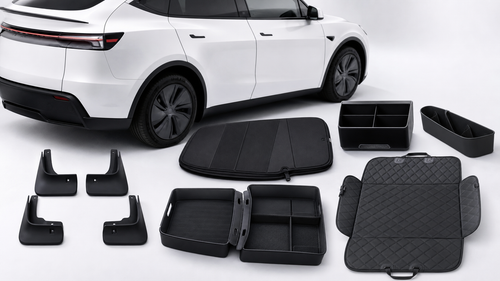
Gear up your Tesla with tested, custom-fit BASENOR accessories — shop Tesla accessories →
Sources & reporting notes
The links below identify the material source records used for this report.
- @teslascope on X (2026-11-05T18:50:09.000Z) — Direct source
- @NowRollingOut on X (2026-11-05T18:50:09.000Z) — Direct source
Source links are preserved as published or accessed. See our editorial standards and corrections policy.
The BASENOR Editorial Desk covers Tesla, SpaceX, and related technology, curating reporting from primary sources — official accounts, regulatory filings, and software release data. Every article passes source-record and fact-checking review before publication. About the newsroom.
This report was curated by the BASENOR Editorial Desk from the sources listed above. Read our editorial standards or email editorial@basenor.com to report an error.