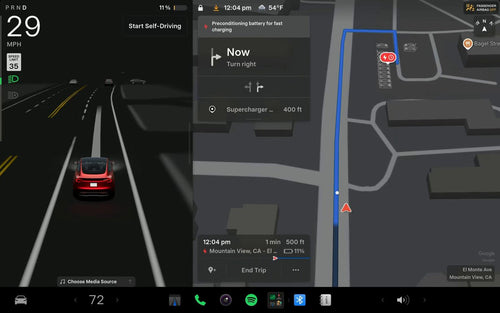

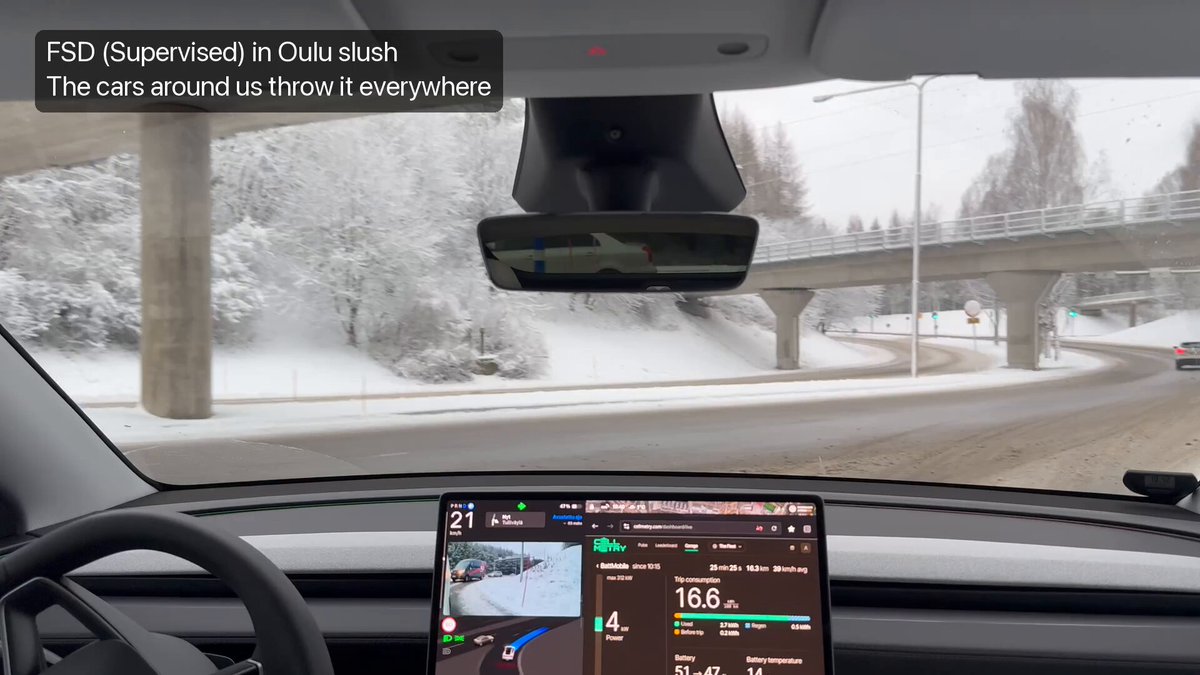
A video circulating on X shows Tesla's FSD (Supervised) — now officially renamed Tesla Assisted Driving (TAD) in Europe — version 14.2.2.7 navigating snow-covered and muddy roads in Finland. It's a useful real-world demonstration of the system's composure in conditions that would challenge any driver-assist technology. But there's more to this update than the footage suggests, and European Tesla owners have a few settings changes to be aware of before their next drive.

What Changed in v14.2.2.7
This update — part of software package 2026.39.100, which began rolling out around November 11, 2026 — carries two official changes for European markets and two user-reported behavior shifts worth knowing about.
| Change | Type | Models |
|---|---|---|
| FSD (Supervised) renamed to Tesla Assisted Driving (TAD) in menus, release notes, and subscription details | Official | Model S, Model X, Model Y |
| TAD can navigate from parked position, handle lane changes, turns, forks, and stop at destination under driver supervision | Official | Model S, Model X, Model Y |
| Maximum speed offset reduced from +50% to +10% above posted speed limit | User-Reported | European markets |
| Speed offset resets to 0% at the start of every drive — custom margin no longer carries over between sessions | User-Reported | European markets |
According to notateslaapp.com, the naming change was approved by the Dutch RDW and is purely cosmetic — it does not alter how the system drives. The speed offset changes, however, are substantive and were implemented in response to pressure from European regulators, including German authorities.
Action Plan for European Tesla Owners
If you're in Europe and running 2026.39.100, here's what to do before your next TAD-assisted drive:
- Check your software version. Go to Controls → Software and confirm you're on 2026.39.100. If the update hasn't arrived yet, it's still rolling out — check back in a day or two.
- Expect the name change. Your menus and release notes will now say Tesla Assisted Driving instead of FSD (Supervised). Note: some users have reported the version line still reads "Full Self-Driving (Supervised) Software: v14.2.2.7" — this appears to be an incomplete UI refresh and is not a sign your update failed.
- Reset your speed offset every drive. The system now resets to 0% above the speed limit each time you start the car. If you previously relied on a custom offset, you'll need to re-apply it manually via Controls → Autopilot → Speed Limit Offset at the start of each trip. The new hard cap is +10%, down from the previous +50%.
- Stay alert in complex road environments. User reports from Europe describe instances of TAD driving significantly below the posted speed limit and showing reduced awareness of roadworks signage, lane closures, and no-entry signs. These are unverified user reports, not confirmed Tesla acknowledgments — but they're worth keeping in mind if you're driving in construction zones or areas with non-standard signage.
- Maintain active supervision. Tesla's official stance is unchanged: TAD requires an attentive driver at all times. The Finland footage is impressive, but adverse conditions like snow and mud demand your full attention regardless of what the system is doing.
About the Finland Footage
The video shared by @TeslaNewswire shows v14.2.2.7 handling a mix of snow and muddy terrain in Finland — conditions that test traction sensing, speed management, and lane-keeping simultaneously. The system appears to navigate smoothly without driver intervention, which is a reasonable showcase of the update's capabilities in a Nordic winter context. That said, this is a single user-captured clip, not a controlled test. Treat it as encouraging evidence, not a guarantee of identical performance in your conditions.
For European owners, the bigger practical story from this update is the speed offset reset — it's a small but daily friction point that will catch drivers off guard if they're not expecting it. Set a habit of adjusting it at the start of each TAD-enabled trip until Tesla potentially revises the behavior in a future release. For more on all software updates, we track every version as it rolls out.
📋 Tracking Tesla software? See every firmware, FSD and app version in one place in our Tesla Software Update Tracker.
Related Gear
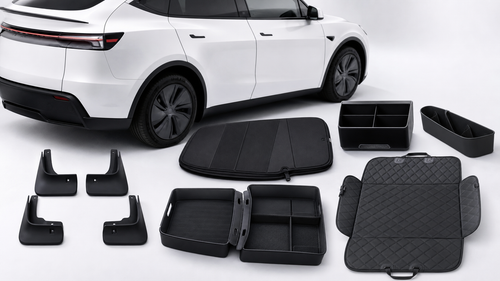
Gear up your Tesla with tested, custom-fit BASENOR accessories — shop Tesla accessories →
Sources & reporting notes
The links below identify the material source records used for this report.
- @TeslaNewswire on X (2026-11-13T14:48:36.000Z) — Direct source
Source links are preserved as published or accessed. See our editorial standards and corrections policy.
The BASENOR Editorial Desk covers Tesla, SpaceX, and related technology, curating reporting from primary sources — official accounts, regulatory filings, and software release data. Every article passes source-record and fact-checking review before publication. About the newsroom.
This report was curated by the BASENOR Editorial Desk from the sources listed above. Read our editorial standards or email editorial@basenor.com to report an error.