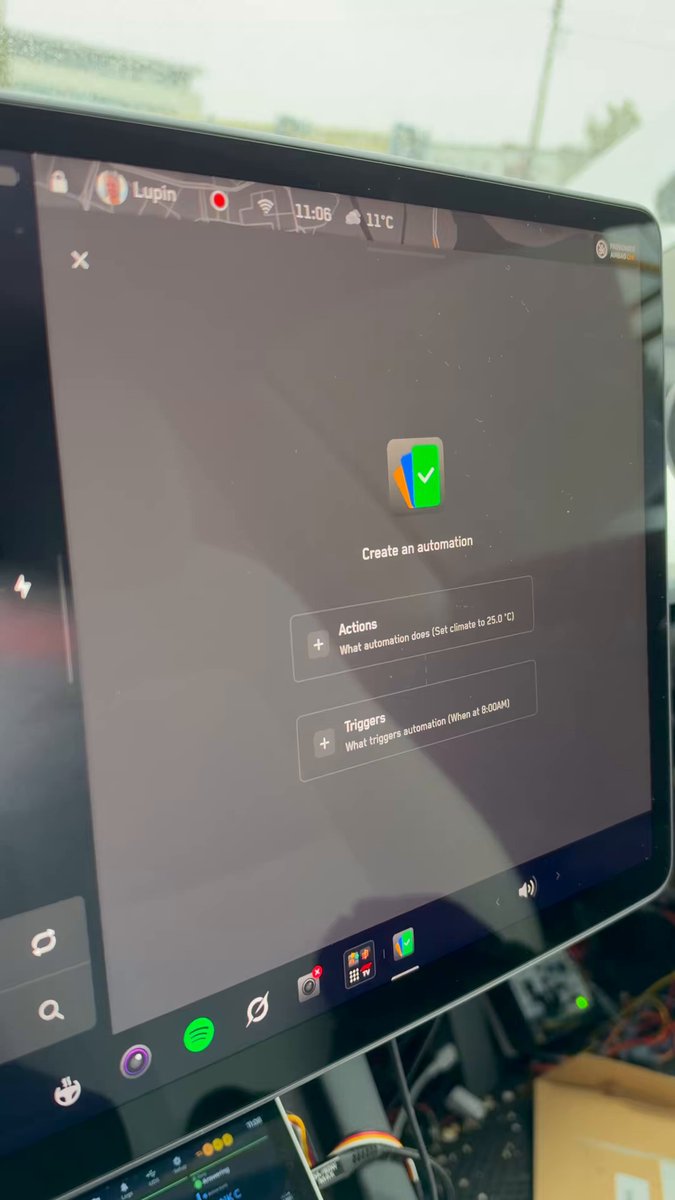
Tesla's Automation App — the IFTTT-style rule engine that lets you program your car to react to real-world triggers — has been confirmed active on a vehicle in Europe. The feature has been China-exclusive since its rollout with software version 2025.45.32.1 back in February 2026, making today's sighting a meaningful expansion signal for European owners who've been waiting.

What the Automation App Actually Does
Think of it as a programmable layer on top of your Tesla's existing features. You define a trigger — something that happens in or around the car — and pair it with an action. The official release notes describe it as "if this then that" (IFTTT) logic. Tesla's own example: a reminder saying "Please don't forget your belongings" fires when the driver's door opens and the driver is seated. That's a simple one. The real power is in chaining conditions together to automate things you'd otherwise have to do manually every single trip.
The feature shipped as part of the 2025.45.32.1 update, which was one of Tesla's largest software drops in recent memory — covering everything from a redesigned Car Wash Mode to Dashcam zoom support. But the Automation App was the headline addition, and it was deliberately staged: China first, then broader rollout. Industry observers had anticipated European and North American availability by 2026, and today's confirmation suggests that timeline is playing out.
How to Check If You Have It
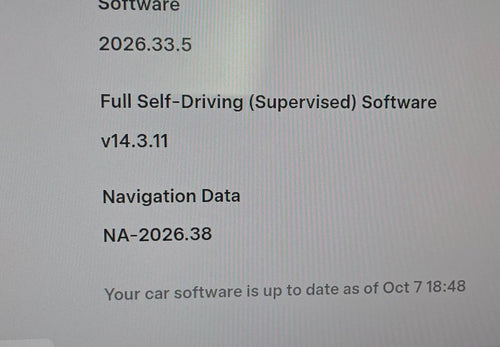
The rollout appears to be in early stages — one confirmed European vehicle as of this writing. Not every car on 2025.45.32.1 in Europe will have it yet; Tesla frequently enables features server-side on a per-region or per-VIN basis after the software itself is already installed. Here's how to check your status and get set up if it's live for you:
- Verify your software version. Go to Controls → Software on your touchscreen. You need 2025.45.32.1 or later. If you're behind, tap Check for Updates and make sure your car is on Wi-Fi.
- Look for the Automation App in your app drawer. From the main screen, swipe or navigate to your app grid. The Automation App should appear as its own tile — Tesla has not buried it in a submenu based on the China rollout experience.
- Open the app and review available triggers. Documented triggers include door events and occupancy states. Tap the "+" or "New Automation" button to start building a rule.
- Set your trigger condition. Choose the event that should kick off your automation — for example, driver's door opening, arriving at a saved location, or a time-based condition.
- Define your action. Pair the trigger with what you want the car to do: display a message, adjust climate, play a sound, or other supported outputs.
- Save and test it. Name your automation something descriptive so you can manage multiple rules later. Then manually trigger the condition to confirm it fires correctly before relying on it daily.
If the app isn't visible yet despite running the correct software version, you're likely waiting on server-side enablement for your region or VIN. Tesla doesn't publish a rollout schedule for feature flags, so the practical move is to check back daily — these typically propagate within days to weeks of the first confirmed sighting.
What to Build First
A few automations that make immediate sense for European owners, based on how the feature has been used in China since February:
- Forgotten items alert: Trigger on driver door open + driver seated → display a custom reminder message. Tesla's own example, and genuinely useful.
- Arrival climate prep: If your commute is consistent, a location-based trigger can pre-condition the cabin so it's ready when you return to the car.
- Charge limit reminder: Pair with the "Save Charge Limit by Location" feature (also in 2025.45.32.1) to remind yourself when you've deviated from your usual home charging routine.
The full scope of available triggers and actions will become clearer as more European owners get access and start sharing configurations. This is still day one for the region — expect the community to map out the complete trigger library quickly.
North American owners are watching this closely. Europe getting access before North America would be unusual for Tesla, but the China-first staging already broke from the typical pattern. If you're in the US or Canada and on 2025.45.32.1, it's worth checking your app drawer too — a quiet server-side enable could already be in progress.
📋 Tracking Tesla software? See every firmware, FSD and app version in one place in our Tesla Software Update Tracker.
Related Gear
Gear up your Tesla with tested, custom-fit BASENOR accessories — shop Tesla accessories →
Sources & reporting notes
The links below identify the material source records used for this report.
- @TeslaNewswire on X (2026-10-12T13:56:34.000Z) — Direct source
Source links are preserved as published or accessed. See our editorial standards and corrections policy.
The BASENOR Editorial Desk covers Tesla, SpaceX, and related technology, curating reporting from primary sources — official accounts, regulatory filings, and software release data. Every article passes source-record and fact-checking review before publication. About the newsroom.
This report was curated by the BASENOR Editorial Desk from the sources listed above. Read our editorial standards or email editorial@basenor.com to report an error.