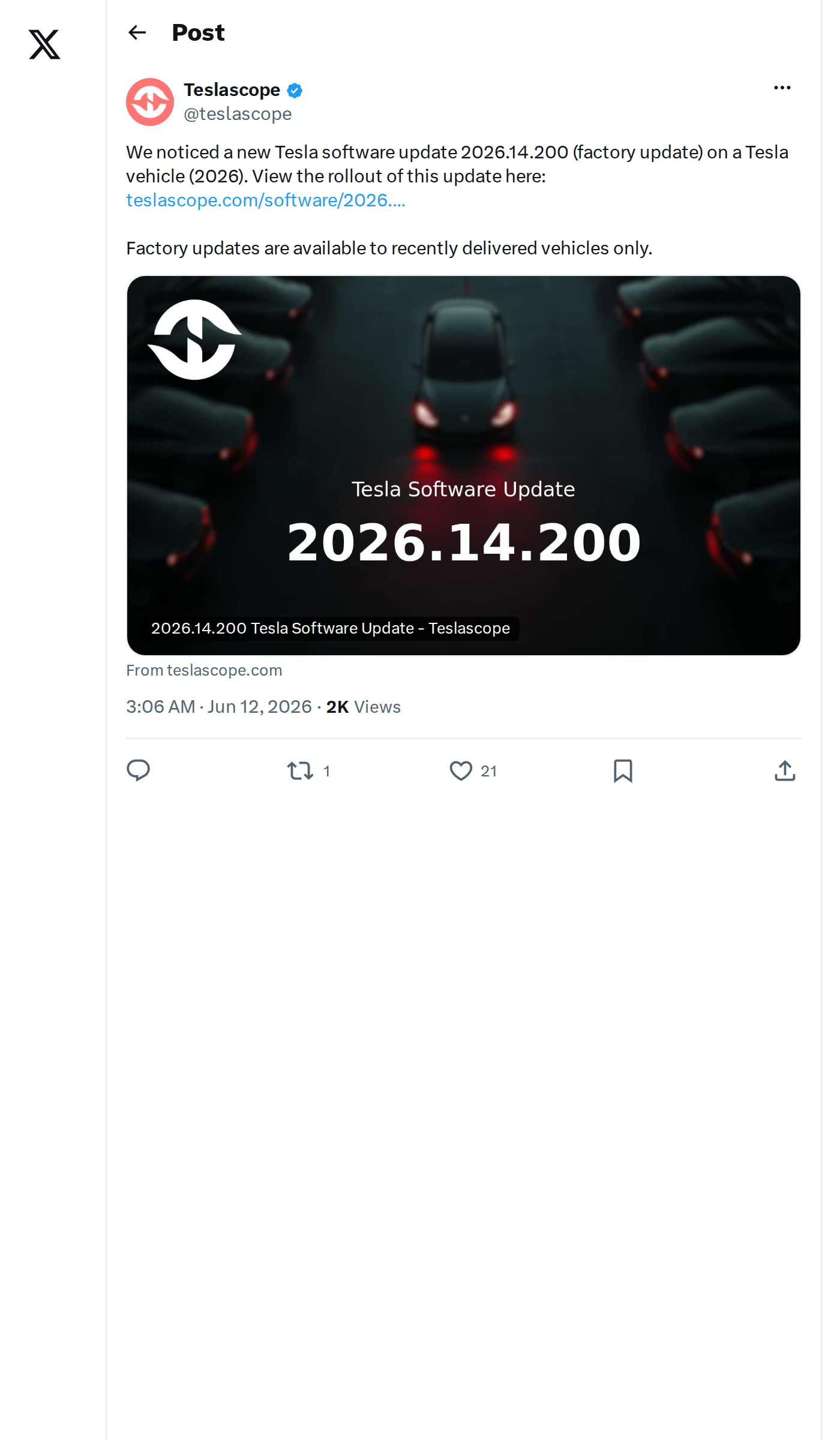
Teslascope has detected Tesla software version 2026.14.200 on a recently delivered 2026 Tesla vehicle. Flagged as a factory update, this build is part of the broader 2026.14 "Spring Update" series — but it won't land in your existing car's update queue. Factory updates are reserved exclusively for newly manufactured vehicles rolling off the line.

What Is a Factory Update?
Factory updates are software builds Tesla installs on vehicles during or immediately after manufacturing — before the car ever reaches a customer. They differ from standard over-the-air updates in a few key ways:
- They are not distributed to existing vehicles via OTA
- They may include manufacturing-specific calibration or configuration data
- They often carry higher build numbers (like .100 or .200) that signal a factory-specific branch
- Detailed public release notes are rarely published for these builds
Version 2026.14.200 follows the same naming pattern as 2026.14.100, another factory-targeted build spotted earlier in the 2026.14 series.
What's Officially in This Build
According to release notes tracked for 2026.14.200, two features are confirmed in this factory build:
| Change | Type | Models |
|---|---|---|
| "Hey Grok" Voice Activation — Hands-free voice trigger for the Grok AI assistant | Official | All models |
| Pet Mode — Now includes Cyberhog customization | Official | All models |
Both features are part of the wider 2026.14 "Spring Update" rollout that began in April 2026. The broader series also introduced Unreal Engine visualizations for Hardware 4 vehicles, Blind Spot Warning Accent Lights, Automatic Software Updates, and FSD (Supervised) improvements — though it's not confirmed which of those are bundled into this specific factory build.
What New Owners Should Do
If you've recently taken delivery of a 2026 Tesla, here's how to confirm your software version and make sure everything is set up correctly:
- Check your version: Tap the Tesla logo on your touchscreen → Software → you'll see your current version number. If it shows 2026.14.200, you're on this factory build.
- Enable "Hey Grok": Go to Controls → Voice → and confirm the "Hey Grok" wake word is toggled on. This lets you trigger the Grok AI assistant hands-free.
- Try Pet Mode with Cyberhog: Set up Pet Mode via Controls → Safety → Pet Mode. The new Cyberhog mascot customization should appear as an option on the display when Pet Mode is active.
- Watch for your first OTA update: Tesla's support documentation notes that new vehicles will receive a notification via the Tesla app once their first over-the-air software update is available post-delivery. That update may bring additional 2026.14 features not included in this factory build.
- Check the Tesla app: Make sure your vehicle is linked in the app and notifications are enabled so you don't miss the first OTA push.
If you're an existing Tesla owner, there's nothing to action here — this build won't appear in your update queue. Your vehicle will continue receiving standard OTA updates through the normal 2026.14 branch. You can track the rollout progress of all active builds at Teslascope.
📋 Tracking Tesla software? See every firmware, FSD and app version in one place in our Tesla Software Update Tracker.
Related Gear
Gear up your Tesla with tested, custom-fit BASENOR accessories — shop Tesla accessories →
Sources & reporting notes
The links below identify the material source records used for this report.
- @teslascope on X (2026-06-12T03:06:21.000Z) — Direct source
Source links are preserved as published or accessed. See our editorial standards and corrections policy.
The BASENOR Editorial Desk covers Tesla, SpaceX, and related technology, curating reporting from primary sources — official accounts, regulatory filings, and software release data. Every article passes source-record and fact-checking review before publication. About the newsroom.
This report was curated by the BASENOR Editorial Desk from the sources listed above. Read our editorial standards or email editorial@basenor.com to report an error.