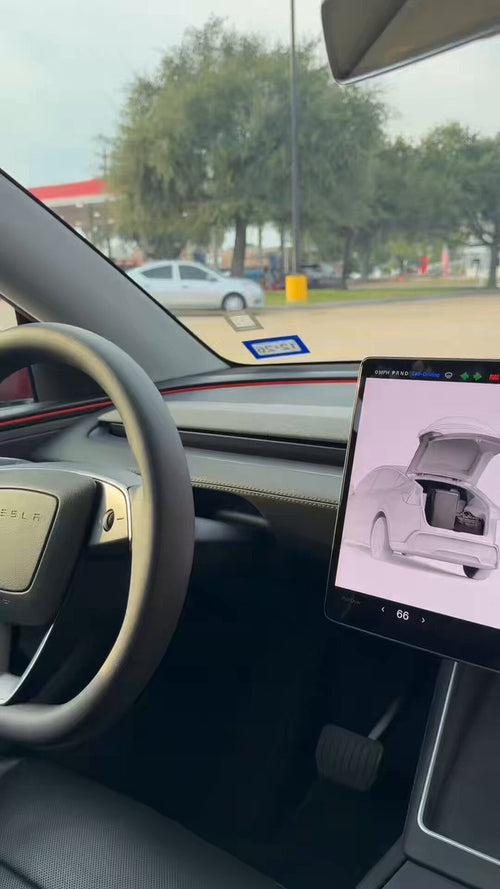
Tesla has started pushing software update 2026.27.11 to a sixth batch of vehicles, delivering two parallel FSD builds: FSD (Supervised) v14.3.10 for AI4/HW4 cars and FSD (Supervised) v14.2 Lite for HW3 cars. The headline addition is a new Automatic Collision Evasion safety feature that debuts on the v14.3.10 branch — but only if your vehicle has AI4/HW4 hardware and an active FSD purchase or subscription. Here's what's in the update and what you need to check on your car today.

What Changed
| Change | Type | Models |
|---|---|---|
| Automatic Collision Evasion — FSD (Supervised) can activate autonomously to steer the vehicle away from an imminent collision, then continue driving safely | Official | AI4/HW4 only |
| Reinforcement learning stack upgrade for the FSD (Supervised) v14.3.10 branch | Official | AI4/HW4 |
| FSD (Supervised) v14.2 Lite — parallel build for older AI3 hardware | Official | HW3 |
Who's Getting It Right Now
According to @TeslaNewswire, 2026.27.11 is going out to the sixth batch of vehicles — meaning this is still a staged rollout, not a wide release. An earlier build in the same family, 2026.27.10, began rolling out around September 19, 2026, per data aggregated by Teslascope and Tesla-Info. If your car is on a recent 2026.26.x or 2026.27.x build and you have FSD active, you're in the eligible pool; it just may take a few more days to reach your VIN.
Action Plan: What Tesla Owners Should Do Today
Whether you have AI4/HW4 or HW3, here's the step-by-step to make sure you actually receive — and can use — this update.
1. Confirm your hardware version
Automatic Collision Evasion is AI4/HW4 only. HW3 cars are getting v14.2 Lite instead and do not get this feature.
- In your car: tap Controls → Software → Additional Vehicle Information. Look for the Autopilot Computer line.
- Alternatively, the Tesla mobile app lists your Autopilot computer under vehicle details.
If it says Hardware 4 or AI4, you're eligible for v14.3.10 with Automatic Collision Evasion. If it says Hardware 3, you'll receive v14.2 Lite via the same 2026.27.11 update train.
2. Verify your FSD subscription or purchase is active
Automatic Collision Evasion requires an active FSD (Supervised) purchase or subscription with Automatic Emergency Braking and FSD (Supervised) both enabled. Owners with only Enhanced Autopilot or Basic Autopilot do not get this new evasion behavior.
- Check FSD status in the Tesla app under Upgrades, or in the car under Controls → Software.
- Confirm Automatic Emergency Braking is turned on: Controls → Autopilot → Automatic Emergency Braking.
3. Prep your car to receive the OTA
Staged rollouts favor vehicles that are ready to install:
- Connect to strong Wi-Fi — cellular OTAs for FSD builds are slower and sometimes skipped.
- In the app, toggle Software Update Preferences → Advanced so you're not in a delayed track.
- Leave the car parked and awake for a few minutes after plugging in; the update check runs more reliably that way.
4. Read the release notes before your first drive
When 2026.27.11 lands, don't just tap Accept and roll. Automatic Collision Evasion is a new autonomous intervention behavior — meaning the car may take a steering action you didn't initiate. Reading the release notes helps you understand when to expect it and how it interacts with your normal inputs.
5. Test in a low-stakes environment first
For the first drive after installation, keep both hands on the wheel and drive a familiar route. FSD (Supervised) is still a supervised system — the driver is responsible for the vehicle at all times, and evasion maneuvers require you to be ready to override if needed.
How Automatic Collision Evasion Actually Works
Per the feature description shared alongside the rollout, Automatic Collision Evasion goes a step beyond traditional Automatic Emergency Braking. Where AEB simply brakes hard to reduce impact severity, this new system can activate FSD (Supervised) to steer the vehicle to safety and then continue driving normally afterward. In practice that means if the car detects an imminent collision it can't avoid with braking alone — say, a stopped vehicle in your lane with room to swerve — it can perform an evasive lane change or path correction on its own.
Importantly, it can engage even when FSD (Supervised) isn't actively driving you — the safety layer runs in the background whenever the prerequisite features are enabled. This is a meaningful shift: it turns FSD's perception and planning stack into a passive safety net for owners who normally drive manually, not just those who use FSD point-to-point.
If You're on HW3
HW3 vehicles are receiving FSD (Supervised) v14.2 Lite in the same 2026.27.11 wave. The "Lite" designation reflects the reduced compute headroom of the older Autopilot computer — HW3 does not run the full v14.3 stack, and Automatic Collision Evasion is not available. HW3 owners still get the incremental v14.2 improvements Tesla has been shipping over the past few weeks, but should not expect the new evasion behavior on their car via software alone.
What to Watch Next
This is the sixth batch of 2026.27.11 — Tesla typically expands staged FSD rollouts to a wide release once no regressions surface. Owners in earlier batches will be the first to report how Automatic Collision Evasion behaves in real-world edge cases, and those reports usually surface within a week. If you're on the fence about enabling FSD (Supervised) to get access to this safety layer, watching that feedback window is a reasonable move before committing.
📋 Tracking Tesla software? See every firmware, FSD and app version in one place in our Tesla Software Update Tracker.
Related Gear
Gear up your Tesla with tested, custom-fit BASENOR accessories — shop Tesla accessories →
Sources & reporting notes
The links below identify the material source records used for this report.
- @TeslaNewswire on X (2026-09-28T05:00:26.000Z) — Direct source
Source links are preserved as published or accessed. See our editorial standards and corrections policy.
The BASENOR Editorial Desk covers Tesla, SpaceX, and related technology, curating reporting from primary sources — official accounts, regulatory filings, and software release data. Every article passes source-record and fact-checking review before publication. About the newsroom.
This report was curated by the BASENOR Editorial Desk from the sources listed above. Read our editorial standards or email editorial@basenor.com to report an error.