Tesla's Grok AI assistant is officially arriving in the Middle East, with support pages going live in five countries tied to software update 2026.32.6. If you own a Tesla in Israel, the UAE, Jordan, Qatar, or Saudi Arabia, here's what you need to know — and exactly what to do to get it running.


Who Qualifies
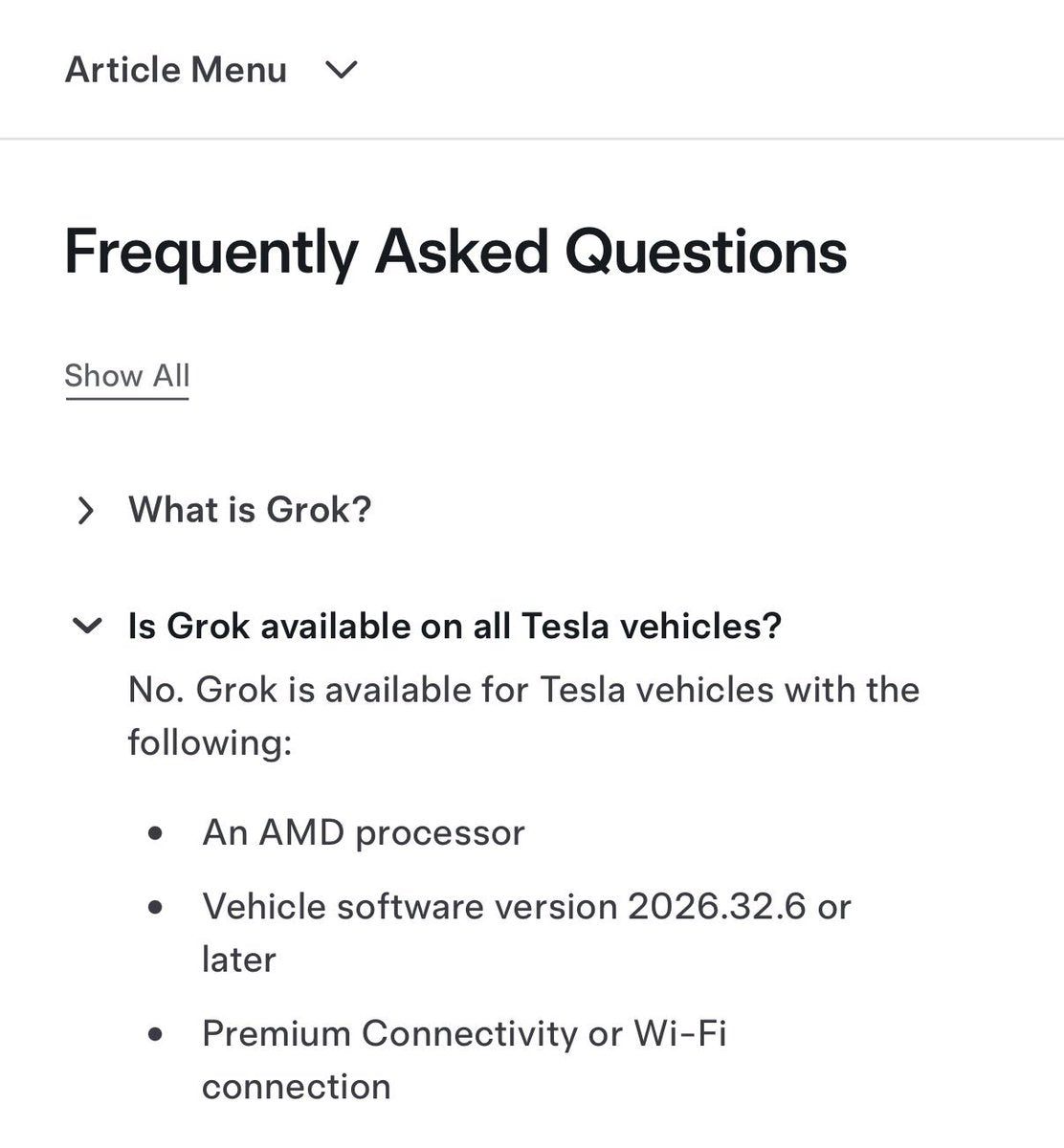
Before you go hunting through menus, run through this checklist. According to Tesla's regional support pages, Grok requires all of the following:
- Eligible vehicle: Model 3, Model Y, Model S, Model X, or Cybertruck
- AMD infotainment computer: This is the hard gate — older MCU1 or MCU2 (Intel-based) vehicles are not supported. If your car was built before roughly late 2021, check your hardware generation first (Controls → Software → Additional Vehicle Information).
- Connectivity: Premium Connectivity subscription or a stable Wi-Fi connection
- Software version: 2026.32.6 or later
No separate Grok or xAI account is required. The feature activates within your existing Tesla profile.
How to Get the Update
The rollout began September 17, 2026. If 2026.32.6 hasn't appeared on your car yet, don't wait passively — there are a few things you can do to move the queue along.
- Connect to Wi-Fi at home. Tesla prioritizes Wi-Fi delivery over LTE. Plug in overnight with your home network active — this is the single most reliable way to pull an update faster.
- Check for updates manually. Go to Controls → Software → tap the version number. If an update is staged, you'll see a prompt to schedule or install now.
- Confirm your connectivity plan. Open the Tesla app → tap your vehicle → Account → Manage → verify Premium Connectivity is active. If it's lapsed, Grok won't initialize even after the update installs.
- Verify your hardware. Controls → Software → Additional Vehicle Information. Look for "Infotainment" — it should list AMD or refer to MCU3. If it shows Intel, Grok is not supported on your vehicle at this time.
What Grok Can Do Once It's Live
Once 2026.32.6 is installed and your hardware clears, Grok is accessible two ways: tap the microphone icon on the touchscreen, or press the steering wheel's voice button. According to Tesla's UAE support materials, here's what you can ask it to do hands-free:
- Navigation: Set destinations, request reroutes, find points of interest nearby
- Phone: Place and manage calls by contact name
- Media: Search for specific songs, artists, or podcasts
- Climate: Adjust temperature, seat heating, and fan settings
- Vehicle knowledge: Ask questions answered in the owner's manual or get explanations for dashboard alerts
The UAE rollout materials also list selectable voice personas — Ara, Eve, Leo, Rex, and Sal — along with personality modes including Assistant, Language Tutor, Therapist, Storyteller, Meditation, Doc, and Conspiracy. Kids Story Time and Kids Trivia Game round out the feature set for family vehicles.
Privacy: What Tesla Collects
Worth knowing before you start using it: according to Tesla's support documentation, Grok conversations are described as anonymous to Tesla and are not linked to your vehicle's VIN. Precise-location features — such as finding nearby points of interest — require a separate opt-in. If you'd prefer not to share location data, you can use Grok for non-navigation queries without enabling that permission.
The update itself is free. There are no additional charges tied to Grok access beyond the Premium Connectivity subscription already required for other connected features.
For owners who've been waiting on this rollout, the support pages going live is a strong signal that the staged deployment is already underway — not just announced. If your car meets the hardware and connectivity requirements, expect the prompt within days. Check your Wi-Fi connection tonight and let the car do the rest.
📋 Tracking Tesla software? See every firmware, FSD and app version in one place in our Tesla Software Update Tracker.
Related Gear
Gear up your Tesla with tested, custom-fit BASENOR accessories — shop Tesla accessories →
Sources & reporting notes
The links below identify the material source records used for this report.
- @TeslaNewswire on X (2026-09-19T20:15:23.000Z) — Direct source
Source links are preserved as published or accessed. See our editorial standards and corrections policy.
The BASENOR Editorial Desk covers Tesla, SpaceX, and related technology, curating reporting from primary sources — official accounts, regulatory filings, and software release data. Every article passes source-record and fact-checking review before publication. About the newsroom.
This report was curated by the BASENOR Editorial Desk from the sources listed above. Read our editorial standards or email editorial@basenor.com to report an error.