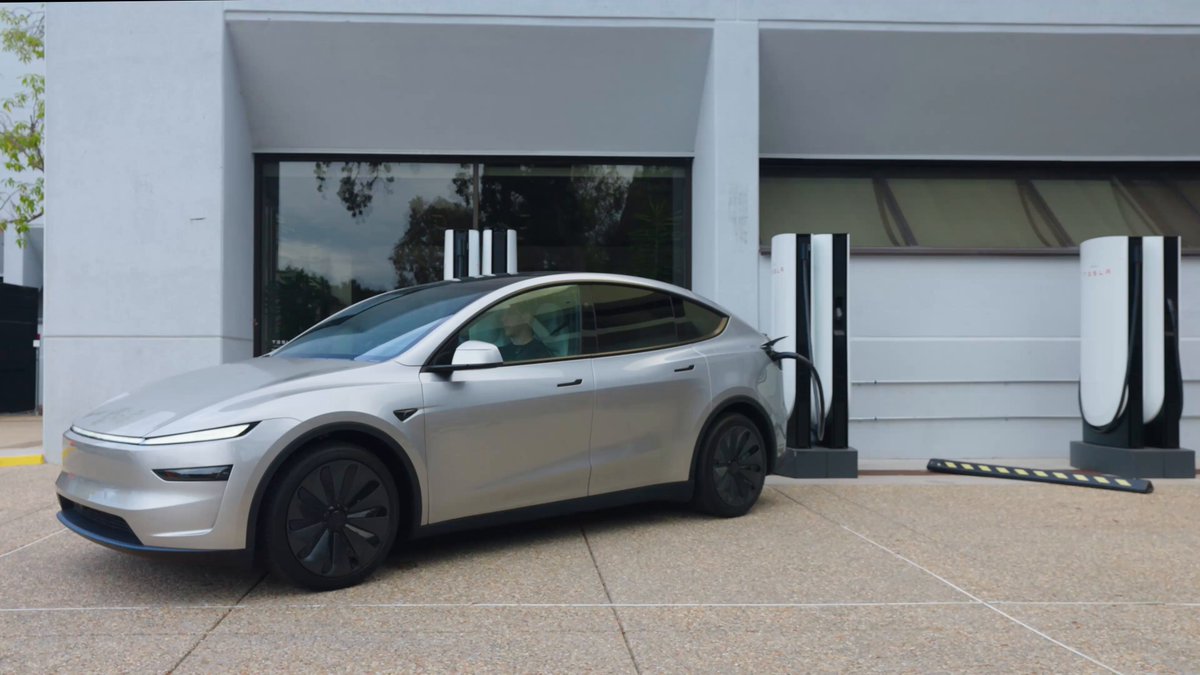
Tesla has quietly added one of the most consequential Supercharger safety features in years. Rolling out now via OTA software update 2026.38.3, the new Emergency Drive Away function lets a driver shift into Drive and leave a Supercharger stall while the charging cable is still physically connected to the car — a last-resort escape mechanism for life-threatening situations.
The feature was announced by Tesla's charging team on X alongside a demo video, and surfaced publicly on October 1, 2026. It is intentionally designed to cause damage if used, which is why Tesla is wrapping it in warnings, driver confirmation prompts, and automatic camera recordings uploaded back to the company.

What Changed
Until this update, pulling away from a Supercharger with the handle still latched into the port was not something the car would let you do under normal driving logic. The connector was treated as a hard interlock. Emergency Drive Away removes that interlock, but only after a driver explicitly confirms they understand the consequences.
| Change | Type | Models |
|---|---|---|
| Emergency Drive Away at Supercharger | Official | Model 3, Model Y, Model S, Model X, Cybertruck |
| Automatic short camera recording on activation | Official | All supported models |
According to Tesla's in-car warning text shared by Sawyer Merritt: “Driving with the cable connected will cause damage to your vehicle and the Supercharger. Short camera recordings will be shared with Tesla. Use only in an [emergency].” According to Electrek, the feature is currently limited to the United States at launch, and per reporting on X it may not be supported on some pre-2021 vehicles.

When You Should Actually Use It
This is not a convenience feature. It is a safety-of-life feature, and the Tesla owner community is already drawing a hard line around it. As Omar Qazi (Whole Mars Catalog) put it bluntly on X: “Please do not use this feature unless you're literally about to die. We need our chargers.”
Realistic scenarios where Tesla appears to have designed this for:
- An active threat — carjacking attempt, assault, or someone trying to force entry while you're plugged in.
- Medical emergency inside the vehicle requiring immediate departure to a hospital.
- Fire, flooding, or structural collapse at the Supercharger site.
- A vehicle fire in an adjacent stall.
What it is not for: a stall that won't release the handle, a software glitch, impatience, or wanting to leave quickly for a non-emergency reason. In those cases, press the unlock button on the charge handle, use the Tesla app's unlock function, or contact Tesla Supercharger support through the in-car menu.
Action Plan: How to Use Emergency Drive Away
Based on the demo video and in-car prompts shown by multiple Tesla accounts, here is the step sequence owners should mentally rehearse — once — so it is familiar if a real emergency ever occurs:
- Confirm you are on 2026.38.3 or later. Go to Controls → Software and check the version number. If you are not on 2026.38.3 yet, the feature is not available on your car — the rollout is staged.
- In an emergency, press the brake and shift into Drive (or Reverse) as normal. With the charge cable still connected, the car will detect the attempt and surface the Emergency Drive Away warning on the touchscreen.
- Read the on-screen warning. It will explicitly state that damage to the vehicle and the Supercharger will occur, and that short camera footage will be sent to Tesla.
- Confirm the prompt if the situation genuinely warrants it. Only then will the car release its drive interlock.
- Drive away. The connector will likely be torn from the car's charge port, the stall cable, or both. Expect visible damage.
- After reaching safety, call 911 if applicable, then report the incident to Tesla through the app or by calling roadside assistance. The automatic camera upload gives Tesla context, but your own account of what happened matters.
What to Expect Afterward
Tesla has not published a public policy document on repair liability for Emergency Drive Away events, so the following is informed speculation rather than confirmed policy: owners who legitimately use the feature during a documented emergency are likely to be treated differently from owners who misuse it. The camera recording Tesla captures on activation is almost certainly the mechanism by which that distinction gets made.
Practically, you should assume:
- The charge port door, latch assembly, and potentially the port itself may need replacement.
- The Supercharger cable at that stall will likely be out of service until Tesla's charging ops team repairs it — which is part of why the community is asking owners not to abuse it.
- Your account will be flagged for review based on the uploaded footage.
Editor's View
Emergency Drive Away is one of those features you hope you never use, and Tesla seems to understand that — the design treats the connector as sacrificial hardware rather than an obstacle to be worked around. The automatic camera upload is the quiet but important detail here: it gives Tesla a way to separate genuine emergencies from abuse, and it protects owners who had a legitimate reason to flee.
For the vast majority of Tesla drivers, the only correct action today is to update to 2026.38.3 when it reaches your car, know the feature exists, and then forget about it until the day — hopefully never — that you need it. For broader context on how Tesla is iterating on charging and safety, see our all software updates coverage.
📋 Tracking Tesla software? See every firmware, FSD and app version in one place in our Tesla Software Update Tracker.
Related Gear
Gear up your Tesla with tested, custom-fit BASENOR accessories — shop Tesla accessories →
Sources & reporting notes
The links below identify the material source records used for this report.
- @SawyerMerritt on X (2026-10-01T23:01:28.000Z) — Direct source
- @teslascope on X (2026-10-01T23:12:35.000Z) — Direct source
- @wholemars on X (2026-10-01T23:17:00.000Z) — Direct source
- @wholemars on X (2026-10-01T23:19:19.000Z) — Direct source
- @DirtyTesLa on X (2026-10-01T23:22:02.000Z) — Direct source
- @SawyerMerritt on X (2026-10-01T23:24:57.000Z) — Direct source
Source links are preserved as published or accessed. See our editorial standards and corrections policy.
The BASENOR Editorial Desk covers Tesla, SpaceX, and related technology, curating reporting from primary sources — official accounts, regulatory filings, and software release data. Every article passes source-record and fact-checking review before publication. About the newsroom.
This report was curated by the BASENOR Editorial Desk from the sources listed above. Read our editorial standards or email editorial@basenor.com to report an error.