Tesla has begun pushing firmware 2026.38.3.2 to select vehicles, with tracker data from TeslaFi and NotATeslaApp confirming roughly 600 installs and 0.1% fleet coverage as of October 22, 2026. The rollout is in its earliest phase — a controlled seeding — so most owners won't see the prompt yet. Here's what the update brings and exactly what to do while you wait.
What's in 2026.38.3.2
This version is the latest point release in the 2026.38 branch, which began rolling out on September 29–30, 2026, according to driveteslacanada.ca. The 2026.38.3 sub-branch followed on October 6. The .3.2 revision carries forward the same feature set with incremental fixes on top. Here's the full picture of what's documented:
| Change | Type | Models |
|---|---|---|
| Supercharger Site Maps — Live stall layout with Available / Occupied / Down status on arrival. Pilot locations only. | Official | AMD Ryzen vehicles |
| Visual Updates — Higher-quality vehicle images and enhanced park scene on the center display. | Official | Model 3 (AI3), Model Y (AI3) |
| Dynamic Headlight Leveling — Low beams automatically adjust aim based on driving conditions and surrounding traffic. | Official | Model 3 |
| Emergency Drive Away — Allows shifting into Drive with a Supercharger cable still physically connected, for genuine emergency situations. | Official | All supported models |
| Security Improvements — Unspecified security fixes and enhancements. | Official | All supported models |
Rollout Status — 2026.38.3.2
~0.1% of fleet • 600 installs (TeslaFi) • 20 installs (NotATeslaApp) • Data as of Oct 22, 2026
Action Plan: Check Your Car Now
At 0.1% fleet coverage, the vast majority of owners are still waiting. That said, Tesla's staged rollouts can accelerate quickly — here's how to stay ahead of it.
Step 1 — Check your current software version
On your touchscreen, tap Controls → Software. Your installed version appears at the top. If you're already on 2026.38.x, you may be near the front of the queue for this point release.
Step 2 — Enable Advanced Updates (if you haven't already)
Go to Controls → Software → Software Update Preference and select Advanced. This opts your vehicle into earlier access during staged rollouts. It won't guarantee immediate delivery, but it moves you up the queue.
Step 3 — Connect to Wi-Fi before bed
Tesla downloads updates over Wi-Fi by default. Parking within range of your home network overnight is the single most reliable way to receive the prompt. Cellular downloads are possible but slower and less consistent.
Step 4 — Don't force-install during a drive
When the prompt appears, schedule the install for a time your car will be parked for at least 30–45 minutes. Tapping Install Now mid-session will temporarily disable the vehicle. Use the Schedule option to set an overnight install window.
Step 5 — After install, check these features manually
- Supercharger Site Maps: Only visible at pilot Supercharger locations on AMD Ryzen-equipped vehicles. Navigate to a Supercharger and look for the stall layout on approach.
- Dynamic Headlight Leveling (Model 3 owners): No toggle required — this activates automatically at night. Verify it's working by observing beam behavior on a downhill approach with oncoming traffic.
- Emergency Drive Away: Familiarize yourself with the prompt — you won't want to learn it under pressure. Tesla's release notes describe the activation sequence.
You can track real-time rollout progress for 2026.38.3.2 directly on TeslaFi's firmware tracker. As install counts climb from the current 600, the percentage will tick up — historically, Tesla accelerates broader deployment within one to two weeks of initial seeding, assuming no issues surface in the early cohort. For a full history of recent releases, see our software updates coverage.
📋 Tracking Tesla software? See every firmware, FSD and app version in one place in our Tesla Software Update Tracker.
Related Gear
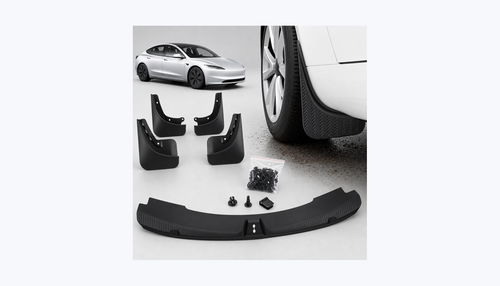
Gear up your Model 3 with tested, custom-fit BASENOR accessories — shop Model 3 accessories →
Sources & reporting notes
The links below identify the material source records used for this report.
- TeslaFi/NATA OTA Tracker — Collected source record
Source links are preserved as published or accessed. See our editorial standards and corrections policy.
The BASENOR Editorial Desk covers Tesla, SpaceX, and related technology, curating reporting from primary sources — official accounts, regulatory filings, and software release data. Every article passes source-record and fact-checking review before publication. About the newsroom.
This report was curated by the BASENOR Editorial Desk from the sources listed above. Read our editorial standards or email editorial@basenor.com to report an error.