📌 UPDATE — October 22, 2026
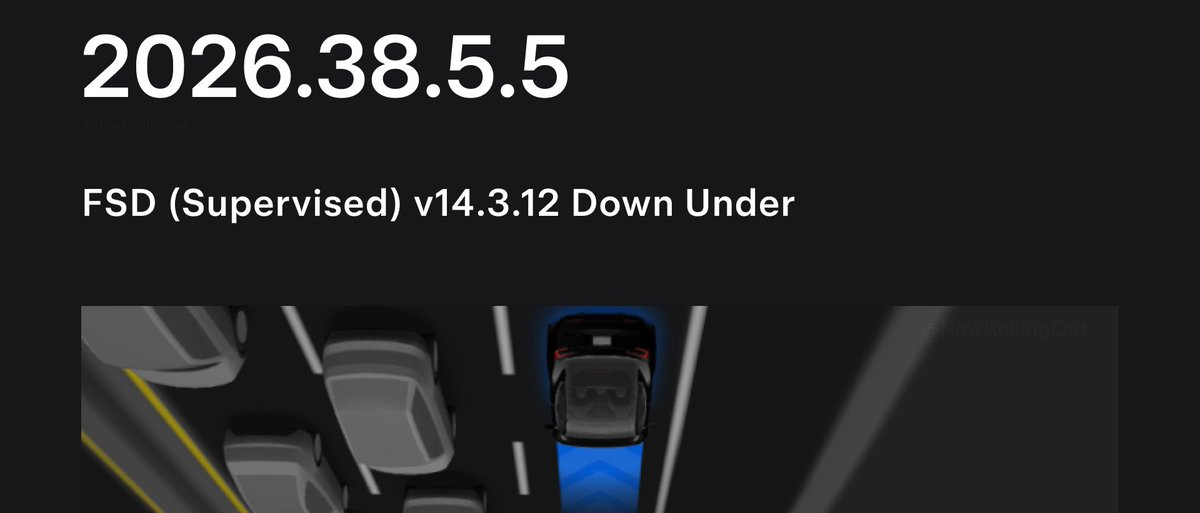
A second batch of owners in Australia and New Zealand is now receiving FSD (Supervised) v14.3.12 via software update 2026.38.5.5. This wave also brings vehicles onto the latest 2026.38+ software branch, which includes the newly added Halloween Mode — a bonus not mentioned when the initial rollout was first reported. If you didn't receive the update in the first wave, it's worth checking your Tesla app now as the wider push appears to be underway.
@TeslaNewswire · Oct 22, 2026
🇦🇺🇳🇿 Tesla FSD (Supervised) v14.3.12 is now rolling out to the 2nd batch of owners in Australia and New Zealand with software update 2026.38.5.5! The update also brings FSD to the latest 2026.38+ software branch, which includes Halloween Mode.

Tesla has kicked off the second wave of software update 2026.38.5.5, and for owners in Australia and New Zealand, it carries something significant: Full Self-Driving (Supervised) version 14.3.12. This is a meaningful expansion of FSD to the region, bringing a heavily revised neural network stack, faster reaction times, and a range of behavioral improvements that have already been running in North America.

What Changed in FSD 14.3.12
| Change | Type | Models |
|---|---|---|
| FSD (Supervised) v14.3.12 — Australia & New Zealand | Official | HW4 vehicles |
| Arrival Options (Parking Lot, Street, Driveway) | Official | All compatible |
| 20% faster reaction time via rewritten MLIR compiler | Official | HW4 vehicles |
| Improved traffic light handling at complex intersections | Official | HW4 vehicles |
| Enhanced emergency vehicle & school bus response | Official | HW4 vehicles |
| FSD Streaks — distance traveled without intervention visible in Self-Driving App | Official | All compatible |
| Improved driver monitoring: eye gaze tracking, eyewear handling, varied lighting | Official | All compatible |
| Halloween Mode, Speed Profiles, Brake Confirm, Set Arrival Energy | Official | All compatible |
The headline engineering change is the rewritten AI compiler and runtime using MLIR, which according to Tesla's release notes delivers a 20% faster reaction time and accelerates future model iteration. The neural network vision encoder has also been upgraded, with better 3D geometry understanding and expanded traffic sign recognition — both relevant to the unique road environments in Australia and New Zealand.
Behaviorally, owners should notice less unnecessary lane biasing, reduced minor tailgating, and more decisive parking maneuvers. The system also handles temporary degradations more gracefully now, recovering automatically rather than triggering a disengagement.
Hardware Compatibility: HW4 Gets the Full Version
If you're in Australia or New Zealand, your eligibility depends on which hardware generation your car runs. According to previous FSD rollouts in this region, the full FSD v14.3.12 is available on Hardware 4 (HW4/AI4) vehicles. Owners on Hardware 3 (HW3) are receiving a "FSD v14 Lite" variant. Check your vehicle's hardware version in the touchscreen under Controls → Software → Additional Vehicle Information before expecting the full feature set.
Action Plan for AU/NZ Owners
Step 1 — Check your hardware version. Go to Controls → Software → Additional Vehicle Information. Look for "Autopilot computer" — if it says "Full Self-Driving Computer (HW4)" or "AI4", you're eligible for the full FSD 14.3.12.
Step 2 — Check for the update. Go to Controls → Software. If 2026.38.5.5 is available, tap "Install Now" or schedule it for overnight. This is the second wave, so not every car will see it simultaneously — if it hasn't appeared yet, check again in 24–48 hours.
Step 3 — Enable FSD after the update. Once installed, open the Self-Driving App on your touchscreen. If FSD is part of your subscription or purchase, it should be available to activate. If you had FSD enabled before the update, verify it's still toggled on after the reboot.
Step 4 — Try Arrival Options. This update adds the ability to tell FSD where to pull over when you arrive — Parking Lot, Street, or Driveway. You'll find this setting in the Self-Driving App or during active navigation. It's worth configuring for your home address immediately.
Step 5 — Check your FSD Streaks. Open the Self-Driving App and look for the new streak display, which shows your longest intervention-free distance. It's a useful baseline to track how the new neural network performs on your regular routes.
For owners who want to stay across every software update as it rolls out, our all software updates coverage tracks each wave in real time.
The expansion of FSD to Australia and New Zealand reflects Tesla's gradual international rollout strategy — right-hand-drive markets with distinct road rules and signage present genuine training challenges, so the improved traffic sign recognition and vision encoder upgrades in 14.3.12 are particularly relevant here. How the system handles roundabouts, give-way rules, and local intersection layouts will be the real test once owners start logging kilometres.
📋 Tracking Tesla software? See every firmware, FSD and app version in one place in our Tesla Software Update Tracker.
Related Gear
Gear up your Tesla with tested, custom-fit BASENOR accessories — shop Tesla accessories →
Sources & reporting notes
The links below identify the material source records used for this report.
- @NowRollingOut on X (2026-10-22T06:38:08.000Z) — Direct source
Source links are preserved as published or accessed. See our editorial standards and corrections policy.
The BASENOR Editorial Desk covers Tesla, SpaceX, and related technology, curating reporting from primary sources — official accounts, regulatory filings, and software release data. Every article passes source-record and fact-checking review before publication. About the newsroom.
This report was curated by the BASENOR Editorial Desk from the sources listed above. Read our editorial standards or email editorial@basenor.com to report an error.