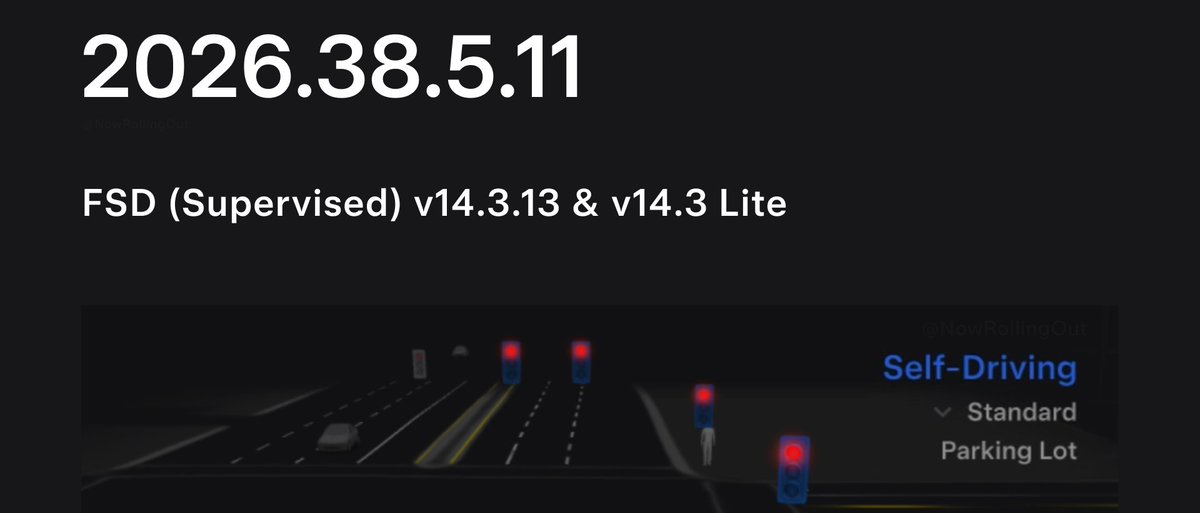
Tesla is pushing a sixth wave of FSD 14.3.13 as part of software version 2026.38.5.11 — and this one expands the rollout to Hardware 3 vehicles via FSD v14.3 Lite. If you've been waiting on this update, now is the time to check your car.

What Changed
| Change | Type | Models |
|---|---|---|
| FSD 14.3.13 — Wave 6 | Official | HW4 vehicles |
| FSD v14.3 Lite | Official | HW3 vehicles |
The HW3 inclusion is the notable addition here. FSD Lite delivers a version of the 14.3 stack tuned for the older compute platform — HW3 owners who have been on the sidelines of recent FSD waves now have a path to this release.
How to Check and Install Your Update
Tesla OTA waves roll out in stages, so your car may not show the update immediately. Here's what to do right now:
- Force a software check. On your touchscreen, go to Controls → Software and tap Check for Updates. If 2026.38.5.11 is available, it will appear here.
- Connect to Wi-Fi. OTA downloads are significantly faster over a home network. Plug into your wall charger or Supercharger and make sure Wi-Fi is active — Tesla prioritizes Wi-Fi for large packages like FSD updates.
- Schedule or install immediately. You can tap Install Now or set a scheduled time under Controls → Software → Schedule so the update doesn't interrupt your day.
- Confirm your FSD version after install. Once updated, go to Controls → Autopilot and scroll to the bottom. The FSD version string should read 14.3.13.
- HW3 owners: verify Lite is active. After installation, your Autopilot settings page will reflect FSD v14.3 Lite. The feature set may differ slightly from the full HW4 build — this is expected behavior for the Lite variant.
If your car still shows an older version after 24–48 hours, it may simply be queued for a later sub-wave. Tesla staggers deployments to manage server load, so patience is often the only fix required. You can also try a soft reboot (hold both scroll wheels until the screen restarts) to prompt the car to re-check its update status.
Wave 6 being the sixth deployment of this build suggests Tesla has been methodically expanding coverage — HW3 inclusion at this stage indicates confidence in the Lite variant's stability. Keep an eye on all software updates as further waves are likely before the next major FSD version arrives.
📋 Tracking Tesla software? See every firmware, FSD and app version in one place in our Tesla Software Update Tracker.
Related Gear
Gear up your Tesla with tested, custom-fit BASENOR accessories — shop Tesla accessories →
Sources & reporting notes
The links below identify the material source records used for this report.
- @NowRollingOut on X (2026-10-28T06:14:08.000Z) — Direct source
Source links are preserved as published or accessed. See our editorial standards and corrections policy.
The BASENOR Editorial Desk covers Tesla, SpaceX, and related technology, curating reporting from primary sources — official accounts, regulatory filings, and software release data. Every article passes source-record and fact-checking review before publication. About the newsroom.
This report was curated by the BASENOR Editorial Desk from the sources listed above. Read our editorial standards or email editorial@basenor.com to report an error.