
📌 UPDATE — November 22, 2026
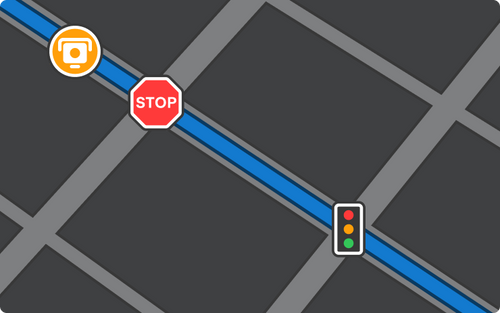
Elon Musk confirmed FSD V15 features a completely new architecture, calling it "super" intelligence that "drives better than human intelligence." Beyond the gestures and Quiet Mode covered below, V15 adds the ability to tap any parking spot on-screen — arrows appear over available spaces and you simply select your preferred one, or let FSD choose autonomously. Early users report the system will sometimes override your pick and select a different spot on its own.
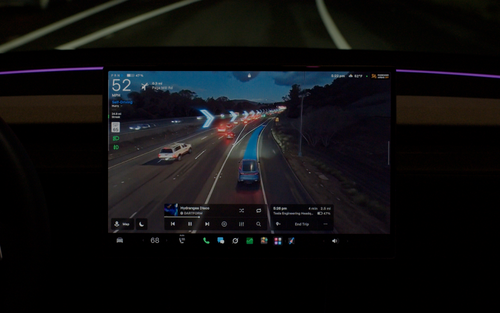
V15 also integrates Grok's real-time X feed with fleet traffic data to surface proactive alerts about conditions at your destination — even before you arrive. On the visualization side, the new photorealistic rendering (which now detects details like Christmas lights and decorations) is available even without FSD active and works alongside Split View.
@SawyerMerritt — Tap-to-park in action

@SawyerMerritt — Christmas lights in FSD visualizations

Sources: @elonmusk, @SawyerMerritt
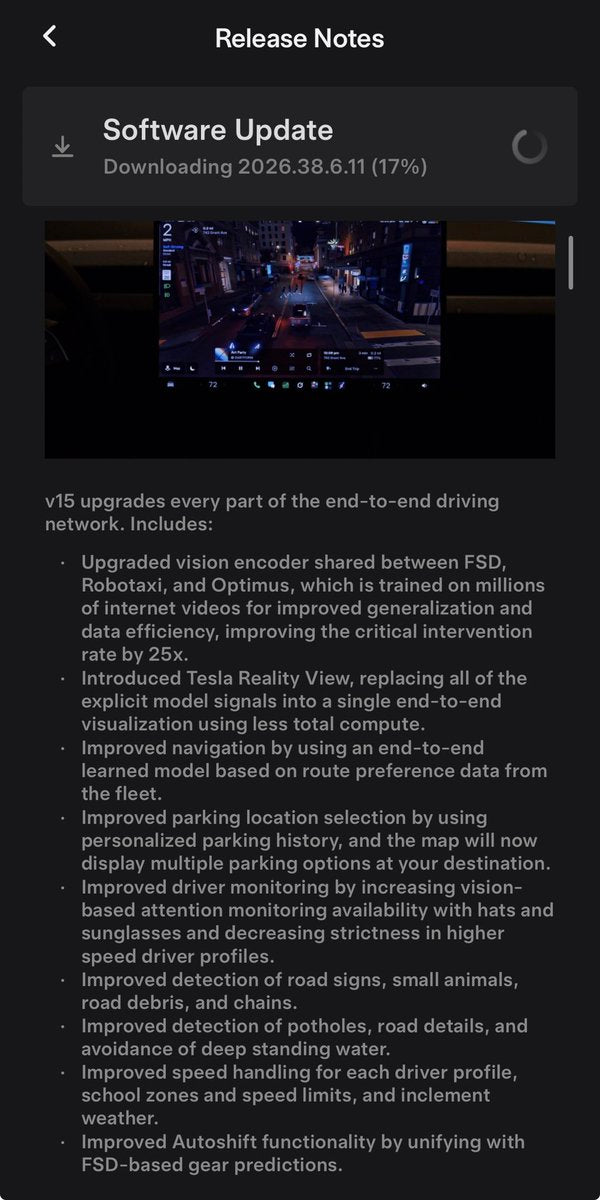
Tesla began pushing FSD (Supervised) v15 to Early Access Program members on November 21, 2026 — and this one is more than a calibration tune. Version 15.0.1, bundled inside software update 2026.38.6.11, ships a redesigned driving visualization, two new touchscreen gestures, and a Quiet Mode that changes how the cabin feels mid-ride. A wider rollout to all FSD subscribers is expected in December 2026 as part of the Holiday Update.

What Changed in FSD v15
| Change | Type | Models |
|---|---|---|
| Upgraded Vision Encoder — shared with Robotaxi and Optimus, trained on millions of internet videos; improves critical intervention rate by 25x | Official | All FSD-capable |
| Tesla Reality View — real-time generative driving visualization streamed from a virtual camera above the vehicle | Official | All FSD-capable |
| Three-finger horizontal swipe — cycles between fullscreen visualization, map, and Split View | Official | All FSD-capable |
| Three-finger vertical swipe — activates Quiet Mode for a calmer cabin experience | Official | All FSD-capable |
The headline engineering change is the upgraded Vision Encoder. According to Tesla's release notes, it's now shared across FSD, Robotaxi, and Optimus — trained on millions of internet videos rather than only Tesla fleet data. Tesla claims this improves the critical intervention rate by 25x, which would be the largest single safety leap the system has seen in a single version jump.

How to Use the New Gestures
Both gestures require three fingers on the FSD visualization panel — not the main touchscreen area. Here's how each one works:
Switch Views (Horizontal Swipe)
- Engage FSD so the driving visualization is active on your screen.
- Place three fingers on the visualization panel.
- Swipe left or right to cycle between fullscreen Tesla Reality View, the classic map, and Split View (visualization + map side by side).
- The transition is immediate — no menu navigation required.
Activate Quiet Mode (Vertical Swipe)
- With FSD active, place three fingers on the visualization panel.
- Swipe downward (or upward — confirm direction after your update installs, as Tesla may finalize the direction in the release notes).
- Quiet Mode activates, reducing cabin chimes and non-critical audio alerts for a more relaxed driving experience.
- Repeat the gesture to toggle it off.

How to Check If You Have the Update
- On your Tesla touchscreen, tap the Tesla logo (top-left) or go to Controls > Software.
- Look for software version 2026.38.6.11. If it shows, FSD v15.0.1 is already on your car.
- If you don't see it yet, tap Check for Updates. Early Access members are getting it first; the broad rollout is expected in December 2026.
- Once installed, open the FSD visualization during a drive and practice the three-finger gestures — they won't appear in a parked demo mode.
Early Access users are already downloading the update as of tonight, with some — like @DirtyTesLa — pulling it down via Starlink. If you're not in the Early Access Program, the December Holiday Update is your likely on-ramp. Given the scale of the Vision Encoder change and the 25x intervention rate claim, this is one worth waiting for. For more on our FSD coverage, check the full archive.
📋 Tracking Tesla software? See every firmware, FSD and app version in one place in our Tesla Software Update Tracker.
Related Gear
Gear up your Tesla with tested, custom-fit BASENOR accessories — shop Tesla accessories →
Sources & reporting notes
The links below identify the material source records used for this report.
- @wholemars on X (2026-11-21T23:02:56.000Z) — Direct source
- @wholemars on X (2026-11-21T23:18:42.000Z) — Direct source
- @TeslaNewswire on X (2026-11-21T23:24:17.000Z) — Direct source
- @DirtyTesLa on X (2026-11-21T23:46:59.000Z) — Direct source
Source links are preserved as published or accessed. See our editorial standards and corrections policy.
The BASENOR Editorial Desk covers Tesla, SpaceX, and related technology, curating reporting from primary sources — official accounts, regulatory filings, and software release data. Every article passes source-record and fact-checking review before publication. About the newsroom.
This report was curated by the BASENOR Editorial Desk from the sources listed above. Read our editorial standards or email editorial@basenor.com to report an error.