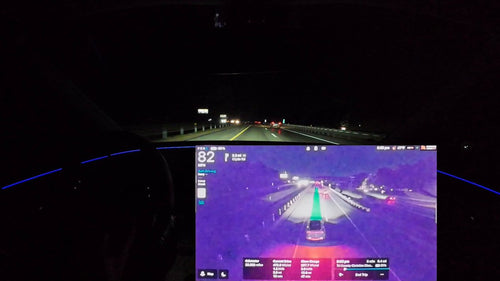

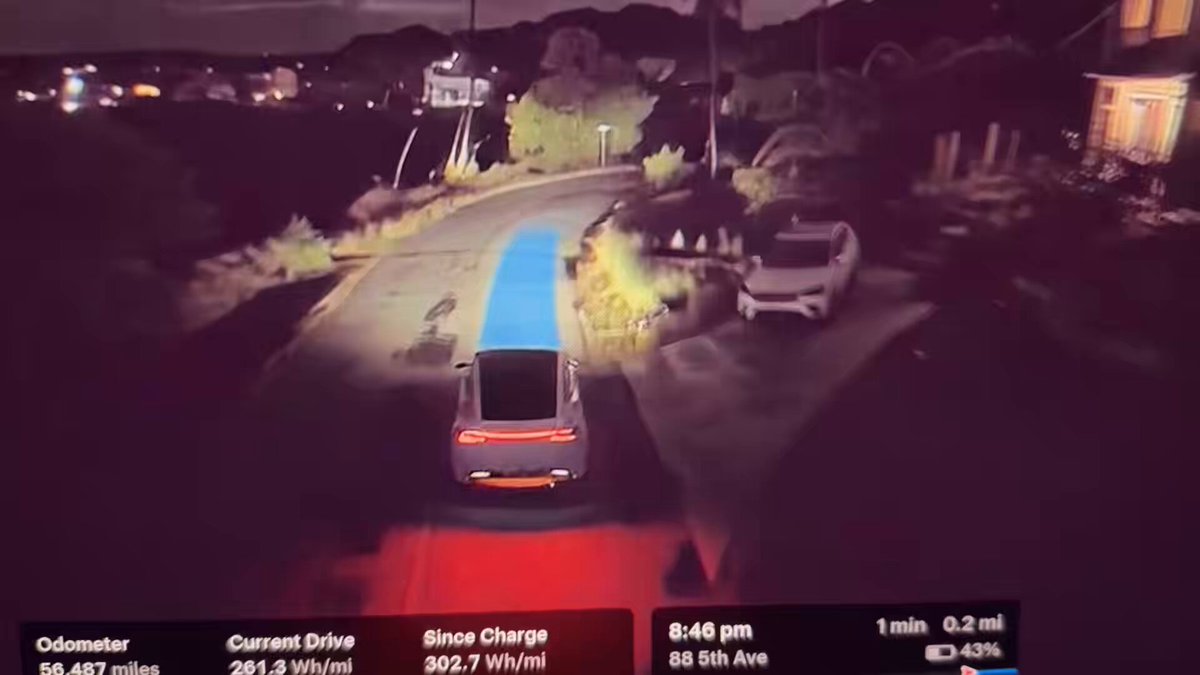
Tesla's FSD V15 has begun rolling out to Early Access Program members as of November 21, 2026, and early adopters are already sharing footage online. The headline feature is Tesla Reality View — a real-time generative visualization that shows exactly what FSD sees and plans to do — but the update goes well beyond a new display. If you have an AI4-equipped vehicle, here's everything that changed and the steps to check whether your car is already receiving it.

What Changed in FSD V15
| Change | Type | Models |
|---|---|---|
| Tesla Reality View — generative overhead driving visualization | Official | AI4 only |
| Upgraded vision encoder (shared with Robotaxi and Optimus) | Official | AI4 only |
| Improved detection: road debris, small animals, chains, road signs | Official | AI4 only |
| Improved pothole detection and deep standing water avoidance | Official | AI4 only |
| Speed Camera Slowdown | Official | AI4 only |
| Bike Rack Mode — FSD usable with hitch accessories installed | Official | AI4 only |
| Improved navigation: end-to-end learned model for trip start/end | Official | AI4 only |
| Improved parking location selection using personal history | Official | AI4 only |
| Improved driver monitoring — better with hats and sunglasses | Official | AI4 only |
| More natural speed handling for driver profiles, school zones, weather | Official | AI4 only |
| Autoshift unified with FSD-based gear predictions | Official | AI4 only |
First, Check Your Hardware
FSD V15 — including Reality View — is exclusive to vehicles equipped with AI4 hardware. According to background research, that typically means 2026 Model Y and other newer AI4-equipped cars. If your vehicle runs Hardware 3 (HW3/AI3), it will remain on a separate V14 Lite branch and will not receive this update. Before doing anything else, confirm which hardware generation your car has.
To check your hardware version: go to Controls → Software → Additional Vehicle Information. Look for the Autopilot computer line — it will say either "Full Self-Driving Computer" (HW3) or "AI4" depending on your build.
Action Plan
Step 1 — Confirm your hardware. Navigate to Controls → Software → Additional Vehicle Information. If you see AI4, you're eligible. HW3 owners should hold off — V15 is not coming to your car.
Step 2 — Check for the update manually. Go to Controls → Software. If an update is available, you'll see it here. Tap "Install Now" or schedule it for overnight if you prefer. The initial build is v15.0.1.
Step 3 — If nothing shows up yet, be patient. According to Tesla, the wide public release is scheduled for December 2026 as part of the Holiday Update. Early Access Program members are receiving it first. If you're not in EAP, your rollout window is coming — likely within weeks.
Step 4 — After installing, explore Reality View. Once updated, open the FSD visualization on your touchscreen. You can switch between fullscreen, split view, map view, or quiet mode. Upcoming navigation turns now appear directly in the driving visualization rather than a separate panel.
Step 5 — If you use a bike rack, enable Bike Rack Mode. Go to Controls → Autopilot → Bike Rack Mode and toggle it on before engaging FSD with a hitch accessory installed. Note that in this mode, the vehicle will pull over near your destination rather than reversing into a spot.
Step 6 — Review your driver profile settings. The improved driver monitoring now works better with hats and sunglasses, and strictness is reduced at higher-speed profiles. If you previously found monitoring overly aggressive, it may feel noticeably more relaxed in V15.
The Reality View Demo Worth Watching
The clip circulating from @TeslaNewswire shows FSD V15's Reality View rendering a large fallen branch in the road in real time — the system detects it, plots a path around it, and executes the maneuver cleanly. It's a concrete demonstration of the improved road debris detection that Tesla lists in the official release notes. The overhead virtual camera perspective makes it easier than ever to see exactly what the system is planning before it acts.
Tesla claims a 25x improvement in the critical intervention rate with the upgraded vision encoder — a figure worth noting, though the company has not published a defined test methodology or baseline for that number. Real-world owner data over the coming weeks will be the more meaningful signal to watch.
The wide release is still a few weeks out, but with EAP members already posting footage and the Holiday Update on the December calendar, the wait for most owners won't be long. Keep an eye on your Software tab — and if you're on AI4 hardware, this one is worth installing promptly. For more on what's changed across recent FSD releases, check out our FSD coverage.
📋 Tracking Tesla software? See every firmware, FSD and app version in one place in our Tesla Software Update Tracker.
Related Gear
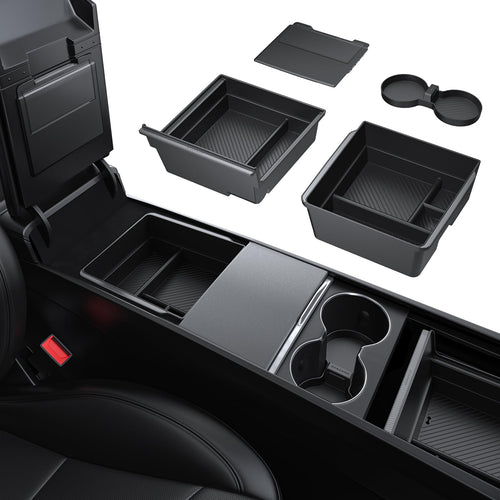
Gear up your Tesla with tested, custom-fit BASENOR accessories — shop Tesla accessories →
Sources & reporting notes
The links below identify the material source records used for this report.
- @wholemars on X (2026-11-22T09:11:59.000Z) — Direct source
- @TeslaNewswire on X (2026-11-22T09:18:26.000Z) — Direct source
Source links are preserved as published or accessed. See our editorial standards and corrections policy.
The BASENOR Editorial Desk covers Tesla, SpaceX, and related technology, curating reporting from primary sources — official accounts, regulatory filings, and software release data. Every article passes source-record and fact-checking review before publication. About the newsroom.
This report was curated by the BASENOR Editorial Desk from the sources listed above. Read our editorial standards or email editorial@basenor.com to report an error.