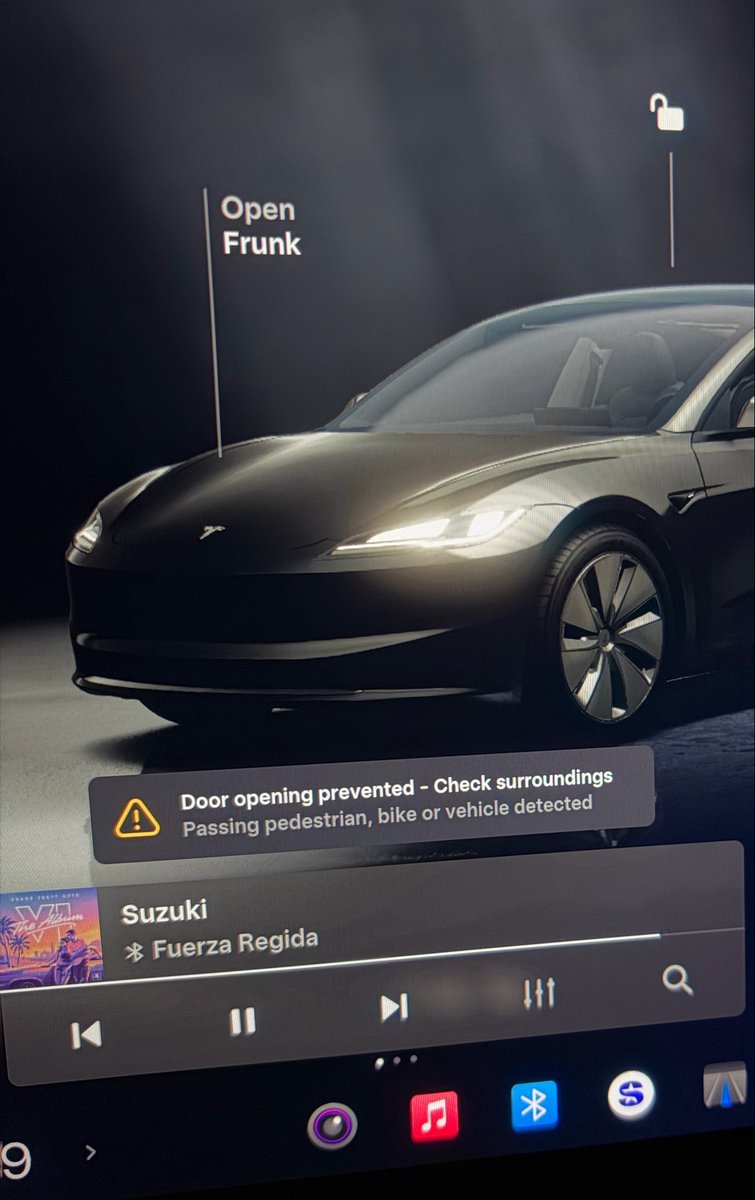
A Tesla owner narrowly avoided a serious accident last week when their car's AI refused to open the door as a vehicle came speeding around a corner. The system didn't just warn — it physically blocked the door from opening on the first press, buying the critical second needed to avoid a collision. Here's what the feature does, which vehicles have it, and how to make sure yours is turned on.

What the Feature Actually Does
Tesla calls this Blind Spot Warning While Parked. It uses the side-repeater and B-pillar cameras — hardware already on your car — combined with Tesla's onboard neural network to scan for approaching cyclists, pedestrians, and vehicles in the blind spot zone beside your door.
When you press the electronic door release and the system detects a threat, two things happen simultaneously: a visual alert fires (a flashing blind spot indicator or red ambient light near the front speaker), and an audible chime sounds inside the cabin. More importantly, the door physically resists opening on that first press. It won't budge until the danger has passed or you deliberately override it with a second press.
That momentary resistance is the key design choice. A warning you can ignore is easy to dismiss in a rush. A door that won't open forces you to register what's happening before you act.
The system requires no new hardware and no subscription — it's delivered free via OTA update and runs on your existing AI computer.
Which Vehicles Have It
Rollout has been gradual. According to Teslarati and notateslaapp.com, the feature first appeared on the Model 3 Highland refresh in 2024. It came to the Cybertruck in March 2026 with software update 2026.8. The biggest expansion happened in June 2026 via updates 2026.20.3 and 2026.20.6, which brought it to the new Model Y, Model S (2021 and newer), and Model X (2021 and newer).
If you're on an older Model 3 (pre-Highland), Model Y (pre-Juniper), or an earlier Model S/X, check your current software version — availability may vary.
How to Confirm It's Active on Your Car
The setting is easy to miss because it lives in Safety controls, not in the Autopilot or Driver Assistance menus where most owners would look.
- Tap Controls on your touchscreen.
- Select Safety.
- Look for Blind Spot Warning While Parked and confirm it's toggled on.
If you don't see the option, your vehicle may not yet have received the update that includes it. Check Software > Update Available to see if a pending install is waiting, and make sure your car is connected to Wi-Fi overnight so updates can download automatically.
What to Do When the Alert Fires
The system is designed to be overridable — it's not a hard lock. If the warning triggers and you've assessed the situation and it's clear, a second press of the door release will open the door. The intent is to interrupt the automatic muscle-memory motion of opening a door without looking, not to trap you inside.
That said, treat the first press resistance as a genuine signal. Dooring accidents account for an estimated 10–20% of bike-related crashes in major cities, according to safety research cited by Autoblog. The car's cameras have a wider view of the approaching lane than your mirror check alone.
If you're a regular street parker — urban commuters especially — this is one of the most practically useful safety features Tesla has shipped in the past two years. Worth thirty seconds to verify it's on.
Related Gear
Gear up your Tesla with tested, custom-fit BASENOR accessories — shop Tesla accessories →
Sources & reporting notes
The links below identify the material source records used for this report.
- @wholemars on X (2026-10-27T04:08:55.000Z) — Direct source
Source links are preserved as published or accessed. See our editorial standards and corrections policy.
The BASENOR Editorial Desk covers Tesla, SpaceX, and related technology, curating reporting from primary sources — official accounts, regulatory filings, and software release data. Every article passes source-record and fact-checking review before publication. About the newsroom.
This report was curated by the BASENOR Editorial Desk from the sources listed above. Read our editorial standards or email editorial@basenor.com to report an error.